
grist-core
 grist-core copied to clipboard
 gristlabs
Allow to paste a blob in an Attachment cell
Hi,
When on an Attachment column, it could be handy to be able to "CTRL-C" a blob (eg. I've just made a screenshot that I want to add).
So I imagine (dream? :) ) that when I've selected a cell in an attachment column and that I paste a blob, it will be added as attachment. Just like I can paste it here in a Github textarea or in Mattermost, for eg.:

Not a top priority, though.
Yohan, master of tickets… ;)
It is a good idea @yohanboniface, and it shouldn't be that much work, the server doesn't care what source the client is sending the material from.

I have an issue I don't know how to handle.
In this function I add some event listener for click and paste, however I can trigger the click one but I cannot find how to trigger the paste one. Do you have any idea ? I tried with images but also with text. The text is correctly pasted but no log are shown.
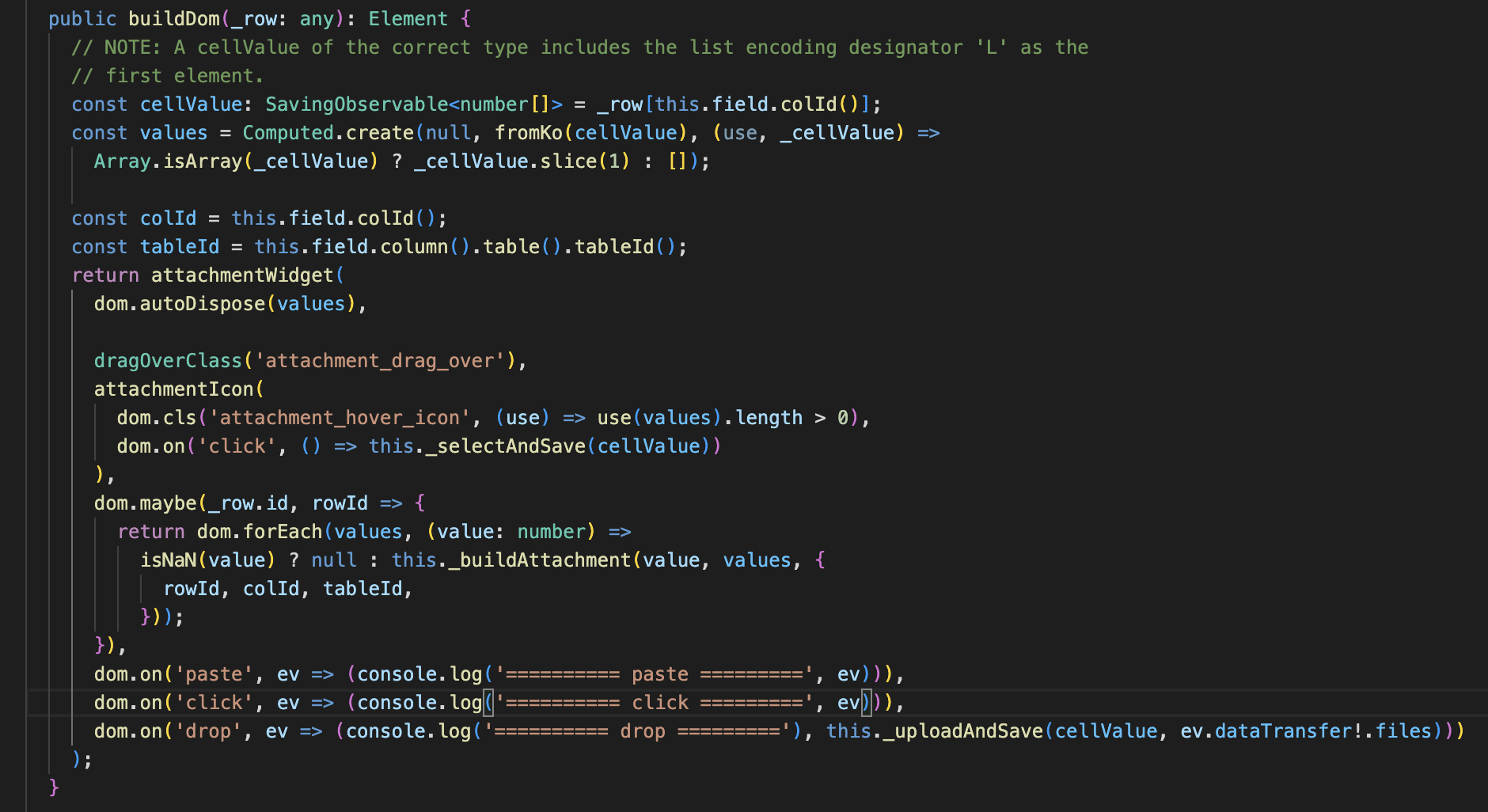

Paste events are tricky, because they only apply to editable elements, such as a textarea. For this reason, in order to provide spreadsheet-like behavior, where copying and pasting works generally for selected cells, there is actually a hidden textarea that has the focus whenever there is an active cursor.
See app/client/components/Clipboard.js, the element called copypasteField. Paste events are handled by that one, and get passed along to other potential listeners via the "commands" mechanism, as a "paste" command, with data in the arguments. This command is handled separately in GridView.js and DetailView.js. Both use parsePasteForView in app/client/components/BaseView2.ts, so that may be a good place to start.
Keep in mind that there may be a range selected when the user pastes, so we'd need to decide how to handle it when multiple Attachment cells are selected (paste into all, or maybe disable pasting when there are multiple?)

Keep in mind that there may be a range selected when the user pastes, so we'd need to decide how to handle it when multiple Attachment cells are selected (paste into all, or maybe disable pasting when there are multiple?)
Paste into all, I think. If you want that functionality, it's nice to have it. If you made a mistake, ctrl+z is your friend.
I can think of when you would want that functionality. For example, when managing ecommerce inventory, a somewhat popular use case for Grist. Multiple product variants usually share the same 1 or 2 images, and then there's extra images re: product variants, such as color. It would be a great convenience to paste the identical images to all variants with one click.

This would be very helpful! Image workflows can be made much simpler by copy-pasting from image editing software (with export to clipboard, instead of export to file) to Grist (no need to browser to file, etc.)

Paste events are tricky, because they only apply to editable elements, such as a
textarea.
My understanding of Clipboard API is that is is not a strict requirement (anymore?) in modern browsers.
paste into all
Append to various already present attachments or replace in all selected? Both might actually be necessary.
In the meantime, here's a workaround.
Create a custom widget that, for one record & one attachment column, does in JS, at the very minimum:
grist.ready({
    requiredAccess: 'full',
    columns: [
        {
            name: 'Attachments',
            type: 'Attachments',
        },
    ],
})
let rowId = undefined
grist.onRecord(async (record) => rowId = record.id)
const tokenInfo = await grist.docApi.getAccessToken({ readOnly: false }),
    url = `${tokenInfo.baseUrl}/attachments?auth=${tokenInfo.token}`
document.addEventListener('paste', async (event) => {
    event.preventDefault()
    const clipboardItems = typeof navigator?.clipboard?.read === 'function' ? await navigator.clipboard.read() : event.clipboardData.files
    for (const clipboardItem of clipboardItems) {
        const imageTypes = clipboardItem.types?.filter(type => type.startsWith('image/'))
        for (const imageType of imageTypes) {
            const blob = await clipboardItem.getType(imageType),
                req = new XMLHttpRequest(),
                formData = new FormData()
            req.open('POST', url, true)
            req.setRequestHeader('accept', 'application/json')
            req.setRequestHeader('X-Requested-With', 'XMLHttpRequest')
            req.addEventListener('load', async () => {
                const newAttIds = JSON.parse(this.responseText)
                let attIds = await grist.fetchSelectedRecord(rowId)['Attachments'] ?? []
                attIds = [
                    'L',
                    ...attIds,
                    ...newAttIds
                ]
                grist.getTable().update({
                    id: rowId,
                    fields: {
                        'Attachments': attIds,
                    },
                })
            })
            formData.append('upload', blob)
            req.send(formData)
        }
    }
})
But that's quite suboptimal:
- CORS might block the XHR API call when the widget is not hosted on the same domain as Grist,
- in Chromium (Chrome, Edge), there's no Clipboard API inside iframes (which is a widget's case) without an attribute (which must be set in
grist-core) - in Firefox, there seems a bug with formData over XHR requests via HTTP3 inside iframes…
As such, an implementation in grist-core seems the only viable solution + you'd much better solve cases where multiple records are selected (upload attachment once and append / replace by it's id in each record), records change by others between the moment they are selected and the blob has uploaded, as all of that logic is probably already thought through.
This is now implemented! Here: https://github.com/gristlabs/grist-core/commit/5468648c2d88bbf2dda2f7088915acd380852591
You should be able to paste files and images, using the keyboard shortcut or the "Paste" menu item. Browsers have some limitations (e.g. Firefox only allows pasting a single file, while Chrome can do multiple).