
extentreports-cucumber7-adapter
 extentreports-cucumber7-adapter copied to clipboard
 grasshopper7
Bug: Report is overlapping when browser is not closed and Could have provided option to disable chart in test view and can make visible only in chart.


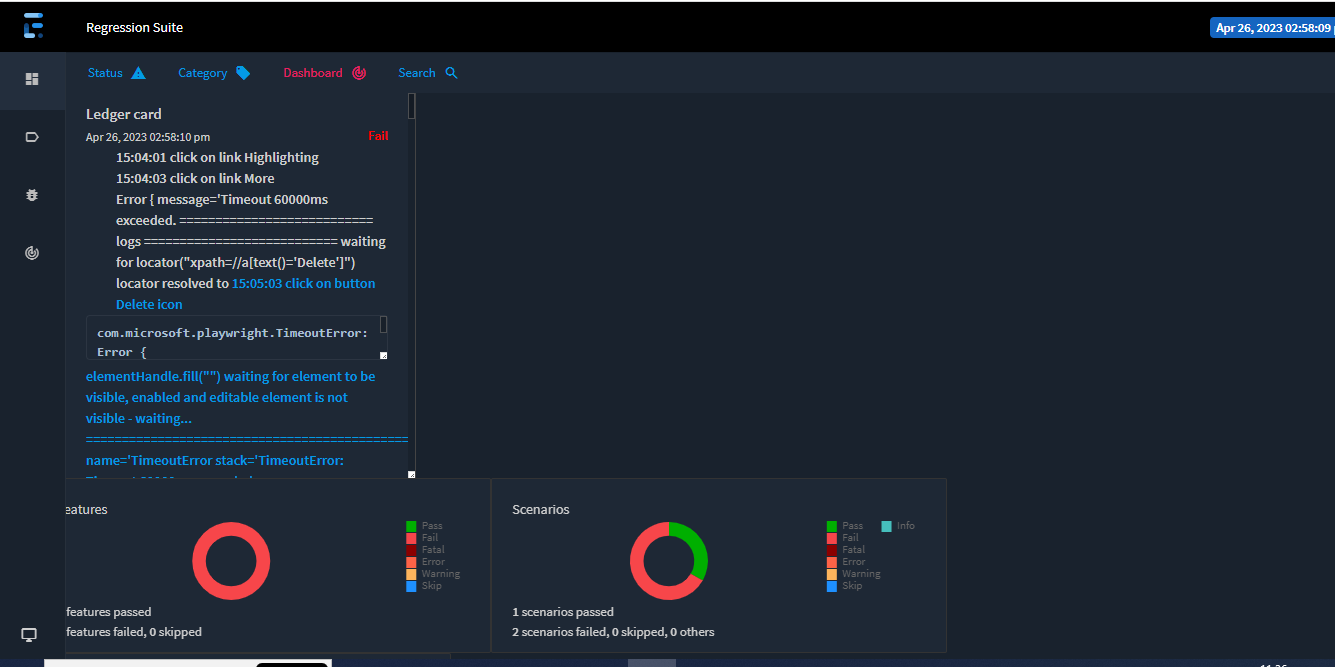 Its ExtentHTML report.
If you click on the dashboard option again, the chart display will disappear
Yeah Chart will disappear, but issue is about overlapping. If you see the screenshot testcases view should be displayed on right side of the report and left part should have links to open the test cases. But here all the test cases are overlapped.
can you also generate the Spark report for the same test case and add the screenshot?
Also can you add details of 'inspect' from the browser for the extra output?
 In Spark also its overlapping.
can you add the inspect element details? Best if you can share the report, just the relevant test will be enough.
To log steps in report which one we should use? Scenario.log or ExtentCucumberAdaptor.addteststep?