
gpt-engineer
 gpt-engineer copied to clipboard
 gpt-engineer-org
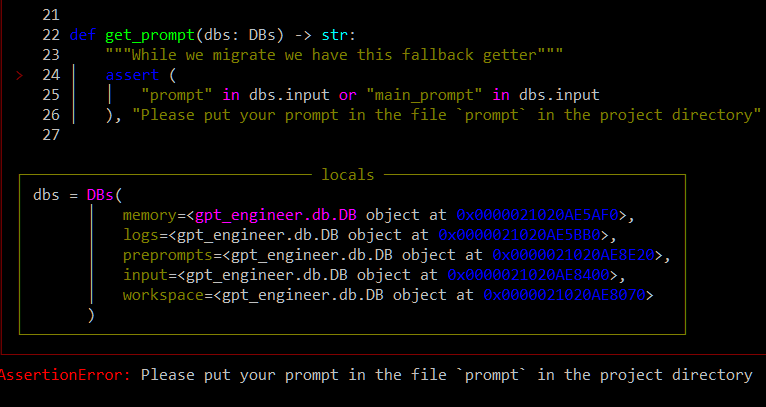
Prompt in project directory but still get AssertionError
I installed the stable release using pip. When I try to run: gpt-engineer projects/example I get "AssertionError: Please put your prompt in the file prompt in the project directory"
I have tried:
-Creating a text file 'prompt' with the prompt inside of "example"
-Creating a folder called 'prompt' where I have the same text file within
-Using powershell within Visual Studio as a project
-Using powershell externally
-Using cmd
-Renaming the prompt file as 'main_prompt'
Nothing seems to work. Please help.
Steps to Reproduce:
- In cmd run
pip install gpt-engineer - Create main folder "gpt-test" on desktop
- Create folders: "projects/example" within "gpt-test"
- Create prompt.txt within "example" with a prompt
- In cmd run
cd desktop/gpt-test - Then run
set OPENAI_API_KEY=[your api key] - Then run
gpt-engineer projects/example


I have the same problem, identical behavior, prompt file, without extension, on windows cmd with admin rights. Its seems to not detect that there is a text inside.

I have the same problem, identical behavior, prompt file, without extension, on windows cmd with admin rights. Its seems to not detect that there is a text inside.
Hmm, did you make sure to save it with quotation marks around it: “prompt”? And make sure to save it under ‘all files’ as well. That worked for me.
I have the same problem, identical behavior, prompt file, without extension, on windows cmd with admin rights. Its seems to not detect that there is a text inside.
I'll try to make a pull request to include the .txt files also. Would you please list the files in the folder? Currently, how it works you should create a prompt file without an extension inside a folder and pass that folder to the "gpt-engineer your-folder"
A workaround for this problem is to open the prompt file in Notepad++ save it as "Unix script file". The new file will be saved with the ".bash" extension. Edit the file name and delete the .bash extension. Then run your command. It seems the problem is the formatting of the file.
