
apps-script-oauth2
 apps-script-oauth2 copied to clipboard
 googleworkspace
"Library with identifier OAuth2 is missing" when using V8 runtime
Hello,
When using the new Apps Script runtime (Google Chrome V8) on an alpha domain, the libray does not work anymore.
I got this error :
Library with identifier OAuth2 is missing
The library key is not missing, I checked it.
Thank your for your support !

I tried to replicate the issue, but it appears to be working fine. Can you confirm the library is still showing in your appsscript.json manifest file?

The manifest file looks like that
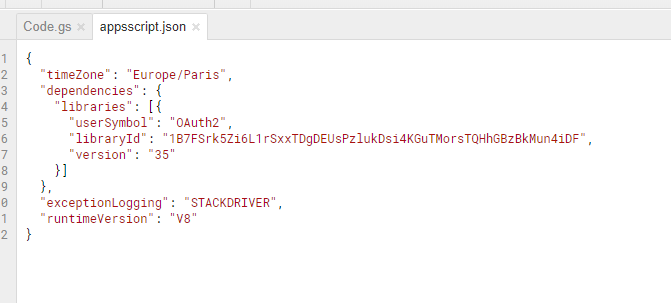
And the librairies list seems to be ok also :
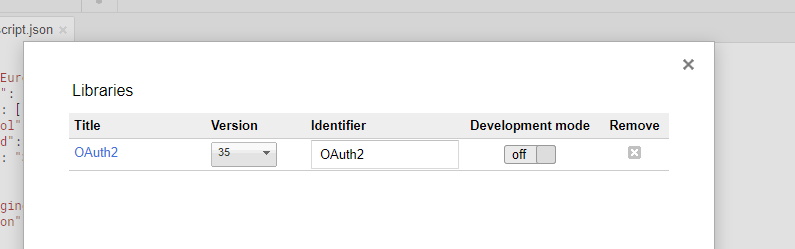
I also tried to remove and add again the library, did not work.
Does it show up in auto-complete when using the code editor? Can you show me the line of code where it fails and the exact error message?
Hello Erick,
The auto-complete functionnality doesn't work when the V8 is enabled.
There is no exact line where the code fails. It only shows this pop-up

Alexandre


Very strange indeed. If you turn off V8, the same code works fine? Does it matter which version of the library you are importing?
For those that are running into this issue: can create a new script, running with v8, and try to get this error message again? Once you do, please provide the Script ID of that script so that our engineers can take a look.
Hello Erik
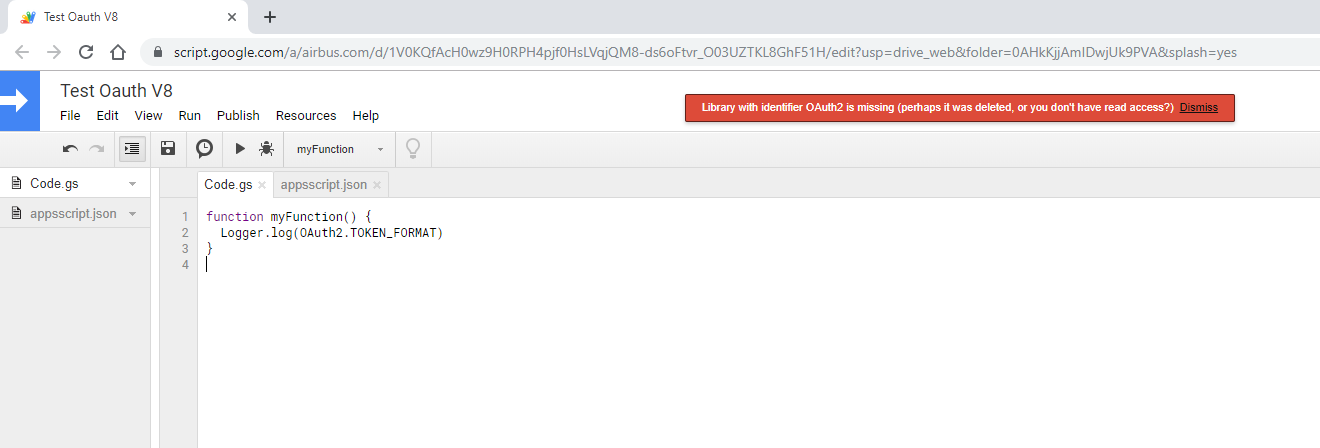
I created this script wich uses OAuth2 and the V8.
The script ID : 1V0KQfAcH0wz9H0RPH4pjf0HsLVqjQM8-ds6oFtvr_O03UZTKL8GhF51H
Sorry for the slow reply. The engineer I'm working with looked up the logs for that script, but there wasn't enough detail in the logs to determine the issue. He's working on updating the internal error logging to include more detail, which should help reveal the underlying issue.
Ok I understand. This is not linked to the number of times I used the script ?
Nope, you've done everything correctly, thanks again for helping us investigate this.
Hello Erick, Do you have news on this topic ?
Today I tried to use the library and it seems to work. In the script I created for your engineers : I can now use the auto-complete functionnality functionnality but I keep getting this error :
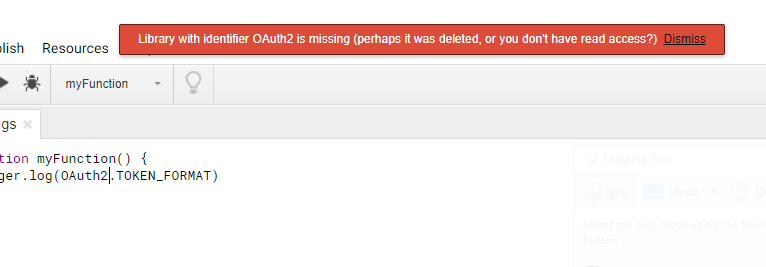
Have a good day ! Alexandre
Sorry, I was out of the office for a few weeks. Let me follow up with the engineering team to see if they have made any progress.
The engineering team has added more logging, but I guess not enough users ran into this to trigger the problem again. Can you please re-run your script that is failing so they can get some fresh data in their logs?
Hello Erick, I recently changed jobs, I won't be able to follow this issue anymore.
Alexandre
@erickoledadevrel I got bit by this possibly related issue which was triggered when calling OAuth2.createService from google.script.run

@jazzido - That seems to be a multilogin issue (that we are aware of) but not related to v8.
In our case, the call to OAuth2.createService crashes only when running under V8.
I can provide more details if needed.
Looks like it's both a multilogin and V8 issue: https://stackoverflow.com/questions/60230776/were-sorry-a-server-error-occurred-while-reading-from-storage-error-code-perm
We can also solve it by disabling V8, but performance is dismal.
For anyone coming here with the same issue and needs to use the V8 engine for whatever reason.
My team fixed this issue by depending on https://raw.githubusercontent.com/googleworkspace/apps-script-oauth2/$(oauth2_lib_version)/dist/OAuth2.gs directly, including it in the apps script project.

We had a similar issue on Friday Jan 15th. We run multiple projects (dev, testing, staging, prod) and I saw this issue across all projects. We were using the V8 runtime but we started seeing the Gmail Addon throw a runtime error on any action that triggers a network call (we use the google addon to interface with our platform API).
Through out the day we saw an increase in errors and we received multiple customer service phone calls with users having the same issue, they were unable to use the Gmail addon, it almost seemed like a rolling blackout for authentication, it was weird.
Rolling back our environments to use DEPRECATED_ES5 fixes the issue but now we're not sure how to get back to V8.

Reopening this issue since it seems like more folks are running into it. I suspect the problem is with Apps Script itself and not this library, since it appears that the library's code isn't even loaded in the failure case.
I have yet to be able to reproduce this issue, as all of my v8 sample scripts load the library fine. Has anyone been able to create a simple repro case for this problem?
FYI, there is a corresponding bug with the Apps Script team here: https://issuetracker.google.com/178011132
Thanks Eric, I think you're right about this not being an OAuth2 lib issue, I'm speculating but this seemed to be more of an issue with Google Add ons. We had been using OAuth2 v38 for two months with no noticeable issue and this issue just popped up on that Friday, Jan 15.
Something else that I noticed, on our main public production project we use a deployment named 'trunk' but we had many failed authCallback entries in the logs and all were pointing to HEAD. Our 7 day summary showed that deployment head had a ~50% error rate but we don't use HEAD and all of those calls were authCallback.
Reverting to ES5 works but I think we're likely to move back to V8 (I miss GCP logging) and just keep an eye on it knowing that we can switch back to ES5 if we need to.
I'll post on the issuetracker, that's probably the better forum for this. Thanks again for the OAuth2 library, our Google Addon has been very well received by our customers, it's been a fun ecosystem to build on!
The issue for us was that we had suspended the owner of the add-on. If anyone else is experiencing this issue, I would check if the owner is deleted or suspended.
(I created the bug in the Google issue tracker)

Looks like underlying issues with apps script have since been resolved, marking as closed.
