googleapis
Unable to view cloud run node-fetch http requests using cloud traces
Hi,
I am running a cloud run application that is serving a NodeJS application using the express framework. I have an endpoint that calls a few APIs using node-fetch library and returns some data back to the client. I am using the cloud-trace-nodejs library to view the traces in Google Cloud.
Issue
I am unable to view cloud run http requests in Trace.
Environment details
- OS: Mac OS Big Sur
- Node.js version: 14.17.0
- Express: 4.17.1,
- node-fetch: 3.0.0
- npm version: 6.14.13
@google-cloud/trace-agentversion: 5.1.5
This is the code I have so far.
import * as env from 'dotenv';
env.config();

import * as tracer from '@google-cloud/trace-agent';

tracer.start({
  projectId: "pcs-dev-tms",
  enabled: true,
  enhancedDatabaseReporting: true,
  samplingRate: 0
});


import express from 'express';
import fetch from 'node-fetch';


const app = express();
const DISCOVERY_URL = 'https://www.googleapis.com/discovery/v1/apis';
const fakeAPI = 'https://jsonplaceholder.typicode.com'

// This incoming HTTP request should be captured by Trace
app.get('/', async (req, res) => {
  // This outgoing HTTP request should be captured by Trace
  try {
    const response = await fetch(DISCOVERY_URL, {responseType: 'json'});
    const jsonBody = await response.json();
    const names = jsonBody.items.map(item => item.name);

    const fakeAPIResponse = await fetch(`${fakeAPI}/todos/1`)
    const fakeJSON = await fakeAPIResponse.json();

    const fakeAPIResponse2 = await fetch(`${fakeAPI}/posts/1/comments`)
    const fakeJSON2 = await fakeAPIResponse2.json();

    res.status(200).send({ names, fakeJSON, fakeJSON2}).end();
  } catch (err) {
    console.error(err);
    res.status(500).end();
  }
});

// Start the server
const PORT = process.env.PORT || 8080;
app.listen(PORT, () => {
  console.log(`App listening on port ${PORT}`);
  console.log('Press Ctrl+C to quit.');
});
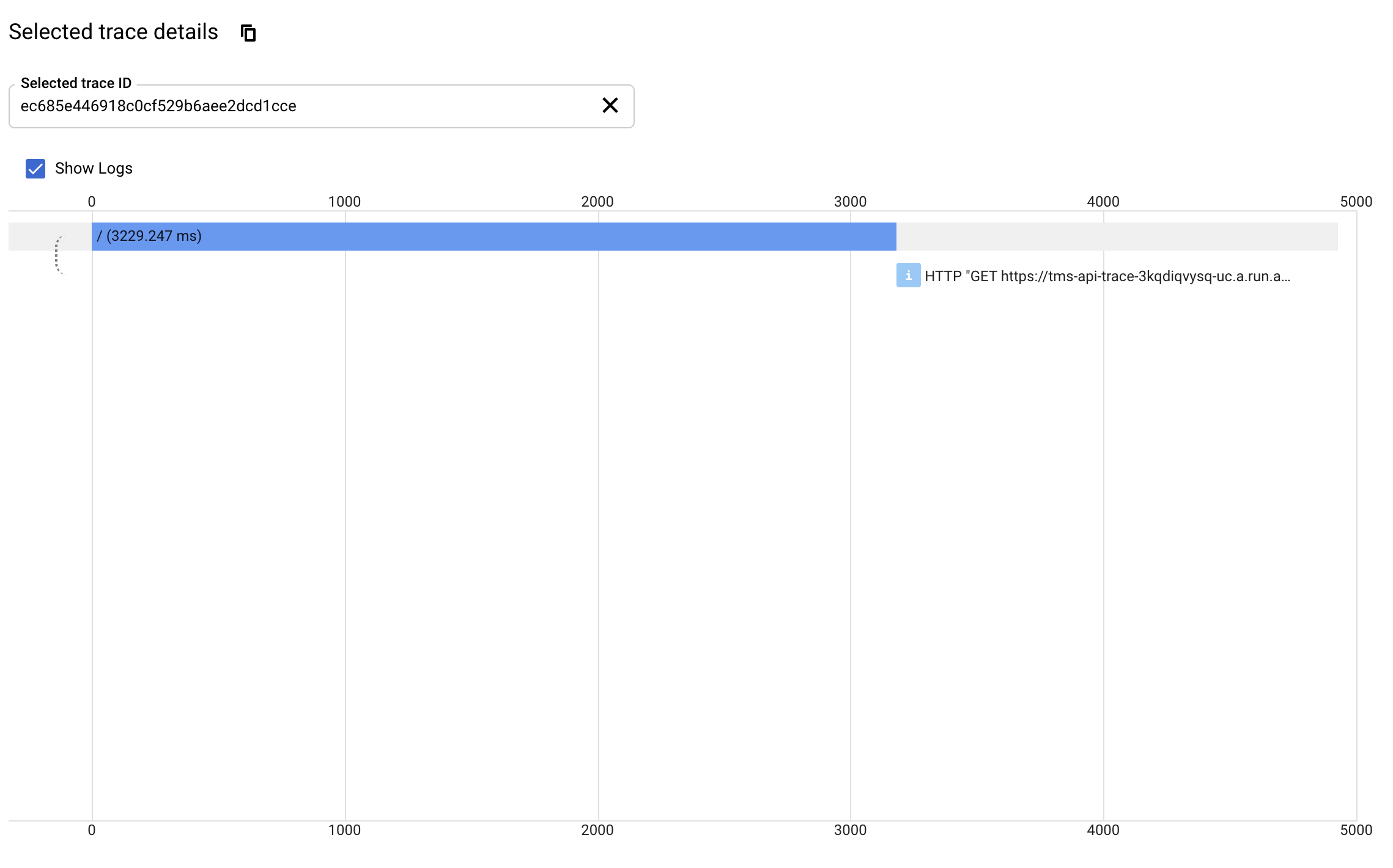
This is what I see in Google Cloud Trace after calling the cloud run endpoint:
Expected Behavior
I was hoping to view the traces for each individual http call I call in the '/' route.
Thank you

Hi, unfortunately automatic tracing of node-fetch calls is not supported according to: https://github.com/googleapis/cloud-trace-nodejs#what-gets-traced. As a workaround, one option is to use the custom tracing API to manually add spans. Another option is to use one of the supported libraries instead of node-fetch.
I will leave this bug open as a feature request to add support for node-fetch. However this is not likely to be prioritized because most development work is going into OpenTelemetry now. Contributed pull requests are always welcome though.


Unfortunately we aren't able to prioritize work on new features at this time. As @gkf suggested, please consider using OpenTelemetry instrumentation instead - see https://github.com/open-telemetry/opentelemetry-js/issues/1315#issuecomment-883214836 for instructions.