gitea
 gitea copied to clipboard
 go-gitea
gitea deactivate LDAP users
We have our Gitea instance using Active Directory as our LDAP server, but the exact same thing occurs whenever a directory sync is performed, all existing users lose their activated status. The only fix is to go in and manually edit every account to set them as activated.
Version: v1.14.0-rc2

Can confirm. Same issue.
- Gitea version (or commit ref): 1.14.2
- Git version: 2.25.1
- Operating system: Ubuntu 20.04.2 LTS
- Installed via:
wget -O gitea https://dl.gitea.io/gitea/1.14.2/gitea-1.14.2-linux-amd64 - Started with: systemd
- Database (use
[x]):- [ ] PostgreSQL
- [ ] MySQL
- [ ] MSSQL
- [x] SQLite
- Can you reproduce the bug at https://try.gitea.io:
- [ ] Yes (provide example URL)
- [x] No
- Log gist: https://gist.github.com/m0rtalis/87f3e1f2b6715ebe4661783f36c65cba
I try to debug it more tomorrow.
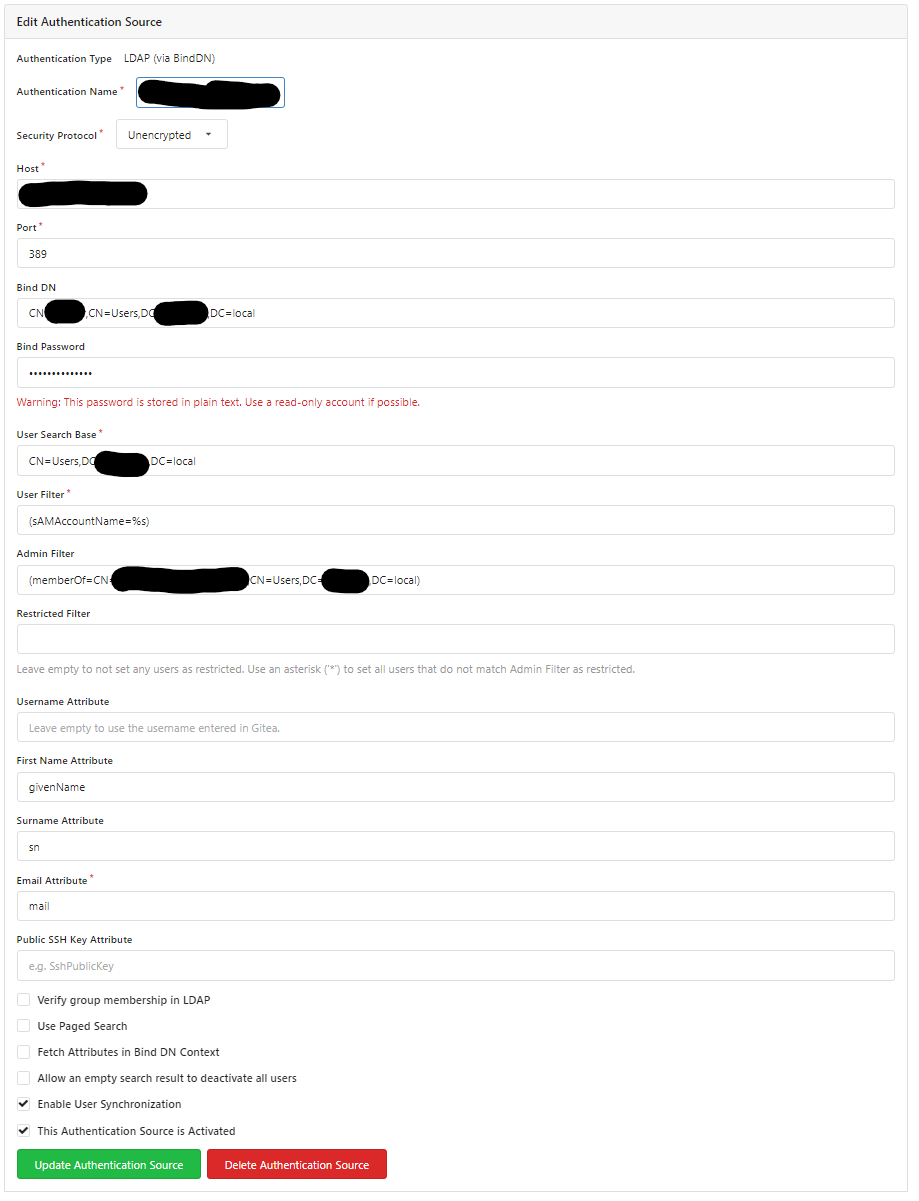
Edit: Add settings authenticationsource

Ok tried reproducing it with the docker image version 1.14.2 which has a completely different behaviour.
In Docker every user account (http://localhost:3000/admin/users) is created as soon as I refresh the external users. In my binary installation on the docker the user account ist created only when the user actually logs in. Not sure why though. In http://localhost:3000/admin/config the string Gitea-Version is: binary: "1.14.2 built with GNU Make 4.1, go1.16.4 : bindata, sqlite, sqlite_unlock_notify" docker: "1.14.2 built with GNU Make 4.3, go1.16.4 : bindata, timetzdata, sqlite, sqlite_unlock_notify"
Not sure if that makes a difference. Where can I find the commit ref, gitea was build with maybe they are different?
Will update this when I find more.
Ok found a workaround, at least on a fresh installation.
Set the authentication source and then go to monitoring -> Sync external user data, which should import all users into Gitea, as explained above with the docker version. Then those are not going to get deactivated on a new sync.
Which means best bet to reproduce the issue is setting the auth source, login with one of the allowed user and wait 24h (or try manual syncing) which should deactivate the user again. If after the sync all users from ldap are in gitea the bug was not reproduced.
@lafriks Could be interesting in relation to #7949

I can't really replicate this problem, even with multiple auth sources using MS AD I have no such behavior. Could be that this is because username field is not set? This is only thing I can think of

We close issues that need feedback from the author if there were no new comments for a month. :tea: