
self-hosted
 self-hosted copied to clipboard
 getsentry
Unable to fetch all project stat
Version
22.6.0
Steps to Reproduce
After I installed sentry in a virtualenv everything was fine and I could create a project via the web surface.
Then I click on the "Projects" Menu and I get a small failure message in the right bottom
Unable to fetch all project stats
Then I created a second project and went on "Projects" it shows both Projects but again I get the
Unable to fetch all project stats
If I click on one of the projects I get again in the right lower corner :
Internal error. Please try again.
Can you give a hint where to search?
Expected Result
to have fun with sentry
Actual Result
I can't find any logs

Hi, could you please send any errors in the server logs please? You should be able to run docker-compose logs web.

After I installed sentry in a virtualenv everything was fine and I could create a project via the web surface.
Also can you please elaborate on installing in virtualenv? Can you share with us how have you installed self-hosted?

Also can you please elaborate on installing in virtualenv? Can you share with us how have you installed self-hosted?
certainly no problem
apt install redis-server virtualenv postgresql xmlsec1 libxmlsec1-dev

root@sentry:~# su - postgres
postgres@sentry:~$ psql -d template1 -U postgres
template1=#create extension citext;

postgres@sentry:~$ createdb sentrydb
postgres@sentry:~$ createuser sentry --pwprompt

template1=# GRANT ALL PRIVILEGES ON DATABASE sentrydb to sentry;
template1=# ALTER USER sentry WITH SUPERUSER;

root@sentry:~# adduser sentry
root@sentry:~# su - sentry
sentry@sentry:~$ virtualenv ~/sentry_app/
sentry@sentry:~$ source ~/sentry_app/bin/activate
(sentry_app) sentry@sentry:~$ pip install -U sentry
(sentry_app) sentry@sentry:~$ sentry init
(sentry_app) sentry@sentry:~$ vim /home/sentry/.sentry/sentry.conf.py

  DATABASES = {
     'default': {
      'ENGINE': 'sentry.db.postgres',
      'NAME': 'sentrydb',
      'USER': 'sentry',
      'PASSWORD': 'verysecretpassword',
      'HOST': 'localhost',
      'PORT': '5432',
      'AUTOCOMMIT': True,
      'ATOMIC_REQUESTS': False,
      }
    }

(sentry_app) sentry@sentry:~$ sentry upgrade

root@sentry:~# apt install supervisor
root@sentry:~# vim /etc/supervisor/conf.d/sentry.conf

  [program:sentry-web]
  directory=/home/sentry/sentry_app/
  environment=SENTRY_CONF=/home/sentry/.sentry
  command=/home/sentry/sentry_app/bin/sentry run web
  autostart=true
  autorestart=true
  redirect_stderr=true
  user=sentry
  stdout_logfile=syslog
  stderr_logfile=syslog

  [program:sentry-worker]
  directory=/home/sentry/sentry_app/
  environment=SENTRY_CONF=/home/sentry/.sentry
  command=/home/sentry/sentry_app/bin/sentry run worker
  autostart=true
  autorestart=true
  redirect_stderr=true
  user=sentry
  stdout_logfile=syslog
  stderr_logfile=syslog

  [program:sentry-cron]
  directory=/home/sentry/sentry_app/
  environment=SENTRY_CONF=/home/sentry/.sentry
  command=/home/sentry/sentry_app/bin/sentry run cron
  autostart=true
  autorestart=true
  redirect_stderr=true
  stdout_logfile=syslog
  stderr_logfile=syslog

root@sentry:~# supervisorctl reread
root@sentry:~# supervisorctl update
root@sentry:~# supervisorctl start all
Next apache proxy and certbot ...
in the meantime i upgraded to 22.7, but nothing changed

in the syslog I found the following
Jul 16 03:58:35 sentry supervisord: sentry-web Forbidden (CSRF cookie not set.): /api/1/envelope/
Jul 16 03:58:35 sentry supervisord: sentry-web 01:58:35 [WARNING] django.security.csrf: Forbidden (CSRF cookie not set.): /api/1/envelope/ (status_code=403 request=<WSGIRequest: POST '/api/1/envelope/'> message='Forbidden (CSRF cookie not set.): /api/1/envelope/')
Jul 16 03:58:35 sentry supervisord: sentry-web 01:58:35 [INFO] sentry.access.api: api.access (method='POST' view='django.views.generic.base.RedirectView' response=403 user_id='None' is_app='None' token_type='None' is_frontend_request='False' organization_id='None' auth_id='None' path='/api/1/envelope/' caller_ip='123.234.345.456' user_agent='sentry.python/1.7.0' rate_limited='False' rate_limit_category='None' request_duration_seconds=0.062454938888549805 rate_limit_type='DNE' concurrent_limit='None' concurrent_requests='None' reset_time='None' group='None' limit='None' remaining='None')
Ah, I don't know if there was a bad tutorial somewhere or anything else that gave you the idea that should do this all manually.
I understand this is a clean install, please nuke everything, database, virtualenv, nuke the machine probably :) as none of them is necessary.
All you want is to git clone this repository and run ./install.sh.
More info: https://develop.sentry.dev/self-hosted/#getting-started
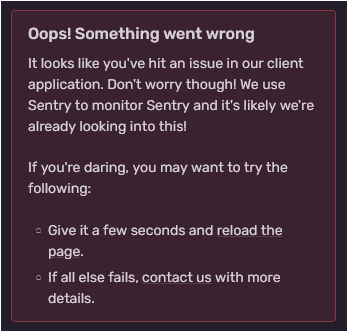
Good day. I have the same problem. I installed version 20.12.1 via git and using ./install.sh. I am using the official procedure using docker-composer. The installation is successful and everything works. The problem is that I am trying to drag and drop data from another machine. I didn't find a better way than copying the volume/sentry-postrgres set. I have the same version of sentry on both machines. The difference is that the new machine has a different version of ubuntu. Another difference is that I'm only copying volume/sentry-postgres. The other volumes are from a clean installation. Load me correctly: /settings/sentry/members/. But wrong: /settings/sentry/projects/ = "Oops! Something went wrong ..."
Can you direct me please?

@tacoberu you may need to follow the backup and restore procedure: https://develop.sentry.dev/self-hosted/backup
If there error persists please open a new issue.
I'm going to close this. The solution for OP is to use the official installer. If anyone runs into the same problem, please open a new issue.
@ethanhs Export and import failed on different error. I solved my problem by recopying all volumes (not just for postgres).