

 flutter
platform_design widget inspector not working
Hi everyone, running the platform_design example the widget inspector is not working on Cupertino active style, but only on Material style. How do I fix this? Thank you.
Vs Code 1.64.2 Flutter 2.10.2

This sounds like a bug in the Widget inspector. Can you please detail out a full reproduction test case so I can assign it to the correct engineering team?
/cc @devoncarew

Hi @domesticmouse thank you for you fast answer! Below the dev environment and the steps to reproduce the bug:
Flutter 2.10.2 Visual Studio Code 1.64.2 Dart Code 3.36.0
$ flutter doctor [✓] Flutter (Channel stable, 2.10.2, on macOS 11.6.4 20G417 darwin-x64, locale it-IT) [✓] Android toolchain - develop for Android devices (Android SDK version 31.0.0-rc5) [!] Xcode - develop for iOS and macOS (Xcode 12.5.1) ! Flutter recommends a minimum Xcode version of 13. Download the latest version or update via the Mac App Store. [✓] Android Studio (version 4.2) [✓] VS Code (version 1.64.2) [✓] Connected device (1 available) [✓] HTTP Host Availability
$ git clone https://github.com/flutter/samples $ cd samples/platform_design $ flutter pub get $ code .
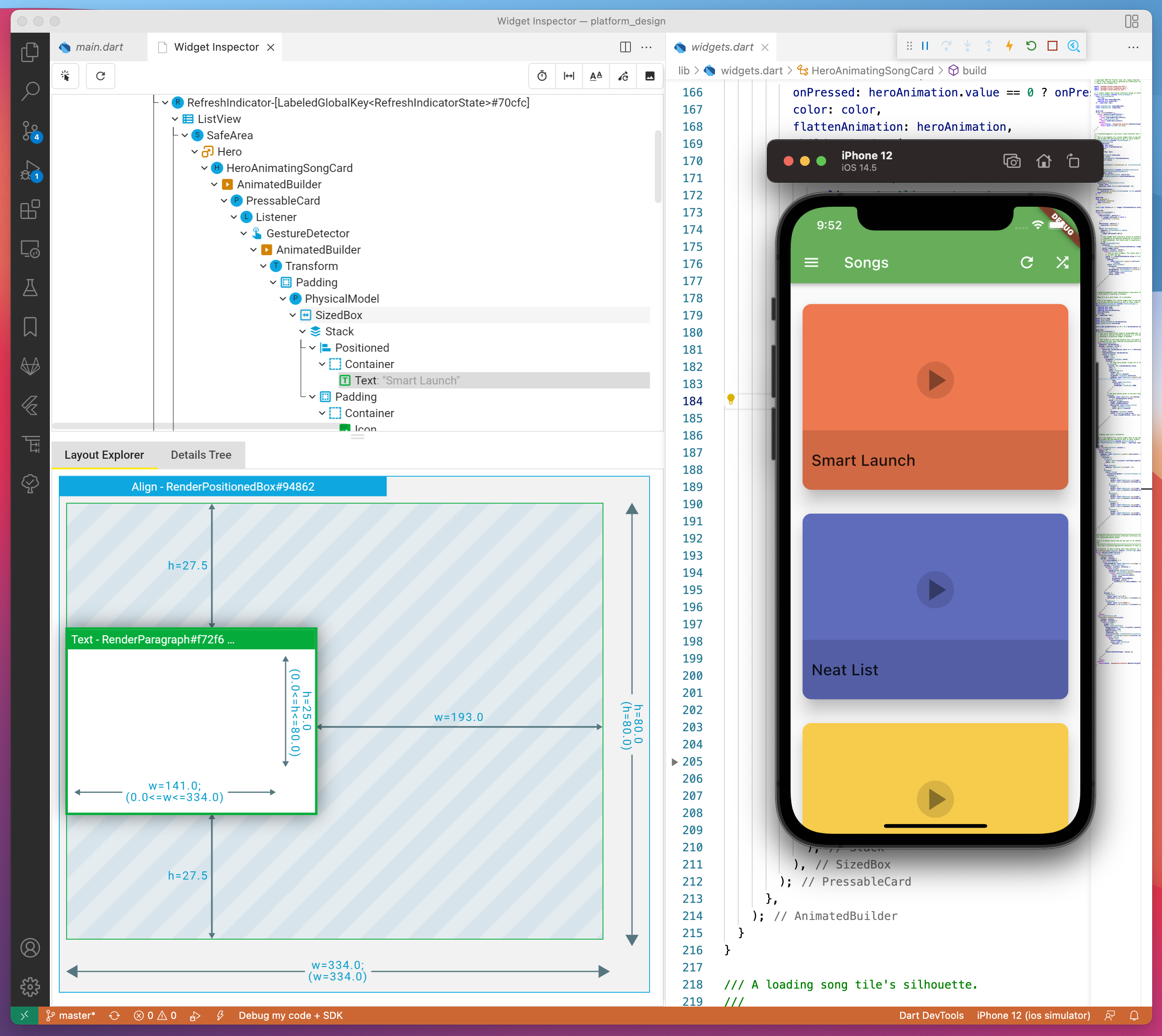
In VS Code I choose the iPhone 12 Simulator with iOS 14.5 and I press F5 to start the debug. The default UI theme is Cupertino and if I try to select a widget (the Text for example), nothing appears on the Widget inspector Layout tree (see the image below):

Then I switch the theme using the upper right button and close and reload the Widget inspector. Now, selecting the same Text widget, I'm able to inspect It as you can see below:
I've another super simple example:
# sample1

import 'package:flutter/cupertino.dart';

void main() => runApp(const MyApp());

class MyApp extends StatelessWidget {
  const MyApp({Key? key}) : super(key: key);

  @override
  Widget build(BuildContext context) {
    return const CupertinoApp(
      title: 'Flutter Sample 1',
      home: HomeScreen(),
    );
  }
}

class HomeScreen extends StatelessWidget {
  const HomeScreen({Key? key}) : super(key: key);

  @override
  Widget build(BuildContext context) {
    return Container(
      color: const Color(0xffffffff),
      child: const Center(
        child: Text('Hello, world.'),
      ),
    );
  }
}
Running the previous code the Widget inspector works as expected:

If I update the code as below, the Widget inspector stop to work:
# sample 2

import 'package:flutter/cupertino.dart';

void main() => runApp(const MyApp());

class MyApp extends StatelessWidget {
  const MyApp({Key? key}) : super(key: key);

  @override
  Widget build(BuildContext context) {
    return const CupertinoApp(
      title: 'Flutter Sample 2',
      home: HomeScreen(),
    );
  }
}

class HomeScreen extends StatefulWidget {
  const HomeScreen({Key? key}) : super(key: key);

  @override
  State<HomeScreen> createState() => _HomeScreenState();
}

class _HomeScreenState extends State<HomeScreen> {
  @override
  Widget build(BuildContext context) {
    return const CupertinoPageScaffold(
      child: Center(
        child: Text('Hello, world.'),
      ),
    );
  }
}
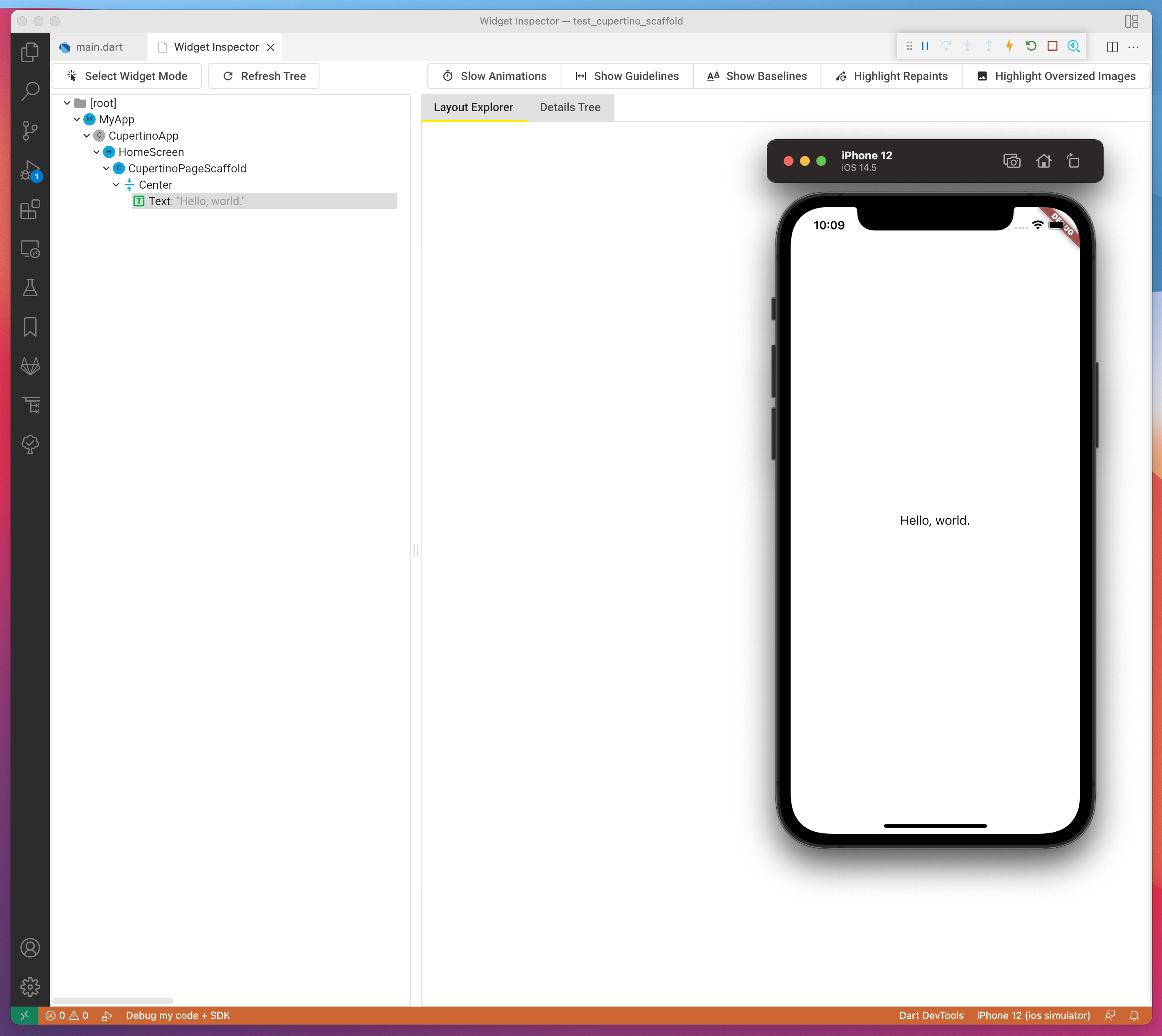
I hope this helps to solve the problem. Thank you.
@devoncarew any idea where we should move this bug? I'm wondering if it's something missing from the Cupertino widget set?
/cc @RedBrogdon
cc @kenzieschmoll and @jacob314 for the widget inspector question (and possibly an issue working with the cupertino set of widgets?)

This looks like a duplicate of https://github.com/flutter/devtools/issues/3151. @jacob314

Hi there,
I solved the problem: CupertinoPageScaffold require a background color, even it is not mandatory.
// sample 3

import 'package:flutter/cupertino.dart';

void main() => runApp(const MyApp());

class MyApp extends StatelessWidget {
  const MyApp({Key? key}) : super(key: key);

  @override
  Widget build(BuildContext context) {
    return const CupertinoApp(
      title: 'Flutter Sample 3',
      home: HomeScreen(),
    );
  }
}

class HomeScreen extends StatefulWidget {
  const HomeScreen({Key? key}) : super(key: key);

  @override
  State<HomeScreen> createState() => _HomeScreenState();
}

class _HomeScreenState extends State<HomeScreen> {
  @override
  Widget build(BuildContext context) {
    return const CupertinoPageScaffold(
      backgroundColor: Color(0xffffffff), // <- this is required
      child: Center(
        child: Text('Hello, world.'),
      ),
    );
  }
}

Closing this out as the linked DevTools issue is on the right tracker.