

 flutter
[video_player] Can't Change HSL Video Quilty
“HLS”, “MPEG-DASH” Adaptive Bitrate Streaming
Quality Change Features Need.

Hi @A29sTech Can you please the feature request/bug in detail? We need more information Thank you

Flutter video plugin, m3u8 video supports Adaptive Bitrate Streaming. And it's video quality can be changed. But In m3u8 video Metadata come with all information Like video quality 240p, 360p, 720p, 1080p Etc. How can I choose video quality manually. There is no way to change video quality manually in flutter video plugin. Thanks for response.
M3u8 video resolution can't change. M3u8 video Bitrate can't change.
I need same feature please tell us how to switch quality of hls while playing video and also to download video by selecting quality

Is the default behaviour of flutter video_player to automatically use adaptive bitrate? Or does it just choose a quality and stick to it, when using hls?

I also need the same feature for adaptive quality for hls encoded files. Is there any update on this feature request?

// M3U8 Data Setup Future<List<M3U8pass>> getM3U8(String video) async { Logging.log("---- m3u8 fitch start ----\n$video\n--- please wait –––"); return await m3u8video(video); }
// Future<M3U8s> m3u8video(String video) async { Future<List<M3U8pass>> m3u8video(String video) async { // m3u8 temp data String m3u8Content; List<M3U8pass> qualities = <M3U8pass>[]; //qualities.add(M3U8pass(dataQuality: "Auto", dataURL: video)); RegExp regExp = new RegExp( r"#EXT-X-STREAM-INF:(?:.,RESOLUTION=(\d+x\d+))?,?(.)\r?\n(.*)", caseSensitive: false, multiLine: true, );
if (m3u8Content != null) {
  Logging.log("--- HLS Old Data ----\n$m3u8Content");
  m3u8Content = null;
}
if (m3u8Content == null && video != null) {
  http.Response response = await http.get(Uri.parse(video));
  if (response.statusCode == 200) {
    m3u8Content = utf8.decode(response.bodyBytes);
  }
}

List<RegExpMatch> matches = regExp.allMatches(m3u8Content).toList();
Logging.log("--- HLS Data ----\n$m3u8Content\nfinish");

matches.forEach(
  (RegExpMatch regExpMatch) async {
    String quality = (regExpMatch.group(1)).toString();
    String sourceURL = (regExpMatch.group(3)).toString();
    final netRegex = new RegExp(r'^(http|https):\/\/([\w.]+\/?)\S*');
    final netRegex2 = new RegExp(r'(.*)\r?\/');
    final isNetwork = netRegex.hasMatch(sourceURL);
    final match = netRegex2.firstMatch(video);
    String url;
    if (isNetwork) {
      url = sourceURL;
    } else {
      Logging.log(match);
      final dataURL = match.group(0);
      url = "$dataURL$sourceURL";
      Logging.log("--- hls child url integration ---\nchild url :$url");
    }
    Logging.log('qualityVideo');
    Logging.log(quality);
    Logging.log('sourceURL');
    Logging.log(sourceURL);
    qualities.add(M3U8pass(dataQuality: quality, dataURL: url));
  },
);
return qualities;
}
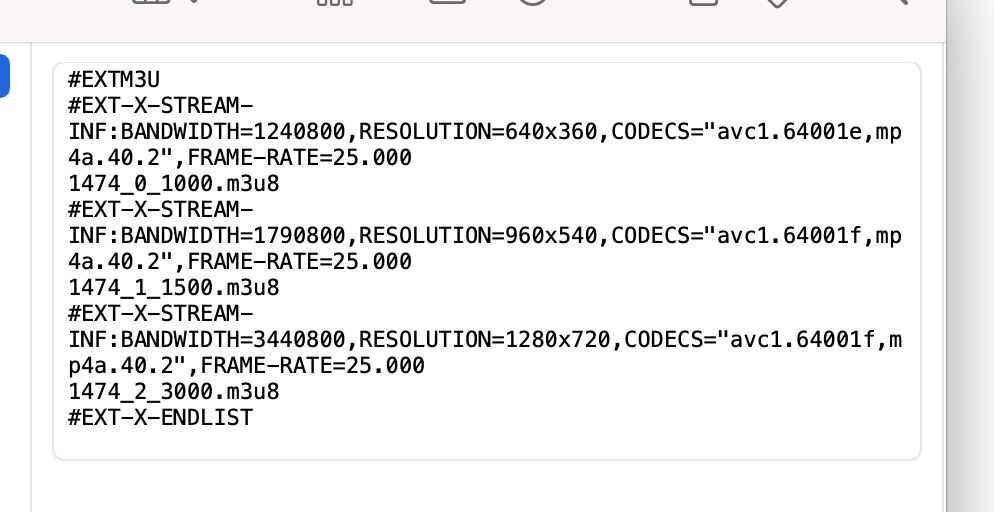
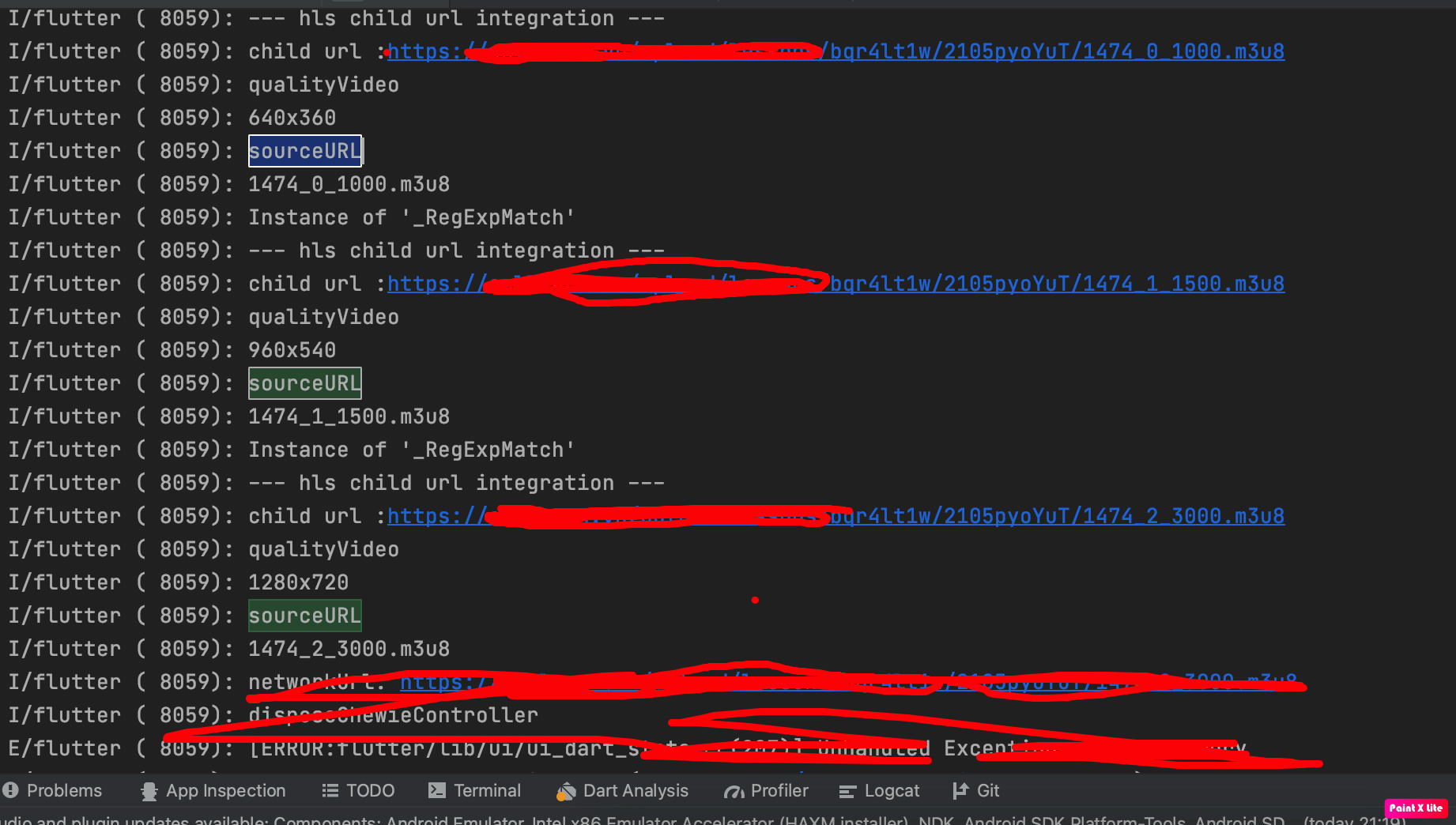


we are looking for adaptive quality also like we can set quality somehow, we hope anyone can support to make it

I think we need an additional function for changing the video's bitrate.
I created a PR for the setBitrate function.
Please check if it's good to go further.

thanks @apieceofcode1801 Do you add custom control for that also like if we set Birates so we have a menu to select ?
@diegothucao I'm not familiar with android programming, so it may take time to complete with native code approaching. I'm implementing another approach that processes the qualities from HLS m3u8 file then loads them to the player. Users can choose from the quality list. This approach was referred from yoyo_player package. You can check this repo.
I forked the main flutter/plugins and add the function setBitrate to it. If you want, you can try to add it to your pubspec.yaml.
video_player:
    git:
      url: [email protected]:apieceofcode1801/plugins.git
      ref: main
      path: packages/video_player/video_player
Any news regarding selecting video quality manually from HLS and Dash playlist?

To add to this, besides setting it manually, it would be nice to be able to set a range (eg. min and max) regardless what the HLS file offers.


Actually there's a way to work around this issue, we can alter the URL for achieving different video quality.