
devtools
 devtools copied to clipboard
 flutter
Tooltips stuck in view
When moving the mouse over the items of devtools, the hover tooltips do not disappear. See screenshot (both the 'Overlay a performance chart' and all the 'UI' tooltips). This problem occurs inside VS Code itself and when using the performance tools in Chrome. When I switch between Performance and CPU Profiler, the tooltips disappear
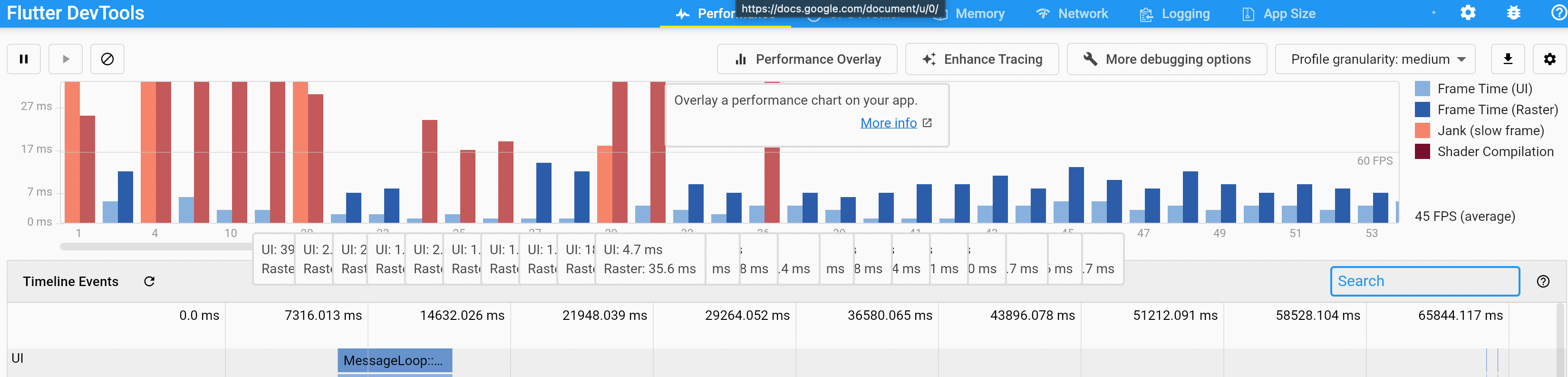
Edit: please ignore the small 'docs.google.com' tooltip in the screenshot, it's not the problem

Thanks for the report. A few questions that will help us get to the bottom of this:
- What version of DevTools are you on? (click the info icon in the upper right corner)
- Can you please add the output of
flutter doctor -v? - Are there any errors in the Chrome DevTools console when you have Flutter DevTools opened in chrome (not in VSCode)?

2.9.2+1. It's from the the dart 3.36.0 extension When I set a longer hover delay (e.g. from 300 to 1500) in VS Code, the problems inside VS Code itself disappear. But not in the browser.
[✓] Flutter (Channel stable, 2.10.3, on macOS 12.3 21E230 darwin-arm, locale nl-NL)
    • Flutter version 2.10.3 at /Users/wouter/Library/flutter
    • Upstream repository https://github.com/flutter/flutter.git
    • Framework revision 7e9793dee1 (13 days ago), 2022-03-02 11:23:12 -0600
    • Engine revision bd539267b4
    • Dart version 2.16.1
    • DevTools version 2.9.2

[✓] Android toolchain - develop for Android devices (Android SDK version 31.0.0)
    • Android SDK at /Users/wouter/Library/Android/sdk
    • Platform android-31, build-tools 31.0.0
    • ANDROID_SDK_ROOT = /Users/wouter/Library/Android/sdk
    • Java binary at: /Applications/Android Studio.app/Contents/jre/Contents/Home/bin/java
    • Java version OpenJDK Runtime Environment (build 11.0.11+0-b60-7772763)
    • All Android licenses accepted.

[✓] Xcode - develop for iOS and macOS (Xcode 13.2.1)
    • Xcode at /Applications/Xcode.app/Contents/Developer
    • CocoaPods version 1.11.2

[✓] Chrome - develop for the web
    • Chrome at /Applications/Google Chrome.app/Contents/MacOS/Google Chrome

[✓] Android Studio (version 2021.1)
    • Android Studio at /Applications/Android Studio.app/Contents
    • Flutter plugin can be installed from:
      🔨 https://plugins.jetbrains.com/plugin/9212-flutter
    • Dart plugin can be installed from:
      🔨 https://plugins.jetbrains.com/plugin/6351-dart
    • Java version OpenJDK Runtime Environment (build 11.0.11+0-b60-7772763)

[✓] VS Code (version 1.65.2)
    • VS Code at /Applications/Visual Studio Code.app/Contents
    • Flutter extension version 3.36.0

[✓] Connected device (3 available)
    • iPad Air (mobile) • 8862961E-E61C-4E76-A7A4-2C26E1038EBF • ios            • com.apple.CoreSimulator.SimRuntime.iOS-12-4 (simulator)
    • macOS (desktop)   • macos                                • darwin-arm64   • macOS 12.3 21E230 darwin-arm
    • Chrome (web)      • chrome                               • web-javascript • Google Chrome 99.0.4844.51

[✓] HTTP Host Availability
    • All required HTTP hosts are available

• No issues found!
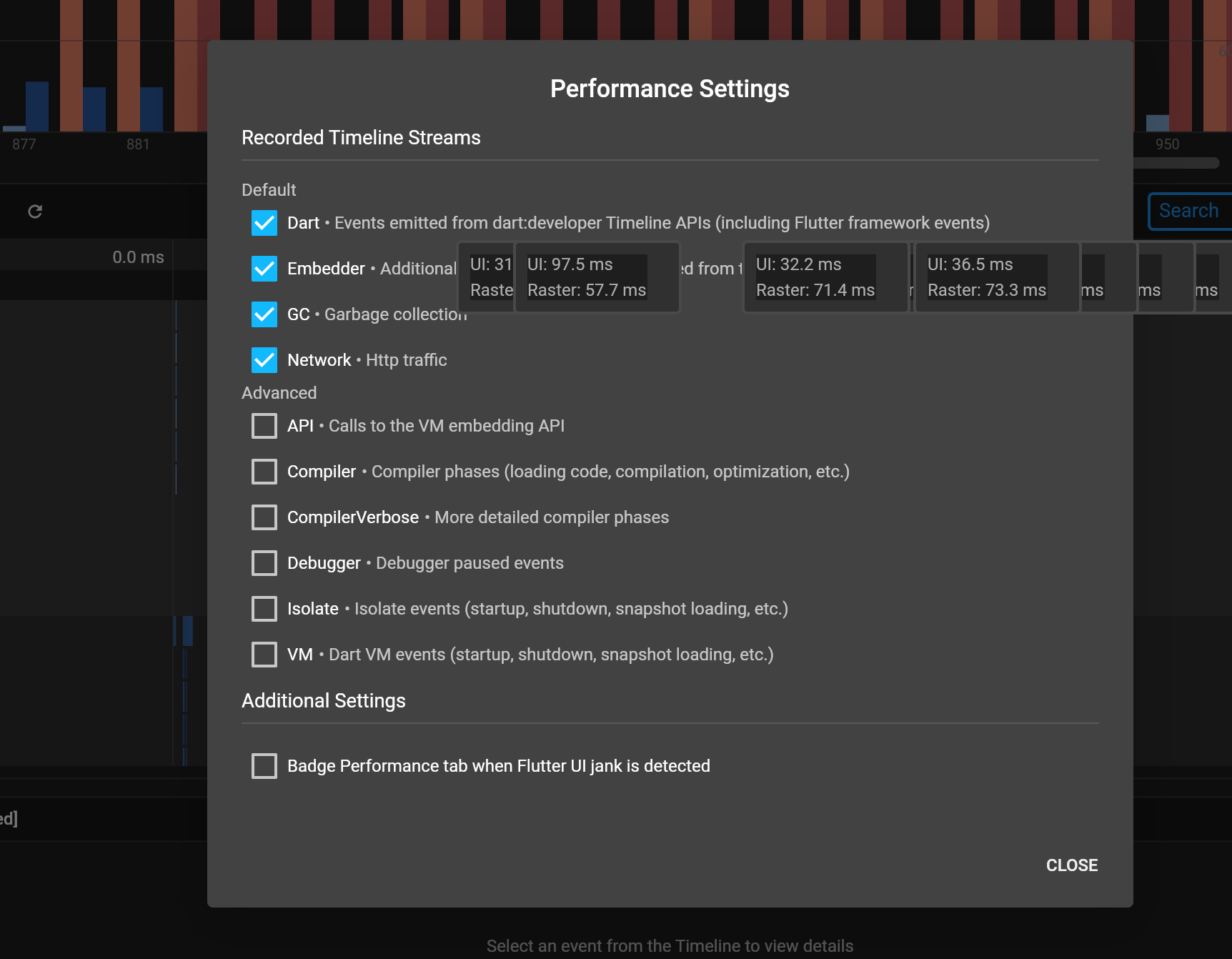

@DanTup why is the version in VS Code 2.9.2+1 when the version from flutter tools is 2.9.2? Is this version of the VS code plugin not launching from flutter tools? I can't seem to reproduce this in the browser, so I'm wondering if this is an issue with the vs code plugin.
@woutervanwijk thanks for the details. One more question that would provide some helpful info - are there any errors in the Chrome DevTools console when you have Flutter DevTools opened in a separate chrome browser?
@kenzieschmoll VS Code always uses dart devtools for running the server. 2.9.2+1 is the same version I see if I switch to Flutter stable and run {flutter_sdk}/bin/cache/dart-sdk/bin/dart devtools --port 9123 and open it in the browser. Should they be the same version?

They should be the same version if which dart points to {flutter_sdk}/bin/cache/dart-sdk/bin/dart. If you have another dart installed that is not from the flutter sdk, and that is what dart devtools is using, then the versions could be different. We should probably make sure that for flutter apps, we use the dart executable from the flutter sdk to run dart devtools. This will ensure that we are running the version of DevTools that flutter tools would have run.
@helin24 FYI in case IntelliJ is not using the dart executable from the flutter sdk.
I made a mistake in the browser. I used Edge (my mistake). But I tested. In Chrome it seems ok now, but in VS Code it's not ok, the hovers are not removed if the hover delay is ~300. (And in Edge and Firefox also not)
-- These are the Edge console errors:
       Warning: could not find release notes for DevTools version 2.9.2. Request to https://docs.flutter.dev/development/tools/devtools/release-notes/release-notes-2.9.2+1-src.md failed with status 404: .
log @ main.dart.js:63275
main.dart.js:63270 Attempted to call extension 'ext.flutter.inspector.structuredErrors', but no service with that name exists
main.dart.js:195891

       Uncaught TypeError: Cannot read properties of null (reading 'getPositionForOffset$1')
    at RenderParagraph.hitTestChildren$2$position (:9100/main.dart.js:195891:38)
    at RenderParagraph.hitTest$2$position (:9100/main.dart.js:190322:19)
    at RenderConstrainedBox.hitTestChildren$2$position (:9100/main.dart.js:196458:35)
    at RenderConstrainedBox.hitTest$2$position (:9100/main.dart.js:190322:19)
    at RenderBoxContainerDefaultsMixin_defaultHitTestChildren_closure.call$2 (:9100/main.dart.js:190449:32)
    at BoxHitTestResult.addWithPaintOffset$3$hitTest$offset$position (:9100/main.dart.js:190159:23)
    at RenderFlex.defaultHitTestChildren$2$position (:9100/main.dart.js:190427:20)
    at RenderFlex.hitTestChildren$2$position (:9100/main.dart.js:192964:19)
    at RenderFlex.hitTest$2$position (:9100/main.dart.js:190322:19)
    at RenderShiftedBox_hitTestChildren_closure.call$2 (:9100/main.dart.js:198568:59)
main.dart.js:102584

       Could not find a set of Noto fonts to display all missing characters. Please add a font asset for the missing characters. See: https://flutter.dev/docs/cookbook/design/fonts`
And this is in the console of VS Code itself:
TMScopeRegistry.ts:45 Overwriting grammar scope name to file mapping for scope source.dart.
Old grammar file: file:///Applications/Visual%20Studio%20Code.app/Contents/Resources/app/extensions/dart/syntaxes/dart.tmLanguage.json.
New grammar file: file:///Users/wouter/.vscode/extensions/dart-code.dart-code-3.36.0/syntaxes/dart.json
register @ TMScopeRegistry.ts:45

main.dart.js:63270 DevTools version 2.9.2+1.

main.dart.js:63270 Attempted to call extension 'ext.flutter.inspector.structuredErrors', but no service with that name exists

main.dart.js:102584 Could not find a set of Noto fonts to display all missing characters. Please add a font asset for the missing characters. See: https://flutter.dev/docs/cookbook/design/fonts
@kenzieschmoll
They should be the same version if
which dartpoints to{flutter_sdk}/bin/cache/dart-sdk/bin/dart. If you have anotherdartinstalled that is not from the flutter sdk, and that is whatdart devtoolsis using, then the versions could be different
I do have another Dart SDK that which dart points to, but that one has DevTools 2.8 (it's Dart 2.15.0). VS Code is running dart devtools explicitly using the path to dart inside the Dart SDK that ships with Flutter so I believe it's already doing the right thing.
I had a look in the Dart SDK history, and it looks like the change that bumped DevTools to v2.9.2+1 was included in Dart SDK 2.16:
https://github.com/dart-lang/sdk/commits/2.16.0
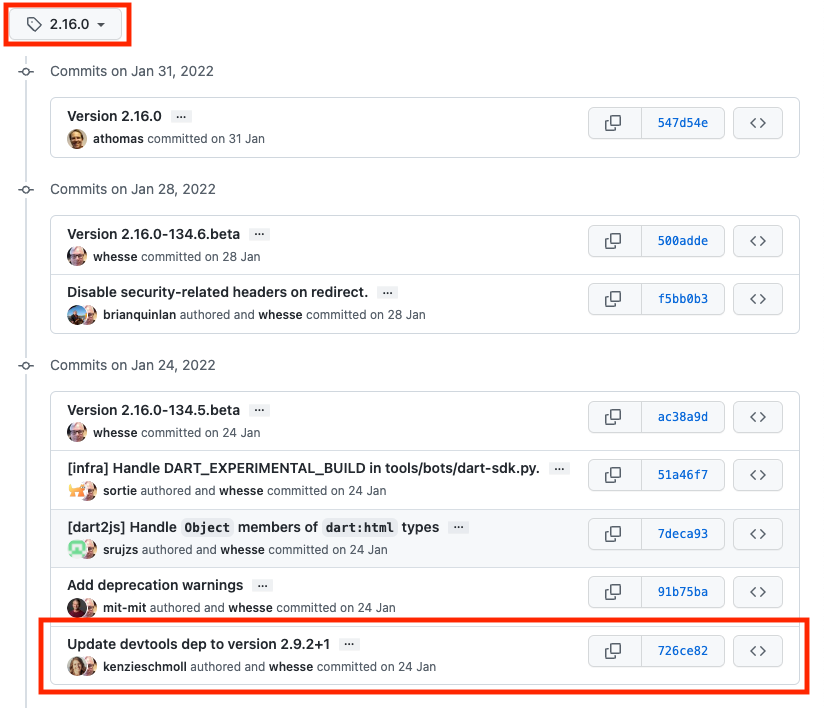
So I think it's working as expected, although I don't know whether that version was intended to be included.
(Out of interest, do you think the version difference is related to this issue, or was your concern only that it wasn't coming from the SDK correctly?).
@woutervanwijk can you confirm which setting you're modifying to trigger this? I don't seem to be able to trigger it:
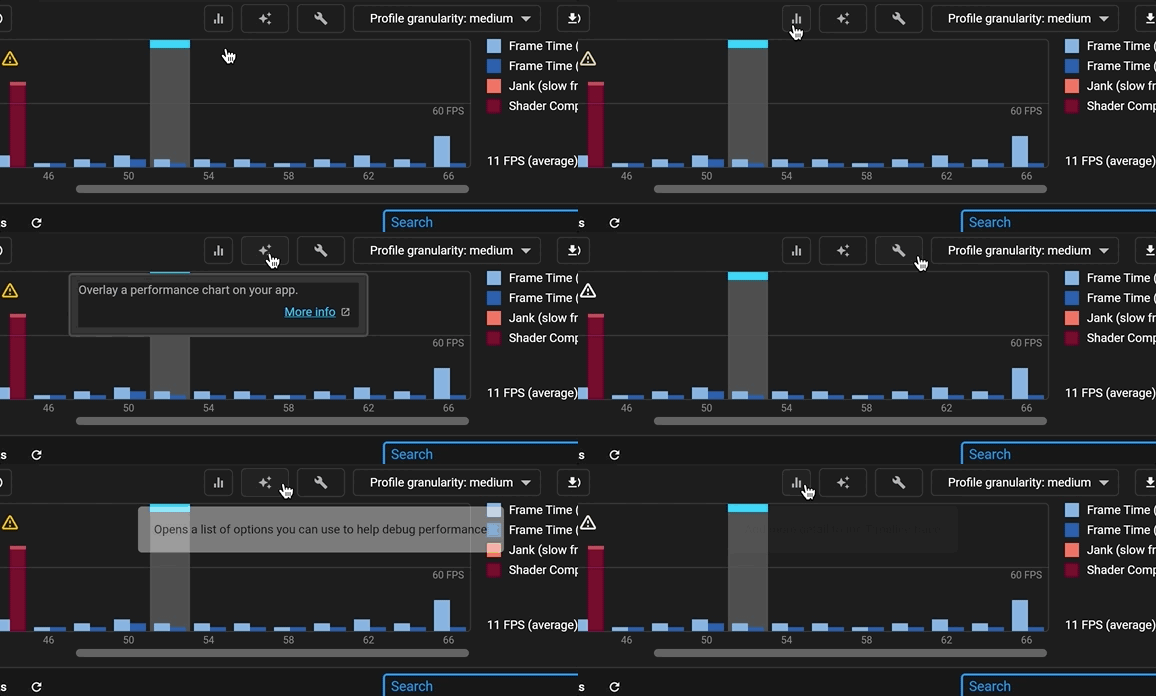
You mentioned changing a hover delay - do you mean the in VS Code settings? Mine is already set to 300ms but that setting should have no effect on the DevTools tooltips at all, it's a setting for the VS Code editors and these tooltips are all rendered by DevTools which embedded inside an iframe.
Re: versioning - what confused me is that @woutervanwijk reported that the DevTools version (pulling the text from the DevTools info dialog) was 2.9.2+1, and then the DevTools version from the flutter doctor -v output was 2.9.2. These should be the same if we are using the DevTools binary in the Flutter SDK (from the included Dart SDK). @DanTup do you see different version values when you compare the two?
(Out of interest, do you think the version difference is related to this issue, or was your concern only that it wasn't coming from the SDK correctly?).
No, this versioning is not related to this issue, just was asking for version number to try to track down the bug and I found this odd.
@DanTup do you see different version values when you compare the two?
Yep, I see the same (no +1 in the output of flutter --version even though the version of DevTools in the bundled Dart SDK is +1):
Flutter 2.10.3 • channel stable • [email protected]:flutter/flutter.git
Framework • revision 7e9793dee1 (2 weeks ago) • 2022-03-02 11:23:12 -0600
Engine • revision bd539267b4
Tools • Dart 2.16.1 • DevTools 2.9.2
Filed https://github.com/flutter/flutter/issues/100247 to track the versioning issue. This is unrelated to the tooltip issue though. @DanTup did you try hovering over the bars in the frames chart? In the gif you attached it looks like you may have only been hovering over the buttons and not the frames.
Oops, you're right - I only noticed the button tooltip. Although I don't seem to be able to reproduce on the bars either:
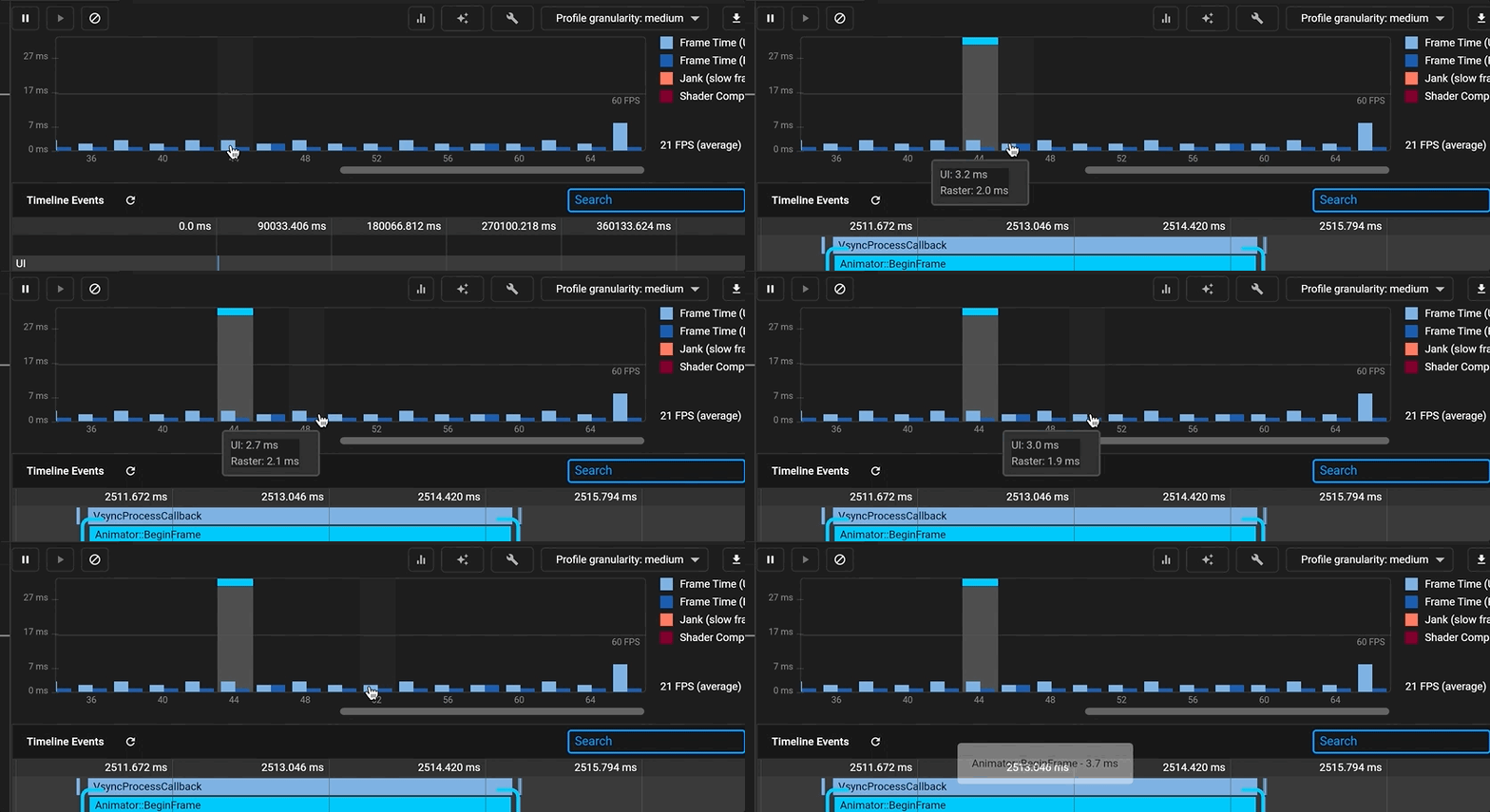
Well, I can report some good news: I cannot reproduce it anymore. Not in the browser and not on VS Code.
I'm happy, but I really don't know why it's gone. Maybe because of an update? It was there for months.
I don't know of any updates that should have fixed it, but glad to hear it's working now. Please do post back if it comes back so it can be looked at (I still don't seem to be able to repro on either stable or master).
Hmm, sorry to say that it's back again. Both in VS Code and in the browser. I will look if I can bring it down to a usecase or something
I am seeing the same problem with tooltips that won't go away. Let me know if I can provide any additional info.


@epgrove thanks for the report. A few questions:
- are you running in the browser? if so, can you see if there are any errors in the chrome devtools console?
- what OS is your machine (windows, mac, linux, etc.)?
- Yes in Chrome browser. Only see following messages in the console:
DevTools version 2.12.2. main.dart.js:63722 Attempted to call extension 'ext.flutter.inspector.structuredErrors', but no service with that name exists
- I am running Linux on a Chromebook.
@DanTup when you were originally trying to reproduce this, did you happen to try on either linux or a chromebook? I still haven't been able to reproduce this issue in chrome or embedded in the IDEs from my Mac
@kenzieschmoll only macOS (or perhaps Windows). I don't have access to either a Chromebook or a Linux machine currently.
Although comments above from @woutervanwijk suggest it happens on macOS too, so perhaps not platform-specific.
It's on MacOS here too. And I encountered something strange: I use a Wacom pen for input most of the time, then the bug appears (again). But when I use the trackpad or a normal mouse, it doesn't. I think the Wacom pen driver behaves a bit different than the mouse, I also see it in other apps. Maybe it's even in Electron?
@goderbauer are you aware of any existing issues on the framework side that are tracking issues with tooltips not being removed properly?
I am not aware of any current issues with this, but please file an issue over at https://github.com/flutter/flutter/issues/new/choose if there are any problems (ideally with a way to reproduce them).

Is it the flutter framework? I think Electron?
In some of the comments above it sounds like you may have reproduced this outside of the embedded VS Code window (in the browser directly), but I'm not sure. If so, then it's likely not an Electron/ VS Code issue.
Is it always when using the Wacom tablet that you see this issue, and if so, does it always reproduce, or only sometimes?
If it happens a lot with the tablet/pen, it would be useful to see if you can reproduce the issue with the Tooltip samples isted here (when running in the browser): https://api.flutter.dev/flutter/material/Tooltip-class.html
No, it's really inside the VS Code window. Or can it be an iframe?
I cannot reproduce it on https://api.flutter.dev/flutter/material/Tooltip-class.html I adapted it to have multiple tooltips (see below).
The tooltips sometimes do and sometimes don't appear if I use the tablet. With the mouse it's ok though.
`import 'package:flutter/material.dart';
void main() => runApp(const MyApp());
class MyApp extends StatelessWidget { const MyApp({Key? key}) : super(key: key);
static const String _title = 'Tooltip Sample';
@override Widget build(BuildContext context) { return MaterialApp( title: _title, home: Scaffold( appBar: AppBar(title: const Text(_title)), body: Column( children: [TooltipSample(), TooltipSample(), TooltipSample()] ), ), ); } }
class TooltipSample extends StatelessWidget { const TooltipSample({Key? key}) : super(key: key);
@override Widget build(BuildContext context) { return const Tooltip( message: 'I am a Tooltip', child: Text('Hover over the text to show a tooltip.'), ); } } `
No, it's really inside the VS Code window. Or can it be an iframe?
It is an iframe inside VS Code that is rendering DevTools when embedded. Does the issue occur only when embedded in VS Code, or also when using DevTools in Chrome? The original message above says "This problem occurs inside VS Code itself and when using the performance tools in Chrome" but from your recent comments I'm now unsure.