
octo4a
 octo4a copied to clipboard
 feelfreelinux
Octolapse Install Error
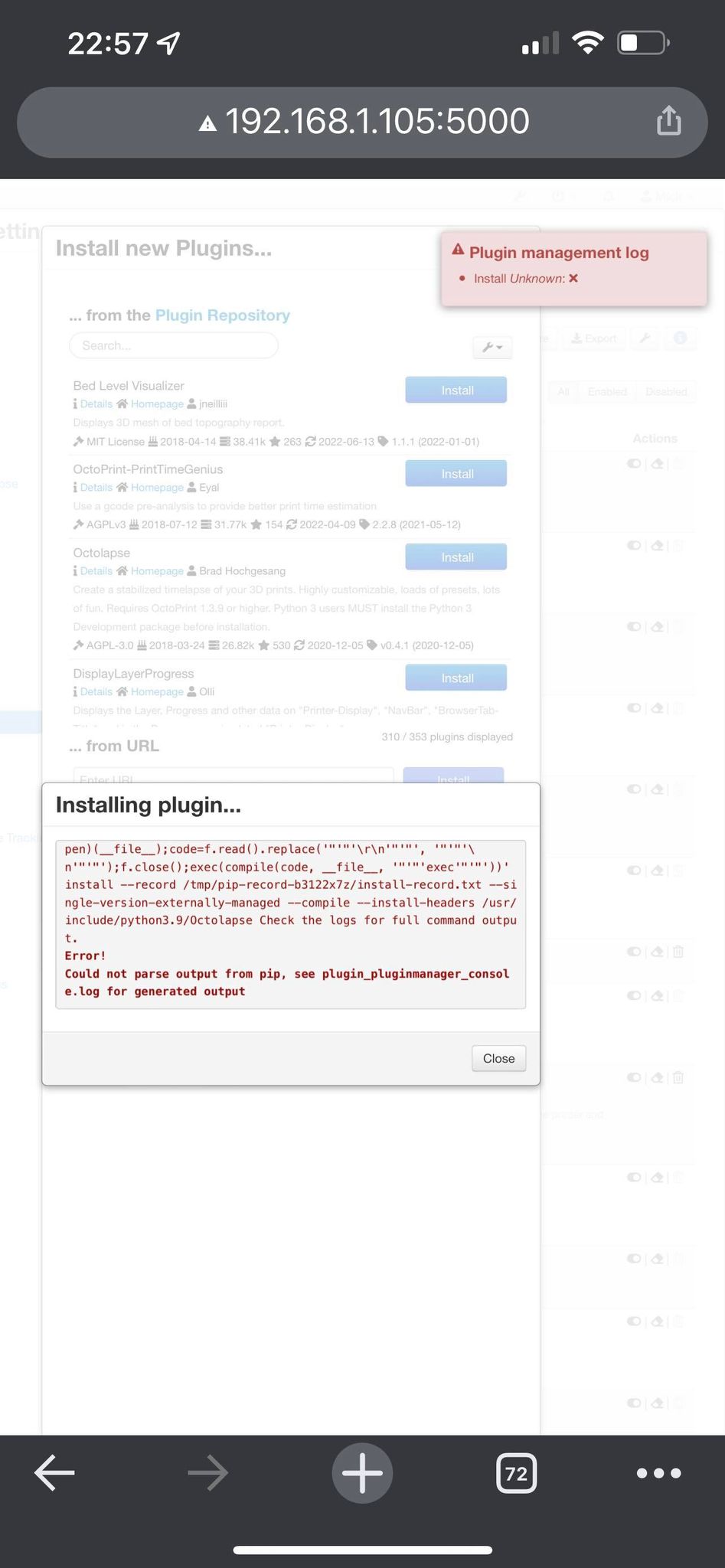
Hi thanks for the APP. I have a Galaxy A20 and with a clean install of OS 10 i have installed Octo4a. The install was clean and easy. I have tried to all the Octolapse plugin but it fails with the following error
ERROR: Command errored out with exit status 1: /usr/bin/python3 -u -c 'import sys, setuptools, tokenize; sys.argv[0] = '"'"'/tmp/pip-req-build-2ainolk9/setup.py'"'"'; file='"'"'/tmp/pip-req-build-2ainolk9/setup.py'"'"';f=getattr(tokenize, '"'"'open'"'"', open)(file);code=f.read().replace('"'"'\r\n'"'"', '"'"'\n'"'"');f.close();exec(compile(code, file, '"'"'exec'"'"'))' install --record /tmp/pip-record-q43s2acu/install-record.txt --single-version-externally-managed --compile --install-headers /usr/include/python3.9/Octolapse Check the logs for full command output. Running setup.py install for Octolapse: finished with status 'error' Error! Could not parse output from pip, see plugin_pluginmanager_console.log for generated output
I have added a txt file of the install log and a screen shot of the error for reference. Any help you could give would be greatly apricated Thanking You Mick

Hello,
like you can see in your log file : 2022-06-14 13:26:30,726 ! error: command 'gcc' failed: No such file or directory
you have to install GCC.
Octo4a use an alpine-based bootstrap not a Raspbian or Debian one. https://wiki.alpinelinux.org/wiki/GCC You have to go, on your android device, in Octo4a App, open "Settings" and ensure that the ssh server is turned on.
Now, connect your ssh client to your android device.
If you used windows, you'll have to download an ssh client.
If you use linux, just enter the command:
ssh -p 8022 root@<yourDeviceIP>
Once you're in your ssh terminal, you'll need to install missing(s) package(s) to allow some plugins to compile and install.
Build-base -- this is the build environment for linux
apk add build-base
Now you can install your plugin via Octoprint plugin-manager.

I'm getting the following error after following the above recommendation.
plugin_pluginmanager_console.log
Google Pixel 2 XL

In the Octo4a app's interface, there is an option to install 'Plugin extras', which will add stuff like gcc and also the Python headers, and other stuff that some plugins require. The steps in https://github.com/feelfreelinux/octo4a/issues/229#issuecomment-1159318607 will not be required if you add that on from Octo4a's UI, since it is part of that package.

In the Octo4a app's interface, there is an option to install 'Plugin extras', which will add stuff like gcc and also the Python headers, and other stuff that some plugins require. The steps in #229 (comment) will not be required if you add that on from Octo4a's UI, since it is part of that package.
I did a uninstall/reinstall and started from scratch. Seems everything loaded fine this time around. Thanks. Will let you know about #230 when I get some time to do some prints and time lapses.
I had this issue when my phone was lacking updates... once I got updated all the way to the latest version it worked fine.
