
jupyter-book
 jupyter-book copied to clipboard
 executablebooks
custom css behavior has changed
Describe the problem
Custom css to format adomitions stopped working between jupyter-book 0.11.1 and current release on pipy.
I have jupyter book 0.11.1 installed locally and it looks like below

with the version installed by (from a github action without a version specified)
pip install jupyterbook
it looks like:
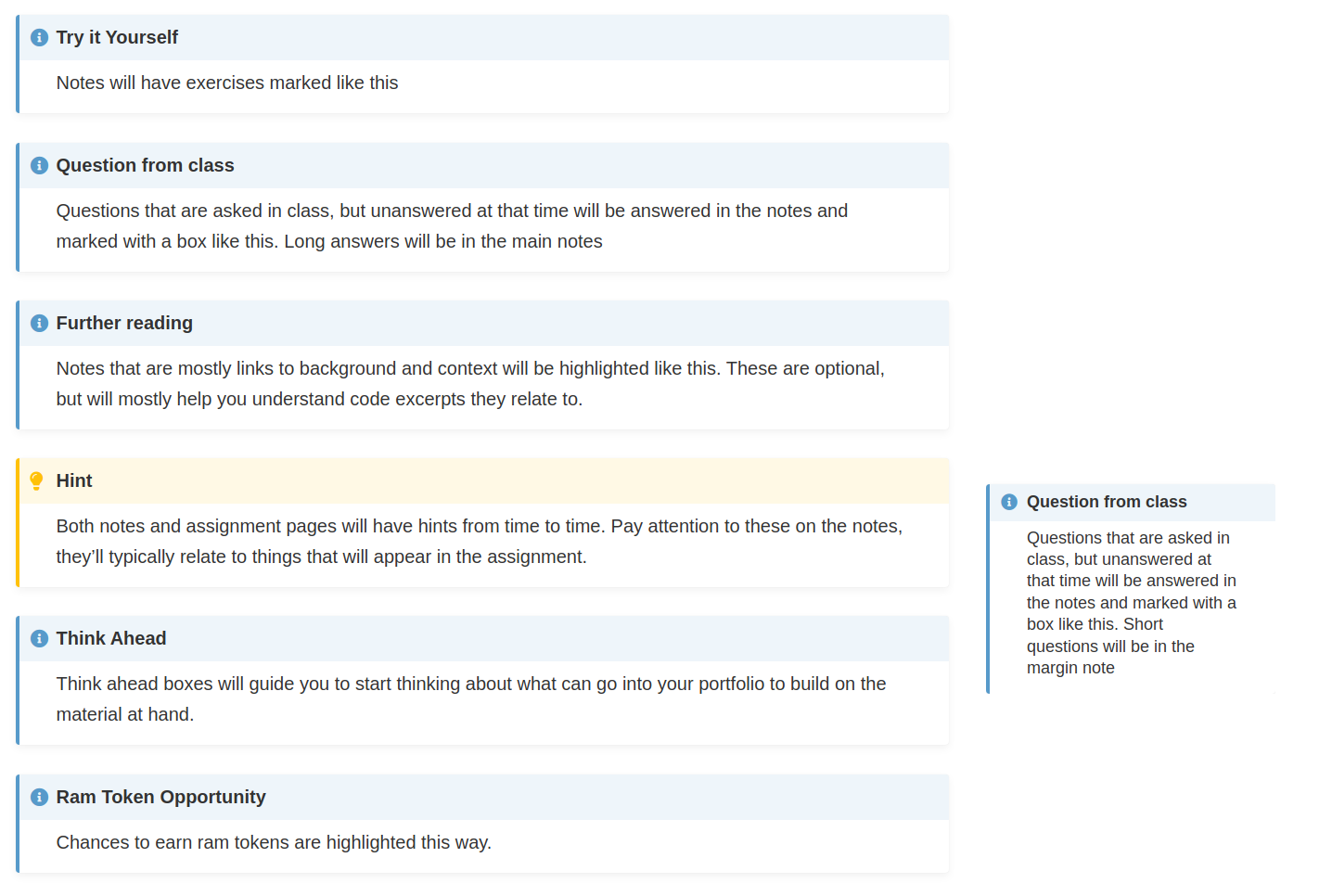
The custom css is still there when I use inspection in my browser, but it's being overwritten. This suggests the custom css loaded before default css now.
Link to your repository or website
https://github.com/rhodyprog4ds/BrownFall21/
Steps to reproduce
Build site with latest version of jupyter book installed by
pip install jupyterbook
build with version specified below and compare.
The version of Python you're using
3.8
Your operating system
ubuntu 18.04LTS locally, ubuntu-latest on github
Versions of your packages
local:
Jupyter Book      : 0.11.1
External ToC      : 0.2.0
MyST-Parser       : 0.13.7
MyST-NB           : 0.12.3
Sphinx Book Theme : 0.1.0
Jupyter-Cache     : 0.4.2
NbClient          : 0.5.3
github action that caused the error uses a requirements.txt without versions, so it's the most up to date from pipy
Additional context
I'm changing my requirements.txt to the old version for a temporary fix so the current version of the repository may not reproduce the error on the rendered version.

Thanks for opening your first issue here! Engagement like this is essential for open source projects! :hugs:
If you haven't done so already, check out EBP's Code of Conduct. Also, please try to follow the issue template as it helps other community members to contribute more effectively.
If your issue is a feature request, others may react to it, to raise its prominence (see Feature Voting).
Welcome to the EBP community! :tada:
![welcome[bot] avatar](https://avatars.githubusercontent.com/in/4141?v=4 "Published by a pub.dev verified publisher")