excalidraw
 excalidraw copied to clipboard
 excalidraw
Transparent stroke
To set stroke color to transparent, we have to manually write "transparent" in the color code field.
I think we should have a button for that, just as for the background color.
Use case : as far as I'm concerned I often draw plain colored shapes with no "border".


I think we should have easy access to white, black and transparent both in background and stroke color.
Is this as simple as adding transparent to the stroke color presets now?
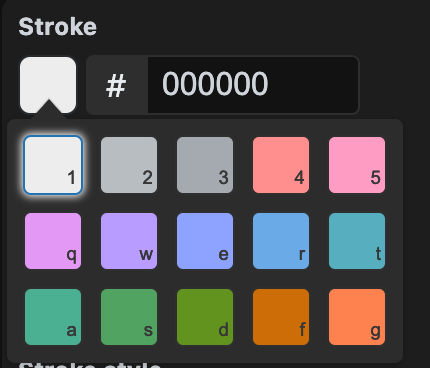
The question becomes: Which swatch should be dropped for transparent?

Don't know yet, but we'll be doing a full revamp of the colors very soon (both stroke and bg), which will include ensuring both transparent and white colors are in both.