
voxblox
 voxblox copied to clipboard
 ethz-asl
Various modes of Visualization
There are a couple of ways to visualize the output as far as I understood. Could the authors perhaps tell us how to visualize the output differently? For instance, no matter what I do, I can never see the mesh on Rviz like what's shown in on the main page of this repository - textured and colorful. I am sure there are other ways which may be useful as well.
What are the ways of activating different modes of visualization?
So far I have only could see 1, which is below:
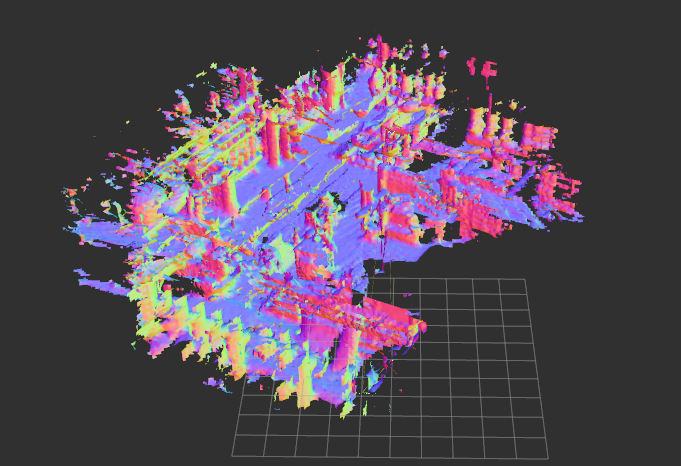
How to see the others?


There are a couple of ways to visualize the output as far as I understood. Could the authors perhaps tell us how to visualize the output differently? For instance, no matter what I do, I can never see the mesh on Rviz like what's shown in on the main page of this repository - textured and colorful. I am sure there are other ways which may be useful as well.
What are the ways of activating different modes of visualization?
So far I have only could see 1, which is below:
How to see the others?
Sorry for troubing you, but how to see this visualization?
