

 element-hq
Ctrl+F shortcut settings improvement
Your use case
What would you like to do?
As a user I want to be able to search a room quickly…
Why would you like to do it?
…to find specific messages.
How would you like to achieve it?
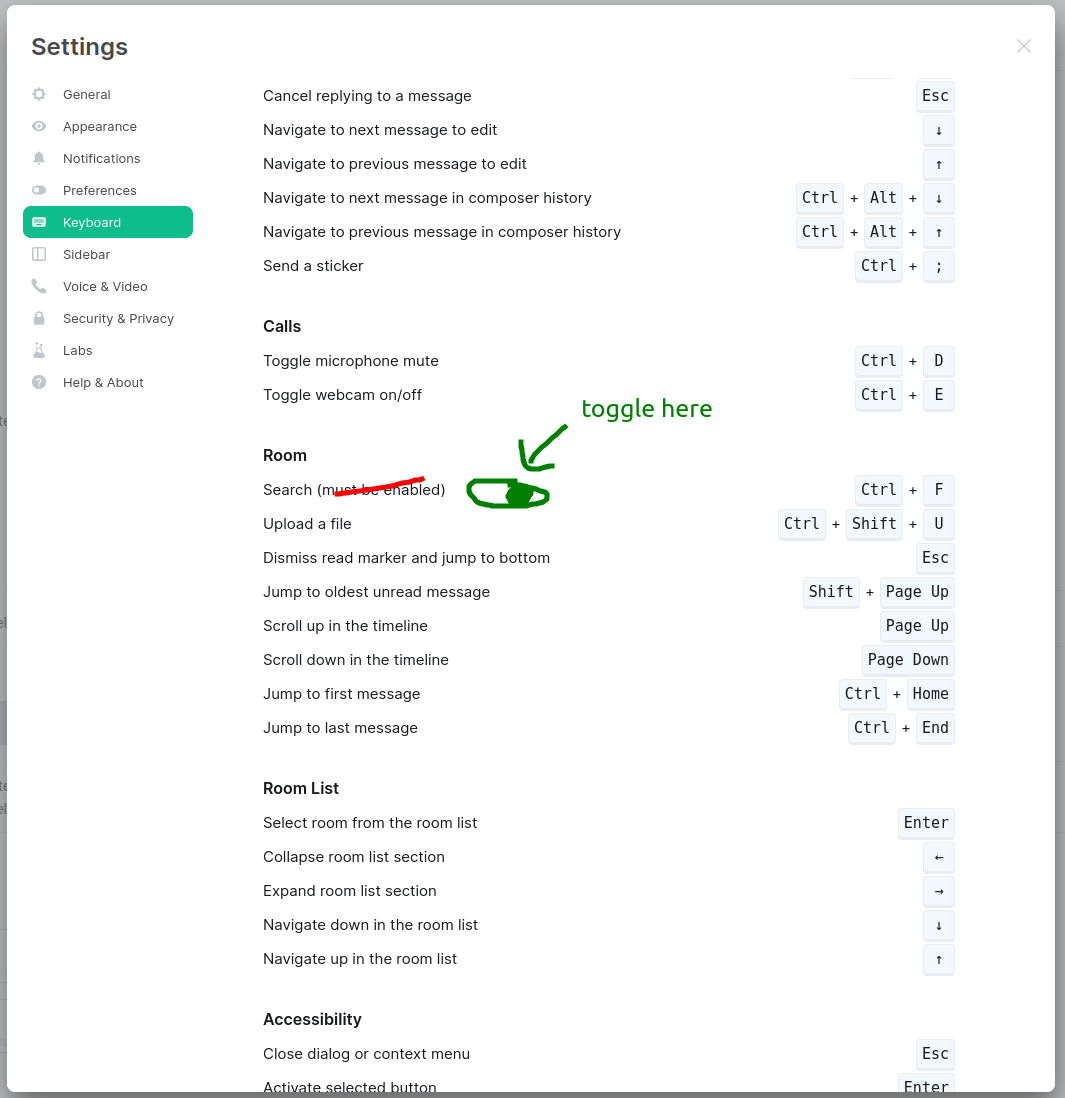
Currently the search shortcut is not enabled by default. Ctrl+F doesn't work. After a quick look into the shortcuts I found Ctrl+F (of course I didn't read the note :wink: ). Back to the room I tried Ctrl+F again without success and thought of it being a bug.
I would suggest adding the toggle directly to the key map:
Have you considered any alternatives?
No response
Additional context
No response

👍 Great idea to put it there!
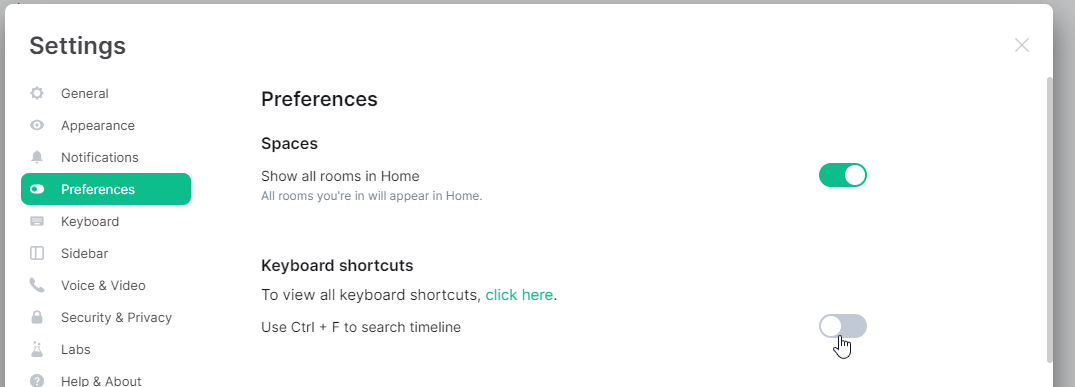
For reference, the setting is currently under Settings -> Preferences -> Keyboard shortcuts -> Use Ctrl + F to search timeline

The keyboard tab doesn't really allow for adding buttons... It might make sense to just wait for message search to be incorporated into the new search experience


Because it may conflict with your browser search which may not be the preferred behaviour for some users
Also because it does not search anything other than messages, whereas a normal Ctrl+F function can search any text on the page, e.g. in settings etc

Because it may conflict with your browser search which may not be the preferred behaviour for some users
It was also not enabled by default for me on the desktop version (installed via Flatpak). I understand not wanting to override browser search, but the desktop version has no such consideration.
