echarts-gl
 echarts-gl copied to clipboard
Published
20 hours ago •
 ecomfe
ecomfe
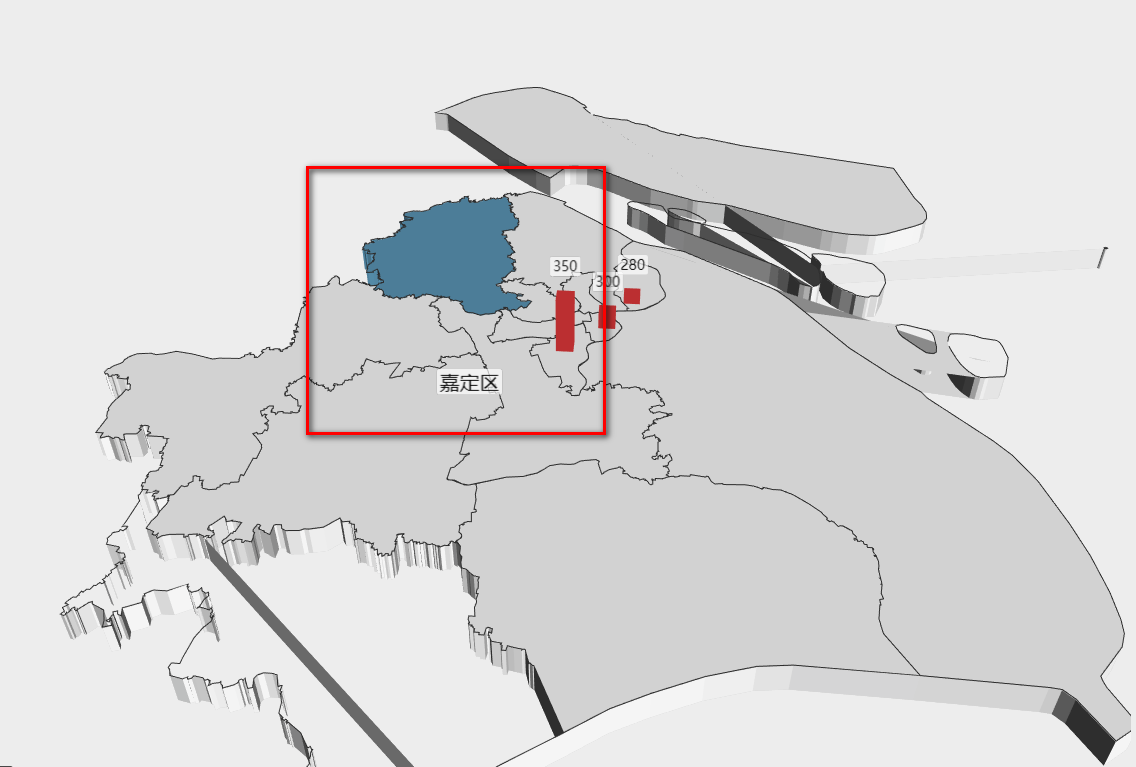
geo3d中使用geojson绘制地图,标签处于地图下方
var uploadedDataURL = "/bdap-datachart/mapdata/china.json";
// 请求的方式获取
$.get(uploadedDataURL, function(as) {
    // 引入新疆地区地图
    echarts.registerMap('测试', as);

    option = {
		visualMap: [{
		       type: 'continuous',
		       seriesIndex: 0,
		       text: ['bar3D'],
		       calculable: true,
		       max: 300,
		       inRange: {
		           color: ['#87aa66', '#eba438', '#d94d4c']
		       }
		   }
		],
        geo3D: {
        	map:"测试",
        	boxWidth: 100,
        	boxHeight: 10,
        	regionHeight: 3,
        	groundPlane: { // 沙盘
    	      show: false
    	    },
            itemStyle: {
                areaColor: '#1d5e98',
                opacity: 1,
                borderWidth: 1,
                borderColor: '#000'
            },
            label: {
                show: false,
                distance:5,
                textStyle: {
                    color: '#000', //地图初始化区域字体颜色
                    fontSize: 8,
                    opacity: 1,
                    backgroundColor: 'rgba(0,23,11,0)'
                }
            },
            emphasis: {
            	label: {
            		show: true
            	}
            },
            light: { //光照阴影
                main: {
                    color: '#fff', //光照颜色
                    intensity: 1.2, //光照强度
                    shadow: true, //是否显示阴影
                    alpha:55,
                    beta:10

                },
                 ambient: {
                    intensity: 0.3
                }
            }
        },
        series:[
        	{
                name: 'bar3D',
                type: "bar3D",
                coordinateSystem: 'geo3D',
                barSize: 2, //柱子粗细
                shading: 'lambert',
                opacity: 1,
                bevelSize:0.5,
                label: {
                    show: false,
                    formatter: '{b}'
                },
                data: [
                	{
                    	name: "大庆",
                    	value: [125.03, 46.58,300]
                	}
                ]
        	}
        ]
    };
    myChart.on('click',function(e){
        console.log(e)
        /*
        if(e.componentSubType == "bar"){
            // 先清除所有柱状图
            $('.tongJiTu').remove();
            // 创建遮挡层
            creatWrap();
            // 创建柱状图容器
            var divObj = document.createElement('div');
            $(divObj).addClass('tongJiTu');
            divObj.id = 'zhuzhuang';
            var divX = getMousePos()['x'];
            var divY = getMousePos()['y'];
            $(divObj).css({
                'width': 250,
                'height': 180,
                'border': '1px solid #ccc',
                'position': 'absolute',
                'top': divY,
                'left': divX
            }).appendTo('.wrap');
            // 创建柱状图
            zhuZhuangTu();
            // 点击遮挡层消失
            clearWrap('.zhedang');
        }
        */
        return;
    });


    myChart.setOption(option);

});