
eclipse-plugins
 eclipse-plugins copied to clipboard
 eclipse-embed-cdt
Not refreshing layout when switching between ARM configuration and RISC-V configuration inside single project.
Description
A project which has to target 2 platforms shows strange behaviour when switching configurations.
Steps to Reproduce
- Import to RISCV project a configuration from ARM project so you could be targeting both platforms by quickly switching.
- In project settings now the RISCV is showing as RISCV.
- By clicking on the top to switch configuration, now I can switch to ARM and the layout updates,
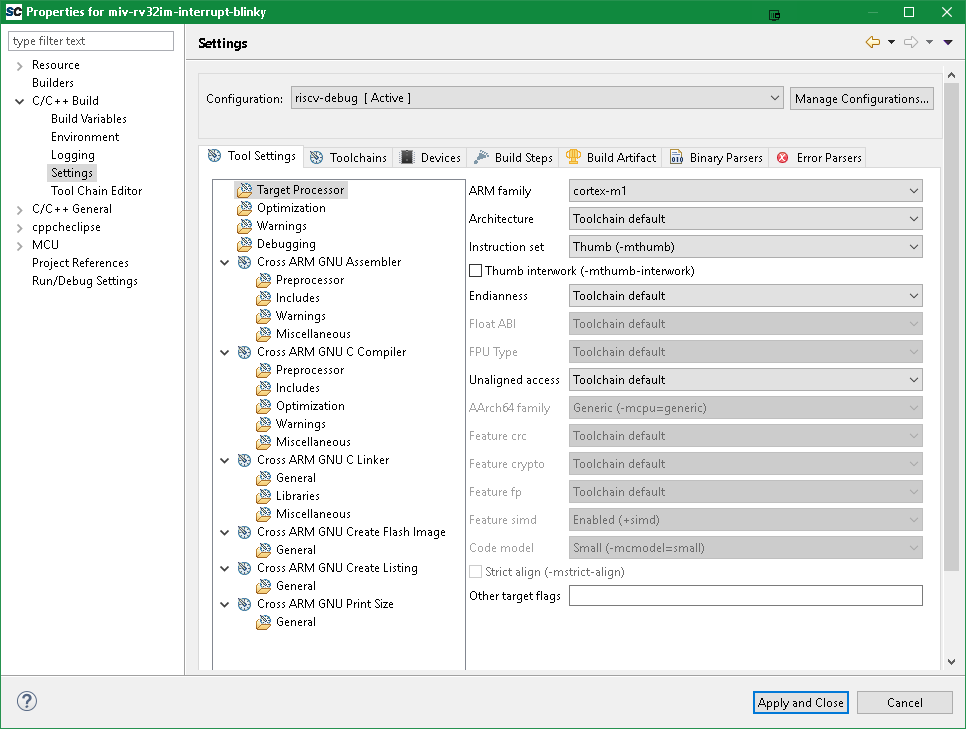
- Switching back to RISCV project will still keep the ARM layout and not update to RISCV.
Expected behaviour:
Switching between configuration should always update to the corresponding target,
Actual behaviour:
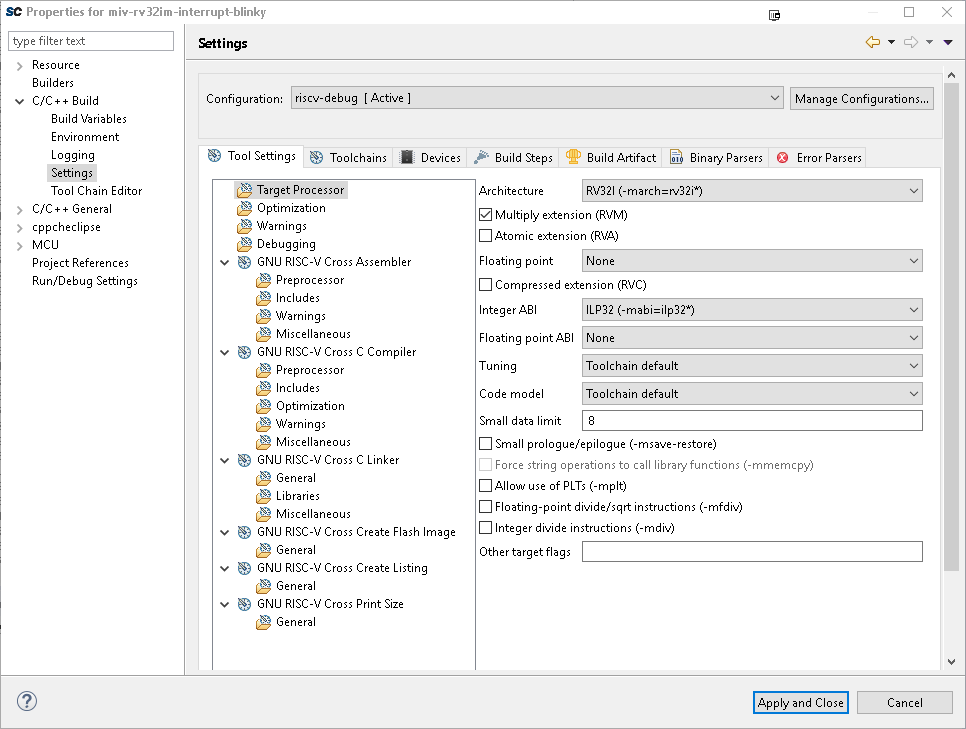
RISCV Configuration:
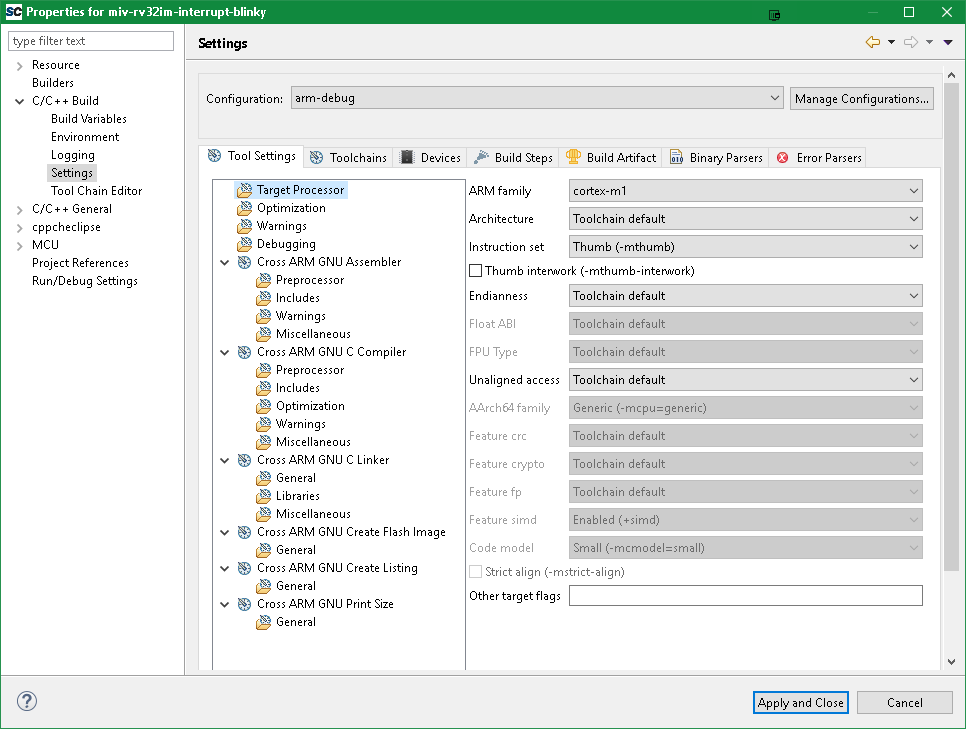
ARM configuration:
Switch back to RISCV will still keep ARM layout:
Versions
- [plug-in version] 2.6.1
- [Eclipse version] 4.7.2
- [Java version] 9.0.4
- [operating system] Windows 10 64 bit
- [toolchain version] riscv 7.2.0, arm 7.2.1

@AntonKrug, I'm not able to reproduce this problem.
I tried with the latest version of the plug-ins and also with an older version.
I creted a new RISC-V project and imported the Debug configuration from an ARM project, saved the new configuration and then entered again in the Properties windows. Switching from ARM to RISC-V and back works as expected.
I think the step to save everything after adding the new configuration is mandatory, otherwise Eclipse might not be aware of the new configuration.

If you can reproduce this, please come back with more details. Otherwise please close this issue.
Sorry I was still messing with the mtune.
I still have the issue, I think I save everything, but please explain exactly what you mean under "save" ?
Ah, yes been doing that and even closing and opening eclipse doesn't help. Importing ARM to RISCV and vice versa is not fixing it as well.
Yes. But I have no idea how to address this. As you know, the Tool Settings tab is managed by CDT, based on the toolchain definitions in plugin.xml; I have no control on the redraw logic there.
If you can install other regular (non cross) toolchains on your windows, do the same test, and if the behaviour is the same, report it to CDT.