
project-system
 project-system copied to clipboard
 dotnet
Application property page error, in Blend
In Blend, the application's properties page gives an error on the "publish" tab.
This issue has been moved from https://developercommunity.visualstudio.com/content/problem/217001/application-property-page-error-in-blend.html VSTS ticketId: 584909 These are the original issue comments: (no comments) These are the original issue solutions: (no solutions)

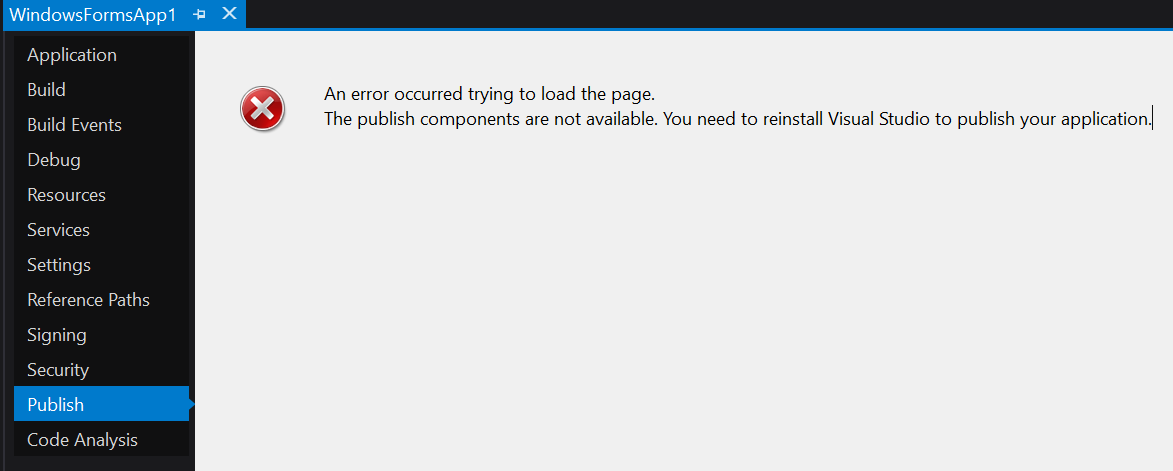

Seems like there is a setup authoring issue where either:
- The clickonce components should be in Blend
- We should hide the publish page in Blend

What kind of logging can I enable to try and figure out this error? The logs produced by starting VS with devenv.exe /Log don't yield any useful results.

I've found a workaround for this one.
This would apply to any sort of ClickOnce app where no matter what you get the dreaded "reinstall" message:
The publish components are not available. You need to reinstall Visual Studio to publish your application.
I did a nuke-from-orbit Visual Studio 2022 uninstall and full re-install and was still unable to use the Publish feature on my ClickOnce VSTO add-in.
However it does work from msbuild, this article details how to do so.
So in my case the command is:
msbuild .\MySolution.sln /target:publish /p:Configuration=Release /p:ApplicationVersion=1.0.1.0 /p:PublishDir="path/to/published"
I had to include ApplicationVersion in the parameters because even though I had the "auto-increment version" checkbox ticked the version number is not incremented upon publish. So you have to do that by hand.