

 dekatotoro
Swift 4 : Declarations from extensions cannot be overridden yet
Integrate in Xcode Version 9.0 beta 3. Issue: Declarations from extensions cannot be overridden yet
Please see screenshot.


@ravi8x How are you showing menu on the view controllers which is not pushed but instead presented? Any solution?

@abhijithExperion No Abhijith. I have written my own Slider Menu class with very minimal functionalities.
this is a very easily reproducible "bug"; just check out the current branch and import the library to a project using Swift 4 (e.g. XCode 4 Beta 1-4). Probably it is an easy fix...

@andylamp I am using with pods pod 'SlideMenuControllerSwift' What changes required when using pod with swift 4, XCode - Version 9.0 beta 3 (9M174d). Thanks
@KrishnendraPrakash the solution, albeit with warnings, for now it seems to be that you have to put the following:
    @objc public func openLeft() {
      slideMenuController()?.openLeft()
    }


    @objc public func openRight() {
        slideMenuController()?.openRight()    }


    @objc public func closeLeft() {
        slideMenuController()?.closeLeft()
    }


    @objc public func closeRight() {
        slideMenuController()?.closeRight()
    }
Specifically, these are located in lines 1055-1075 in SlideMenuController.swift -- they should work but XCode will complain about deprecated functionality... but it's a temporary solution for the time being.
Hope this helps...
Anybody know if there will be a release for Swift4?
We need the solution via pods installation


@akshayiosdeveloper as I said, you can alter the source file as indicated in my previous answer and it will run just fine...
@akshayiosdeveloper you can use too branch of Swift 4 if you use as pod.
https://github.com/dekatotoro/SlideMenuControllerSwift/tree/swift4
@andylamp I hope you MR is comming soon.
@andylamp You are right but if we use Pod file, It will auto update when we update our other pod files, right ?

@arun-perk you can use the pods git branch tool in order to have a specific version, this can be done easily like so:
platform :ios, '11.0'

target 'YourAppName' do
  use_frameworks!
  # more pods...
    pod 'SlideMenuControllerSwift', :git => 'https://github.com/dekatotoro/SlideMenuControllerSwift.git', :branch => 'swift4''
  # even more pods...
end
Hope this helps.
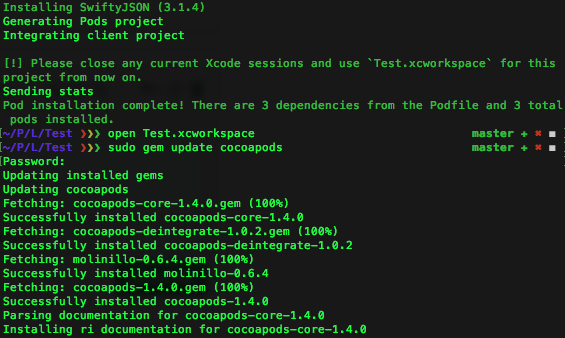
Update your pod
 https://guides.cocoapods.org/using/getting-started.html
" sudo gem update cocoapods " in terminal
https://guides.cocoapods.org/using/getting-started.html
" sudo gem update cocoapods " in terminal
Note : it work for me 👍
