
quickstart-streaming-agents
 quickstart-streaming-agents copied to clipboard
 confluentinc
Build, deploy, and orchestrate event-driven agents natively on Apache Flink® and Apache Kafka®
Streaming Agents on Confluent Cloud Quickstart

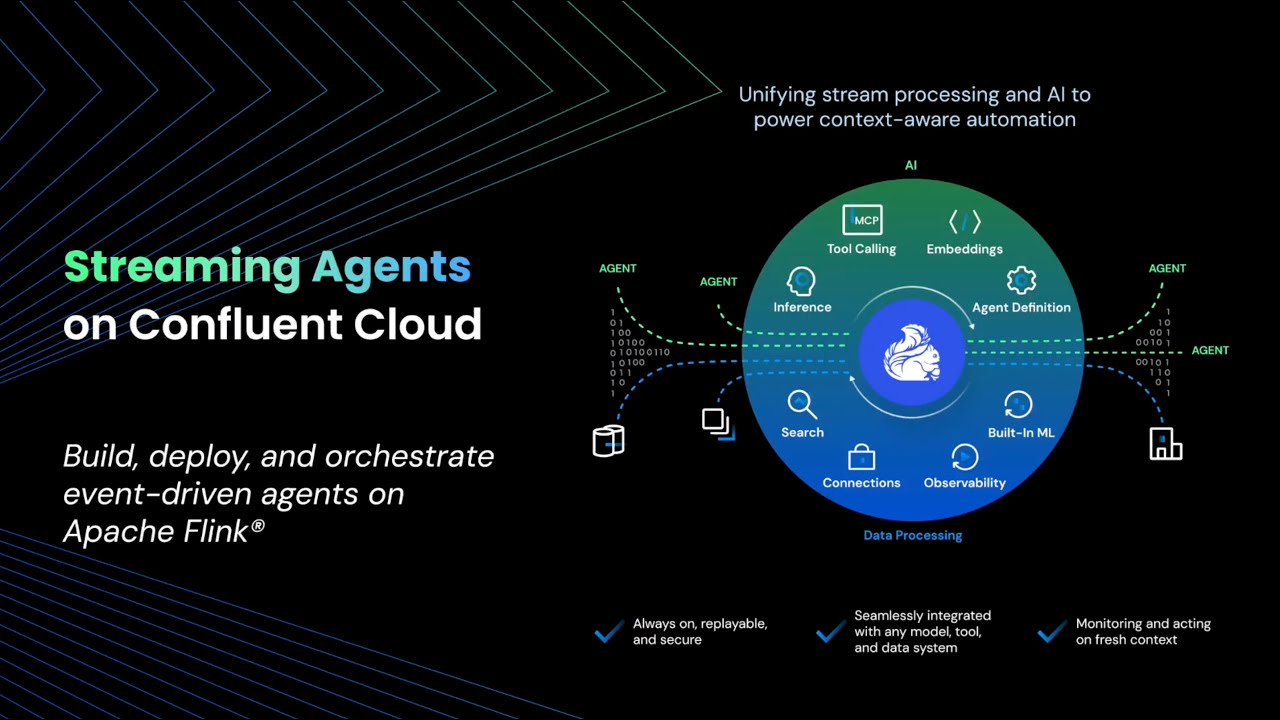
Build real-time AI agents with Confluent Cloud Streaming Agents. This quickstart includes three hands-on labs:
| Lab | Description |
|---|---|
| Lab1 - Price Matching Orders With MCP Tool Calling | *NEW!* Now using new Agent Definition (CREATE AGENT) syntax. Price matching agent that scrapes competitor websites and adjusts prices in real-time |
| Lab2 - Vector Search & RAG | Vector search pipeline template with retrieval augmented generation (RAG). Use the included Flink documentation chunks, or bring your own documents for intelligent document retrieval. |
| Lab3 - Agentic Fleet Management Using Confluent Intelligence | End-to-end boat fleet management demo showing use of Agent Definition, MCP tool calling, vector search, and anomaly detection. |
Prerequisites
Required accounts & credentials:
- Lab1: Zapier remote MCP server (Setup guide)
- Lab2: MongoDB Atlas vector database (Setup guide)
- Lab3: Zapier (Setup guide) + MongoDB (Setup guide)
Required tools:
- AWS CLI or Azure CLI - must be logged in
- Confluent CLI - must be logged in
- Docker - for Lab1 & Lab3 data generation only
- Git
- Terraform
- uv
Installation commands (Mac/Windows/Linux)
**Mac:**brew install uv git python && brew tap hashicorp/tap && brew install hashicorp/tap/terraform && brew install --cask confluent-cli docker-desktop && brew install awscli # or azure-cli
Windows:
winget install astral-sh.uv Git.Git Docker.DockerDesktop Hashicorp.Terraform ConfluentInc.Confluent-CLI Python.Python Amazon.AWSCLI # or Microsoft.AzureCLI
Linux:
curl -LsSf https://astral.sh/uv/install.sh | sh
# Install other tools via your package manager
🚀 Quick Start
Clone the repository and navigate to the Quickstart directory:
git clone https://github.com/confluentinc/quickstart-streaming-agents.git
cd quickstart-streaming-agents
One command deployment:
uv run deploy
That's it! The script will guide you through setup, automatically create API keys, and deploy your chosen lab(s).
[!NOTE]
For instructor-led workshops, add the
--workshopflag:uv run deploy --workshop.
Directory Structure
quickstart-streaming-agents/
├── aws|azure/                          # Choose a cloud
│   ├── core/                           # Shared Confluent Cloud infra for all labs
│   ├── lab1-tool-calling/              # Lab-specific infra
│   ├── lab2-vector-search/             # Lab-specific infra
│   └── lab3-agentic-fleet-management/  # Lab-specific infra
├── deploy.py                           # 🚀 Start here
└── scripts/                            # Python utilities
🔄 Alternative deployment methods
Traditional Python:
pip install -e . && python deploy.py
🔧 Manual terraform deployment
Prerequisites
- All tools installed and authenticated
- Confluent Cloud API keys (Cloud Resource Management keys with EnvironmentAdmin role)
Deploy
cd aws/  # or azure/
cd core/
terraform init && terraform apply --auto-approve
cd ../lab1-tool-calling/  # or lab2-vector-search
terraform init && terraform apply --auto-approve
Required terraform.tfvars
cloud_provider = "aws"  # or "azure"
cloud_region = "your-region"  # must be a region supported by MongoDB free tier, otherwise Lab2 deployment will not succeed
confluent_cloud_api_key = "your-key"
confluent_cloud_api_secret = "your-secret"
zapier_sse_endpoint = "https://mcp.zapier.com/api/mcp/s/your-key/sse"  # Lab1 & Lab3
mongodb_connection_string = "mongodb+srv://cluster0.abc.mongodb.net"  # Lab2 & Lab3
mongodb_username = "your-db-user"  # Lab2 & Lab3
mongodb_password = "your-db-pass"  # Lab2 & Lab3
Tear down
cd aws/lab1-tool-calling && terraform destroy --auto-approve
cd ../core && terraform destroy --auto-approve
Cleanup
# Automated
uv run destroy
Sign up for early access to Flink AI features
For early access to exciting new Flink AI features, fill out this form and we'll add you to our early access previews.
Metadata
Owner
 confluentinc
Metadata
Build, deploy, and orchestrate event-driven agents natively on Apache Flink® and Apache Kafka®