

 codetheweb
"tuya-cli link" complains about "unknown option '--schema' "
Describe the bug the tuya-cli program doesn't accept the --schema option, at least as per error message shown
To Reproduce
- installed node.js on Win7
- installed tuya-cli
- tried to link a Tuya device
Expected behavior linking + showing device/api keys as per documentation
Debug Output no supplementary debug output after doing a "set DEBUG=*" before giving the "tuya-cli link" command.
Screenshots

Desktop (please complete the following information):
- OS: Windows 7
- OS Version: 7
- Node Version v13.14.0
Additional context

Hmm, that looks right to me. It's spelled right, but if you copied parts of the command it's possible the dashes are m-dashes instead of regular dashes. Try typing out the flags manually and see if that works.
I just tried it and it worked fine for me:


indeed, by retyping the dashes in the tuya-cli command line, the full command got understood. But now I have the next issue, the device is in pairing mode but the tuya-cli link doesn't pick it up. I have a 2.4GHz/5GHz network with same SSID so that should work.
The devices were registered fine before using the SmartLife app and now the app is shut down on the phone.
What can I do to further investigate the issue ?
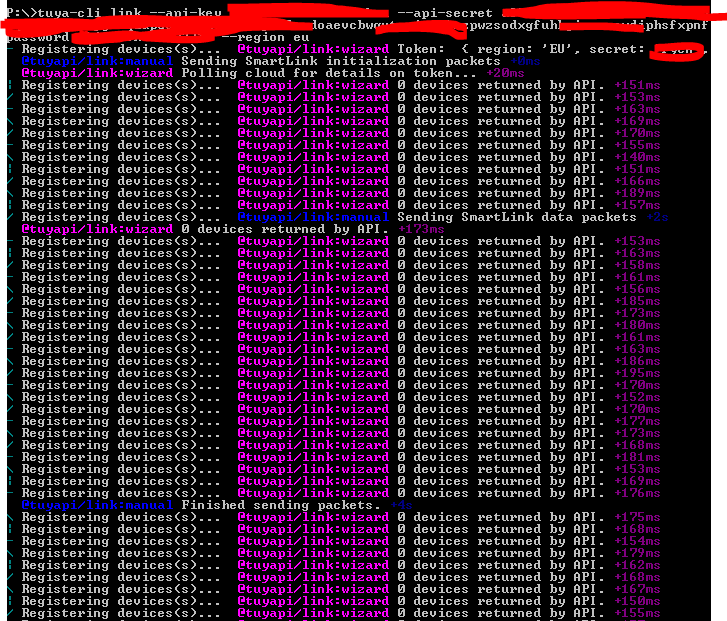 Thanks.
Pairing using the CLI tool tends to be a little finicky. Make sure the computer you're running it on is connected to 2.4 Ghz WiFi and that's its primary connection (unplug ethernet if you have to).