
GiFHUD
 GiFHUD copied to clipboard
 cemolcay
progress hud for displaying only animated gif images. no labels (for now)
GiFHUD
progress hud for displaying only animated gif images. no labels (for now)
Demo
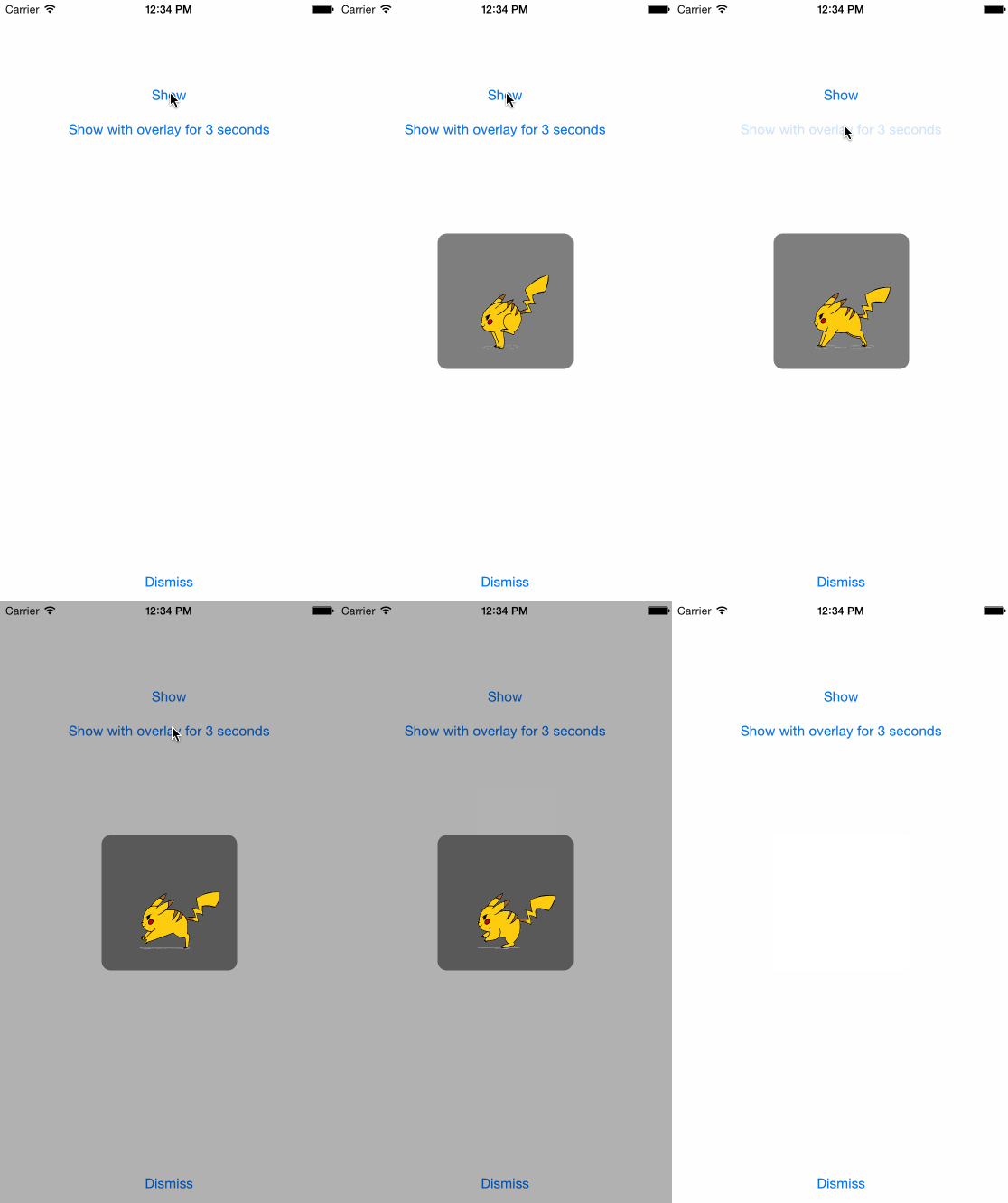
Usage
Copy & paste the GiFHUD.h/m files to your project.
Add your gif file or image sequance files to your project.
Import GifHUD.h
//Setup GiFHUD image
[GiFHUD setGifWithImageName:@"pika.gif"];
[GiFHUD show];
Thats it !
Just use [GiFHUD show] or [GiFHUD showWithOverlay] for showing the hud.
[GiFHUD dismiss] for dismissing the hud.
+ (void)setGifWithImages:(NSArray *)images;
+ (void)setGifWithImageName:(NSString *)imageName;
+ (void)setGifWithURL:(NSURL *)gifUrl;
You can set your gif with giving its NSString name, NSBundle url or NSArray of UIImages.
Optional values
#define Size            150
#define FadeDuration    0.3
#define GifSpeed        0.3
#define OverlayAlpha    0.3
If you want to customise the looking just edit these values on the top of .m file.
Credits
The animated gif to UIImage library i used:
https://github.com/mayoff/uiimage-from-animated-gif
 cemolcay