
react-native-paper
 react-native-paper copied to clipboard
 callstack
Menu component overflows during transition if placed on right side of screen in web
Current behaviour
Click "Show menu" button and when transition happens from closed to open state, you can see horizontal scrollbar flickering which indicates that it overflows horizontally. That's probably because menu doesn't fit into screen during transition.
This issue occurs only on web but android and ios seems to work perfectly.
Expected behaviour
It shouldn't flicker horizontal scrollbar during transition.
How to reproduce?
Click "Show menu" button and you can see visible overflow.
Preview
Test web version here: https://snack.expo.dev/KACFveJ4k
What have you tried so far?
I have tried some fixes with "overflow: 'hidden'" but none seems to work


Hi @lukewalczak, I am also experience the same issue.
Please find here a video of the issue https://github.com/danb4r/bugreport-paper1/blob/master/Repro.mp4?raw=true and the code to repro it https://github.com/danb4r/bugreport-paper1
I am experiencing it together with the issue #3716, as the video shows.

@danb4r Yeah thanks for that video, I totally forgot to answer to this issue. But yea this issue can also be seen in the Expo Snack that I posted into the description and choosing web "emulator" when running it.
Hey @Veeksi, could you please attach the video presenting the issue?
Unfortunately, there I'm also not seeing any issue with the Menu component's behaviour:
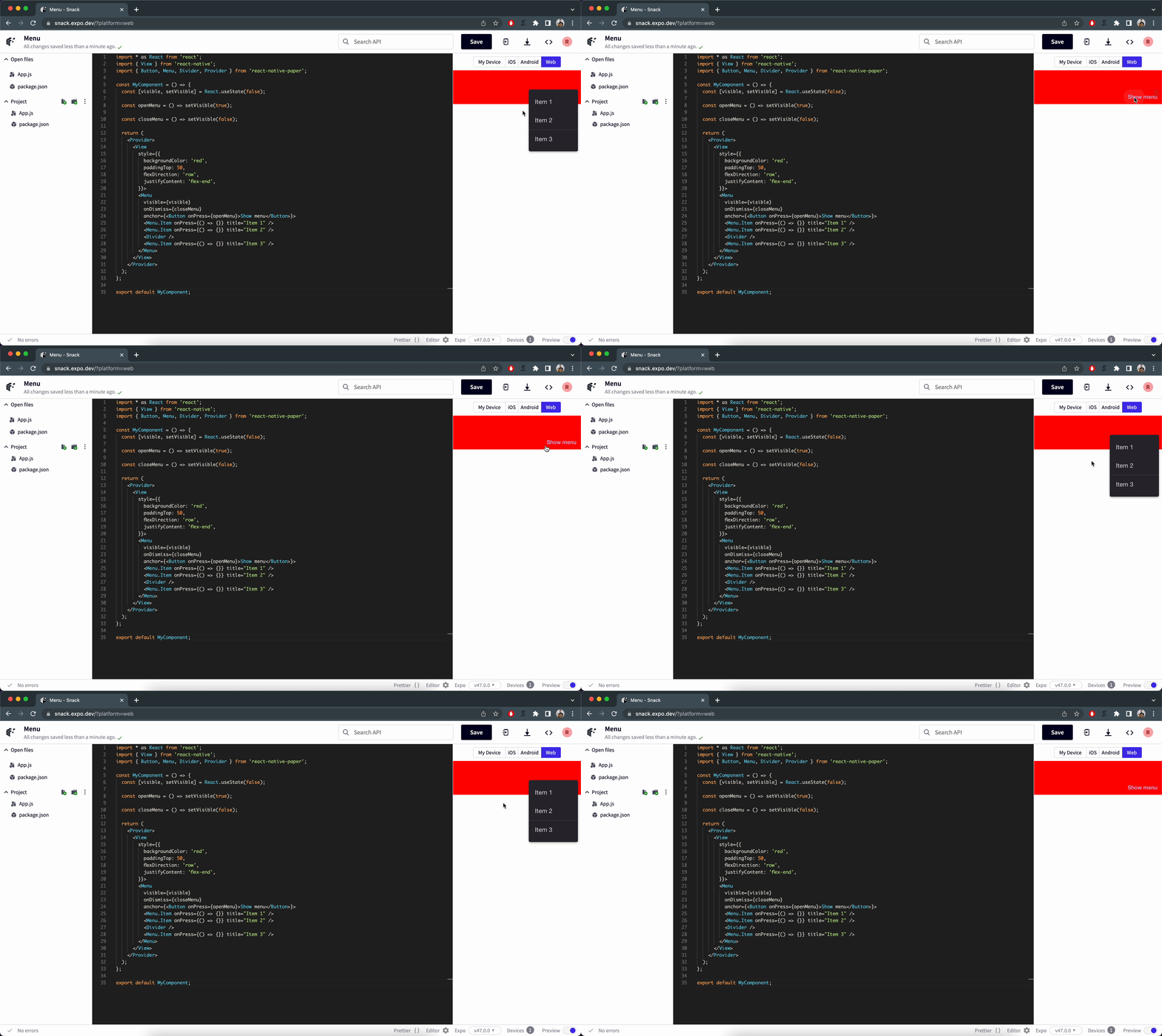
Unfortunately, there I'm also not seeing any issue with the
Menucomponent's behaviour
Hmm weird, for me it looks like this where you can clearly see that the scrollbar flickers. 1: https://i.imgur.com/QDjM4Of.gif 2: https://i.imgur.com/Sx6ynYL.gif
As reported on #3716 , I just made a test with Firefox browser here and it works fine. The issue just ocours with Chrome browsers. Probably all of them.. Chrome, Brave and Edge confirmed.
Thank you for reporting back @Veeksi. Can you please also give us more info about your environment? This is mine:
expo-env-info 1.0.5 environment info: System: OS: Windows 10 10.0.22621 Binaries: Node: 16.18.1 - C:\Program Files\nodejs\node.EXE npm: 9.6.1 - C:\Program Files\nodejs\npm.CMD SDKs: Android SDK: API Levels: 30, 31, 32, 33 Build Tools: 30.0.2, 30.0.3, 31.0.0, 33.0.0 System Images: android-30 | Intel x86 Atom_64, android-30 | Google APIs Intel x86 Atom, android-30 | Google APIs Intel x86 Atom_64, android-30 | Google Play Intel x86 Atom IDEs: Android Studio: AI-213.7172.25.2113.9123335 npmPackages: @expo/webpack-config: ^18.0.1 => 18.0.1 babel-preset-expo: ^9.2.2 => 9.3.0 expo: ~48.0.6 => 48.0.6 react: 18.2.0 => 18.2.0 react-dom: 18.2.0 => 18.2.0 react-native: 0.71.3 => 0.71.3 react-native-web: ^0.18.12 => 0.18.12 Expo Workflow: managed
@Veeksi Have You found this issue also in some projects? Is it not only a snack-related problem? I saw this on Safari and Firefox, but only on expo-snack. I can't reproduce it in the real project. I was able to fix that by adding a CSS rule (overflowX: hidden) for the parent component of the portal that renders menu. This element has been rendered by expo-snack layer, so I can't change it. I'll happy to fix this issue, if it exists outside snacks, but I need an example without using a snack.


@Veeksi Have You found this issue also in some projects? Is it not only a snack-related problem? I saw this on Safari and Firefox, but only on expo-snack. I can't reproduce it in the real project. I was able to fix that by adding a CSS rule (overflowX: hidden) for the parent component of the portal that renders menu. This element has been rendered by expo-snack layer, so I can't change it. I'll happy to fix this issue, if it exists outside snacks, but I need an example without using a snack.
Yeah sorry for the late reply. I don't actually have tried it in any other project that doesn't use expo. I also noticed that fix by adding that CSS rule so the bug can be "fixed" runtime.
Sadly, I don't have another project at the moment and if it exists only in expo then that's a bit weird.

Here are related issue: https://github.com/callstack/react-native-paper/issues/1089#issuecomment-1028038156
Found a workaround for this, you have to disable overflow before <PaperProvider> (thanks to the workaround in #3854 ). See:
<View style={{flex: 1, overflow: 'hidden'}}>
    <PaperProvider>
      {children here}
    </PaperProvider>
</View>

Found a workaround for this, you have to disable overflow before
<PaperProvider>(thanks to the workaround in #3854 ). See:<View style={{flex: 1, overflow: 'hidden'}}> <PaperProvider> {children here} </PaperProvider> </View>
OMG, I've been looking for this for hours. This fixes a problem that's been around in paper for over 5 years.
