
react-native-paper
 react-native-paper copied to clipboard
 callstack
Dialog backdrop not fill all screen
I'm using this package with Expo on web, and was experiencing several difficulties with the Dialog component. In some screens the Dialog was not fill all screen. Like the GIF below.

Screenshots
What have you tried
So, inspecting all element I found a View between the Portal and Provider
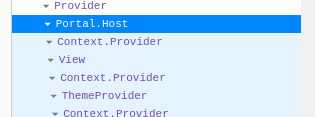
Modifying this View with overflow:'scroll' the Dialog` works "properly"
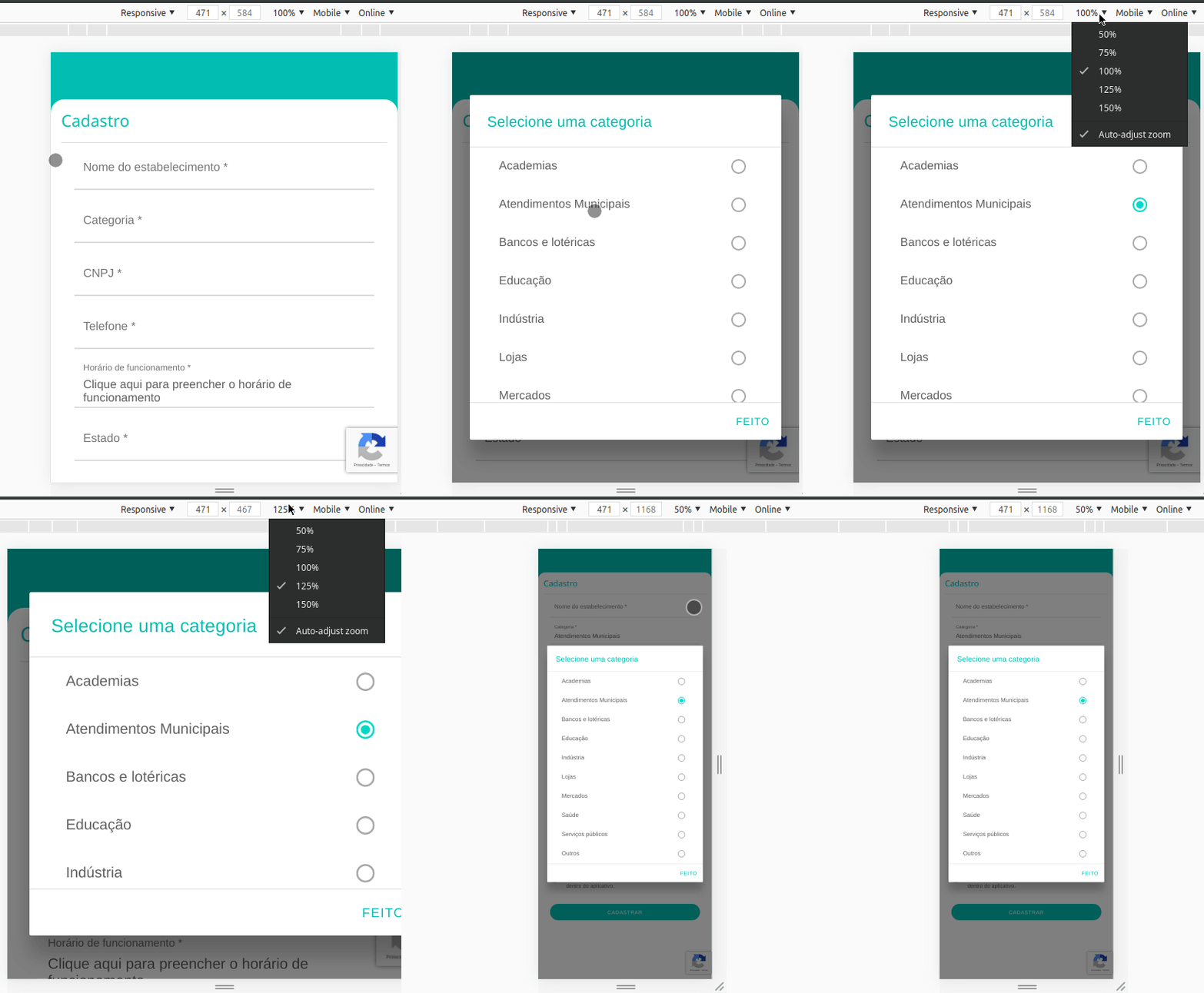
So I tried changes style of View adding overflow: 'scroll', but this remove scroll of all screen also.
My suggestion is somehow this more external portal to know when a Dialog is opened
Your Environment
| software | version |
|---|---|
| ios or android | web |
| react-native | 0.62.0 |
| react-native-paper | 3.8.0 |
| node | 12 |
| npm | 6.14.6 |
| expo sdk | 37 |

Couldn't find version numbers for the following packages in the issue:
react-native-vector-iconsexpo
Can you update the issue to include version numbers for those packages? The version numbers must match the format 1.2.3.
The versions mentioned in the issue for the following packages differ from the latest versions on npm:
react-native(found:0.62.0, latest:0.63.3)react-native-paper(found:3.8.0, latest:4.2.0)npm(found:6.14.6, latest:6.14.8)
Can you verify that the issue still exists after upgrading to the latest versions of these packages?
![github-actions[bot] avatar](https://avatars.githubusercontent.com/in/15368?v=4 "Published by a pub.dev verified publisher")
Hello 👋, this issue has been open for more than 2 months with no activity on it. If the issue is still present in the latest version, please leave a comment within 7 days to keep it open, otherwise it will be closed automatically. If you found a solution on workaround for the issue, please comment here for others to find. If this issue is critical for you, please consider sending a pull request to fix the issue.
I know this issue has been open for a while. If you're using React Navigation, you can try adding cardstyle: {flex: 1} to the screenOptions of your stack navigator:
const LoginStack = createStackNavigator();

const LoginNavigator = () => (
  <LoginStack.Navigator
    initialRouteName={PAGES.LoginPage}
    screenOptions={{cardStyle: {flex: 1}}}>
    <LoginStack.Screen
    ...


Hey! Thanks for opening the issue. Can you provide a minimal repro which demonstrates the issue? Posting a snippet of your code in the issue is useful, but it's not usually straightforward to run. A repro will help us debug the issue faster. Please try to keep the repro as small as possible. The easiest way to provide a repro is on snack.expo.dev. If it's not possible to repro it on snack.expo.dev, then you can also provide the repro in a GitHub repository.
Hello 👋, this issue has been open for more than a month without a repro or any activity. If the issue is still present in the latest version, please provide a repro or leave a comment within 7 days to keep it open, otherwise it will be closed automatically. If you found a solution or workaround for the issue, please comment here for others to find. If this issue is critical for you, please consider sending a pull request to fix it.