
brave-browser
 brave-browser copied to clipboard
 brave
brave
[iOS] Multiple tabs can be shown as active
Description:
Dragging an inactive tab makes it active, but sometimes does not reset the previously active tab to show as inactive
Steps to Reproduce
- Have more than 1 tab open, have tab bar set to always visible
- Drag an inactive tab to the end of the tab bar
- Observe inactive tab now shows as active, but the old active tab does not update to show as inactive
Actual result:
https://user-images.githubusercontent.com/5314553/222179024-e5bee269-26cf-4823-813c-fdf34dbe505b.mov
Expected result:
Reproduces how often:
Not 100% of the time but consistent enough to reproduce
Brave Version:
- Can you reproduce this issue with the most recent build from TestFlight?
- Can you reproduce this issue with the previous version of the current build from TestFlight?
- Can you reproduce this issue with the current build from AppStore?
Device details:
Website problems only:
- did you check with Brave Shields down?
- did you check in Safari/Firefox (WkWebView-based browsers)?
Additional Information

Hello! I'm new to the Open-Source world and I'd like to contribute fixing this issue. Do you think I can get it assigned to me?


So far I have a very simple workaround. I noticed that this bug doesn't happen when dragging and dropping is done slowly (or it rather happens when drag&dropping in a single fast movement).
I tried many different things to fix it but haven't worked out a sensible solution. Any ideas or guidance?
I would look for the collection view where the we determine which cell is selected
Thanks! I will have a look into it. Any ideas on why it behaves differently depending on the speed of the drag and dropping gesture?
In my newest commit I was able to deselect tabs and that seems to be working correctly now.
I can see it's working because the title font in the tabs changes accordingly (before both tabs were selected and both titles were in bold text):
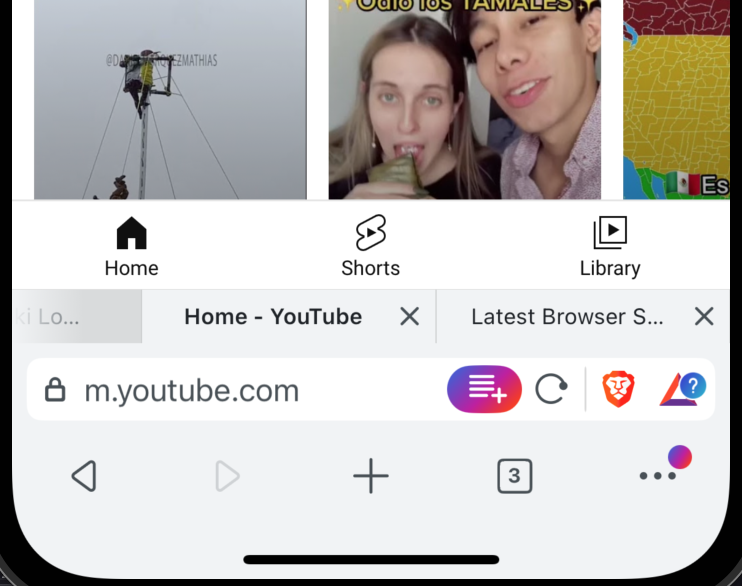
I haven't found a way to hide the close button and change the background color to gray. I thought setting the isSelected attribute in a TabBarCell should do the trick given that it changes the needed atribtues:
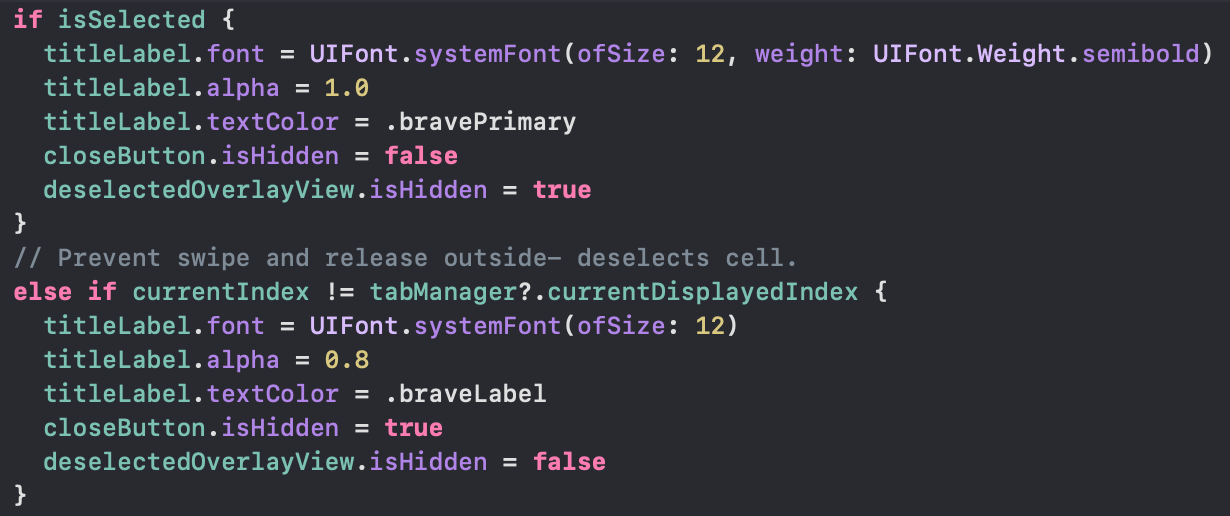 but that clearly is not the way to go.
Do you have any suggestion on where or how I can actually change this values? do you think this is a good way to fix this issue?
but that clearly is not the way to go.
Do you have any suggestion on where or how I can actually change this values? do you think this is a good way to fix this issue?
I noticed cellForItemAt in TabsBarViewController does not get called at all when this bug happens.
I would check why could that happen, perhaps add more method of this delegate and datasource, see if there's any bug there
I still observe the same issue from above with new builds.
Description:
Multiple tabs can be highlighted as an active tab.
Steps to Reproduce
- Launch Brave
- Open many tabs (at least 5)
- Tree-dot menu > Settings > Tabs Bar > Make sure it is set to
OnorLandscape only - If
Ladscape onlyis enabled, use the device in theLandscapemode to see the tabs bar - Tap and hold the
non-activetab and move it a few times to another position on theTabs Bar> Observe
Actual result:
Multiple tabs can be highlighted as an active tab when moving it around. The issue can be reproduced with all builds from 1.57.1 to the latest one.
| 1 | 2 |
|---|---|
https://github.com/brave/brave-ios/assets/128532965/be68c44e-280d-4aac-a851-6b765354b3bb
Expected result:
Only 1 tab must be highlighted as an active tab.
Reproduces how often: [Easily reproduced, Intermittent Issue]
Easily reproduced
Brave Version:
Brave build: 1.61 (23.12.11.17)
BraveCore: 1.61.102 (120.0.6099.71)
- Can you reproduce this issue with the most recent build from TestFlight? YES
- Can you reproduce this issue with the previous version of the current build from TestFlight? YES
- Can you reproduce this issue with the current build from AppStore? YES
Device details:
Device/OS: iPhone 14 / iOS 17.2
Website problems only:
- did you check with Brave Shields down?
- did you check in Safari/Firefox (WkWebView-based browsers)?
Additional Information
cc: @soner-yuksel


Removing from the 1.63.x milestone. Once the above has been fixed, it will land in master and then will need to be uplifted into 1.63.x. Once it lands in master (which is 1.65.x at this time), the issue will automatically close/move into the 1.65.x milestone. It will then be moved to the appropriate milestone when uplifted.

Verified on iPhone 14 using version(s):
Device/OS: iPhone 14 / iOS 17.6
Brave build: 1.68 (101)
BraveCore: 1.68.101 (126.0.6478.126)
STEPS:
- Follow STR/TP from https://github.com/brave/brave-browser/issues/36102#issuecomment-1944827254 and https://github.com/brave/brave-core/pull/23770#issue-2308942864
- Verify
ACTUAL RESULTS:
- Verified that multiple tabs can't be shown as an
activetab
https://github.com/brave/brave-browser/assets/128532965/0150ed84-f25d-41b0-afc1-33edeed38cd5