
react-native-twilio-video-webrtc
 react-native-twilio-video-webrtc copied to clipboard
 blackuy
TwilioVideo/TwilioVideo.h file not found after update to 4.1 (iOS)
This was reported in the commit to issue #445 but as noted it was difficult to find a reference there. @remigijusbalc first reported this. @Metroxe confirmed the issue with the update to the most recent release of the TwilioVideo SDK for iOS.
Steps to reproduce
- previously at 3.7(?)
- ran pod install --repo-update (to resolve different issue)
- updated to 4.1 (4.3 see below)
- Xcode build failed with Lexical or Preprocessor issue on RCTTWSerializable.h.
Expected behaviour
We should have seen a successful build
Actual behaviour
The result of the pod install, cleared/deleted the Podfile.lock as well, resulted in the update to 4.1 but the Podfile.lock references 4.3 (which is the current version and may have been the result of a subsequent pod install update command)
From Podfile
pod 'react-native-twilio-video-webrtc', path: '../node_modules/react-native-twilio-video-webrtc'
From Podfile.lock
 - react-native-twilio-video-webrtc (2.0.0):
    - React
    - TwilioVideo (~> 4.1)
....
- TwilioVideo (4.3.0)
Environment
- Node.js version:
- React Native version: 59.8
- React Native platform + platform version: iOS 11.0
react-native-twilio-video-webrtc
Version: master
I have a vague recollection that this has been an issue before but the other reference to the TwilioVideo.h file not found issue was not useful.
If there is any more information I can provide to get some insight into what is going on here.
Thanks!

Trying to add some info to see what's going on, because I can build the project without problem via the command line.
Changelog is available there: twilio.com/docs/video/changelog-twilio-video-ios-latest Migration details there: twilio.com/docs/video/migrating-3x-4x-ios
❓ Which version of Xcode are you using? https://www.twilio.com/docs/video/migrating-3x-4x-ios#xcode-and-ios-version-support
❓ Are you building the Example project or your own project with react-native-twilio-video-webrtc as a dependency
❓Have you tried to build the project via the command line instead of Xcode?
Example: npx react-native run-ios --simulator="iPhone SE"
If that works we can focus on an issue with Xcode

There is this change which got applied to the Example project:
https://github.com/blackuy/react-native-twilio-video-webrtc/pull/445/files#diff-c0278c78dc7731ae774196420b2fa4411fdad3863c87102e0b0e11a6528fd98e
See https://www.twilio.com/docs/video/migrating-3x-4x-ios#xcframework-support
❓ Can you try the same on your own project?
If no luck, maybe we need to do the same in the ios/ folder for the library at https://github.com/blackuy/react-native-twilio-video-webrtc/blob/master/ios/RNTwilioVideoWebRTC.xcodeproj/project.pbxproj
Hi @fabiendem , my apologies for not getting back to you quickly. Other peoples priorities quickly become my own.
So to answer a few of your questions: I am using XCode 12.0 and am building my own project with react-native-twilio-video-webrtc as a dependency.
Sadly, that is where my usefulness, at this point might end. (Yes, I am very aware of how completely useless I have been.)
I have not run the system from the cli for a long time and I ran into the issue with it not being able to find any simulators and the usual hacks did not seem to work.
I did notice the change from ${POD_ROOT} in the original check in but, and this is a bit unnerving, I was not able to find an analogous entry in my project.pbxproj.
All that being said, my project is probably due for a facelift as I have thrashed enough to more than likely have caused some irreparable harm. I suspect it is some misconfiguration between my Pod infrastructure and the rest of the build.
Thanks! Joe

Does the example project build for everyone on this thread?
For those who are running into an issue, what does inputPaths look like in your project.pbxproj?

I can confirm that this issue occur with xCode 12.4 only.
I have two macbooks, the other one has xCode 11.5 and it can build the same code and upload an archive. However with xCode 12.4 when I start archive process, it gives me the following error:
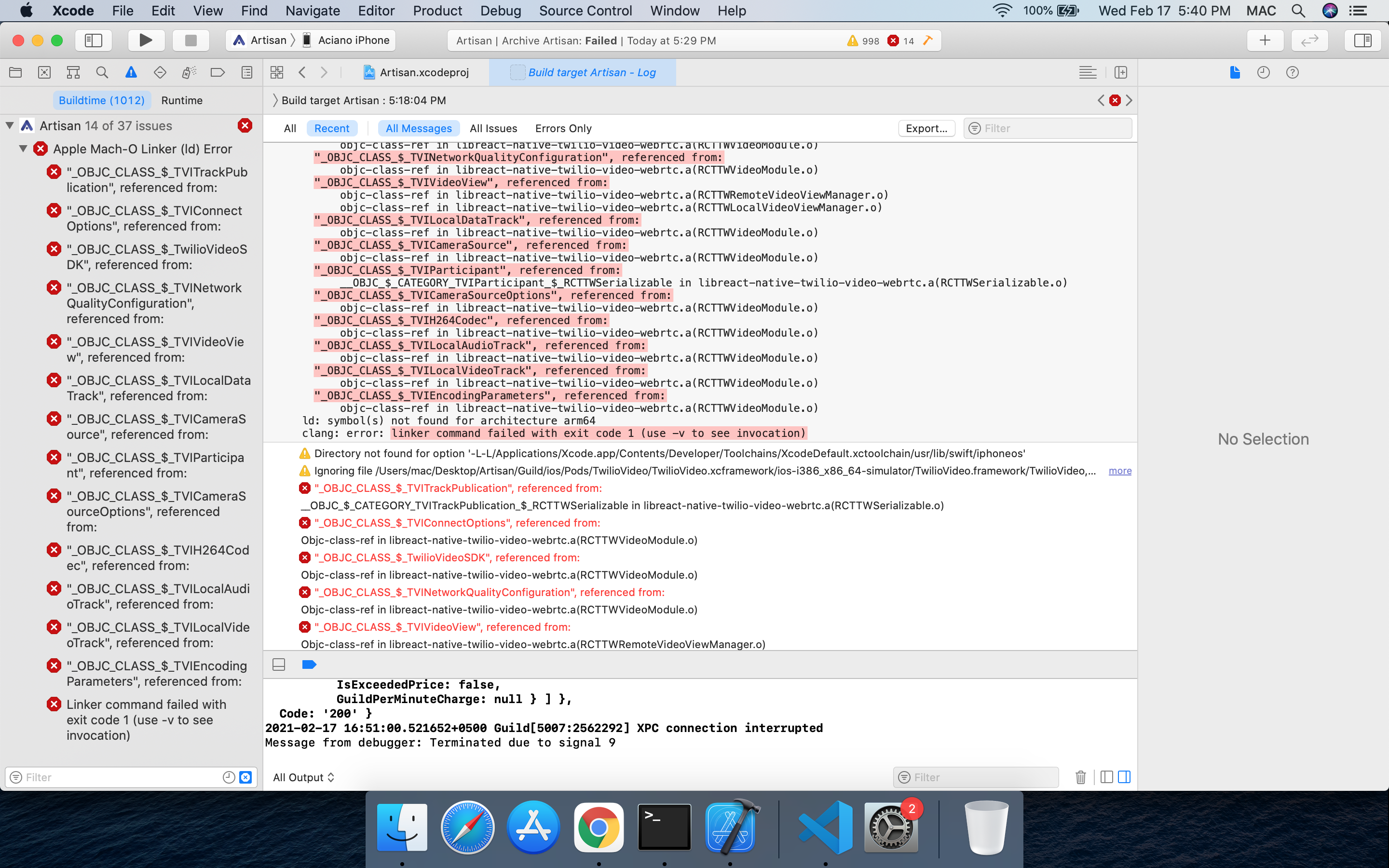

@devWaleed Would you mind trying to build with the command react-native run-ios --simulator \"iPhone 11\"?
Trying to see if it's isolated to Xcode
@fabiendem its been more than 30 minutes but its not showing anything on the simulator. Usually this macbook can build app in under 15 mins (archive version)
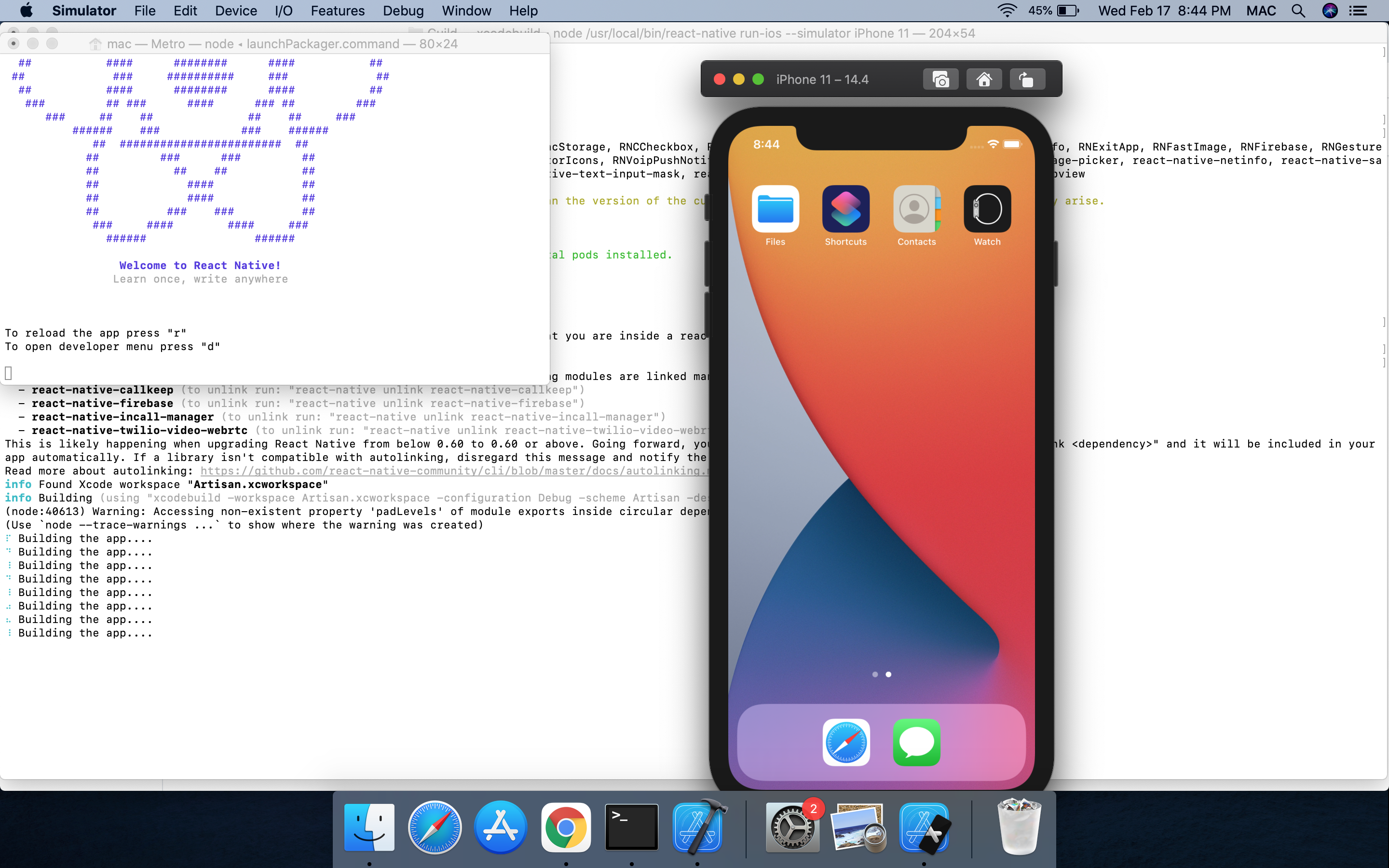
Okay, I have tried again. I can't build for the Simulator, but for a Physical device it runs ok.
When building for the Simulator, I am getting a failure message:
The following build commands failed:
	PhaseScriptExecution [CP]\ Copy\ XCFrameworks /Users/[Redacted]/Library/Developer/Xcode/DerivedData/phoenix-aqedvculypmxtidfzwbnraaqlkla/Build/Intermediates.noindex/Pods.build/Debug-iphonesimulator/TwilioVideo.build/Script-4C7D6FFC580D3B4845CFA140FDC1093F.sh
(1 failure)
I believe it's a mix of issues between Cocoapod & XCframework & the Simulator architecture. I don't fully understand where things go wrong yet.
Ah looks like you might have to update the path in your build phases. Can you look through and see if any tweaks are warranted there?
I believe the Simulator will use the Debug schema by default whereas archiving for device uses the Release schema so I would look at any build phases that are only run in Debug.
@slycoder sorry I don't get...do I need to do something on my end or PR will update it?
tldr: make sure your CocoaPods version is at least 1.10.x
I ran into this header import issue when my CocoaPods version was 1.8.x and resolved it by upgrading to 1.10.x.
When TwilioVideo went from version 3.x to 4.x, they ended up changing it to be delivered as an .xcframework. I'm not entirely sure how this affects the XCode build
You can check your CocoaPods version by running pod --version. You can update your CocoaPods with sudo or alternatively brew if you're running into issues.
