
expose
 expose copied to clipboard
 beyondcode
Hangs on 'Trying to use custom domain: xxx'
I've been attempting to get expose up and running - I've booted up an ubuntu EC2, installed nginx, php, and added expose.
I can access this page

However locally when I attempt to run
expose share http://localhost:49155 --server-host=my.expose.server --server-port=8080 --subdomain=hailwood
I get
Trying to use custom domain: hailwood
And that's it.
Interestingly if I kill expose on the server then I get Connection to server closed So there is some kind of connection going on there.
Loading up `http://localhost:4040 I get

I have the following security groups setup
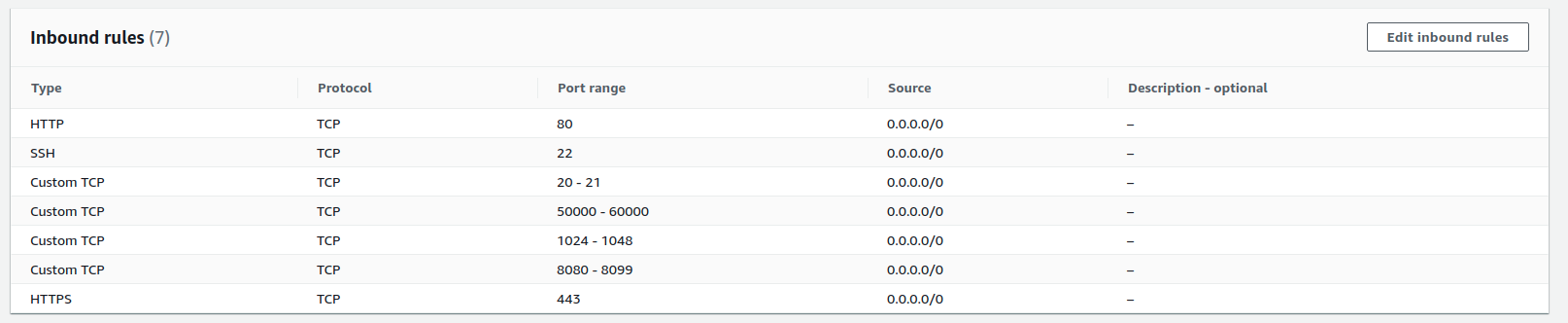

I have an A record setup for both expose. and *.expose.
My nginx server config is
server {
	listen 443 ssl;
	listen [::]:443 ssl;
	server_name expose.my.server *.expose.my.server;

	root /var/www/html;

	ssl_certificate /etc/letsencrypt/live/expose.my.server/fullchain.pem;
	ssl_certificate_key /etc/letsencrypt/live/expose.my.server/privkey.pem;

	location / {
	    proxy_pass             http://127.0.0.1:8080;
	    proxy_read_timeout     60;
	    proxy_connect_timeout  60;
	    proxy_redirect         off;

	    # Allow the use of websockets
	    proxy_http_version 1.1;
	    proxy_set_header Upgrade $http_upgrade;
	    proxy_set_header Connection 'upgrade';
	    proxy_set_header X-Real-IP $remote_addr;
	    proxy_set_header X-Forwarded-For $proxy_add_x_forwarded_for;
	    proxy_set_header X-Forwarded-Proto https;
	    proxy_set_header Host $host;
	    proxy_cache_bypass $http_upgrade;
	}
}

server {
    if ($host = expose.my.server) {
        return 301 https://$host$request_uri;
    }


    listen 80;
    listen [::]:80;
    server_name expose.my.server *.expose.my.server;
    return 404;
}
Running on the server I get
expose serve expose.my.server -vvv

Box Requirements Checker
========================

> Using PHP 8.0.8
> PHP is using the following php.ini file:
  /etc/php/8.0/cli/php.ini

> Checking Box requirements:
  ✔ The application requires the version "^7.3.0 || ^8.0" or greater.
  ✔ The application requires the extension "zlib".
  ✔ The application requires the extension "json".


 [OK] Your system is ready to run the application.


Expose server running on port 8080.
Are there any log files or anything I can check

I experience the same thing when I start Expose through supervisor, if I start it manually everything works fine. There is no difference in user or path, I can't really find what the issue is.

Hi! I am experiencing the same issue. Everything works great if I manually start it, but when configuring Supervisor it just hangs on "Trying to use custom domain: xx". No timeout.
Output from Supervisor is "Expose server running on port 8080.", the same message as when I run it manually.
The command I'm running is /home/forge/.config/composer/vendor/bin/expose serve site.com
Did any of you manage to figure this out?

I got it working. I changed the database path to /home/forge/.expose/expose.db in the config.php file as per this article: https://medium.com/@PendoNL/installing-expose-on-a-laravel-forge-server-with-a-custom-domain-and-wildcard-ssl-d1f76a550770
Note: Some users seem to be having issues when visiting the users page of the Expose admin panel. As far as I’ve seen this is due to an error reading the SQLite database. In the .expose.php configuration file you can manually set the location for database to /home/forge/.expose/expose.db
This solved the issue for me, and it works great. (It would have been nice if there was some kind of error message though.)
I have the same problem but with using the expose command manually on a Mac Mini with M1. A already tried completely resetting the docker image running on my server (completely removing container and the persisted expose.db) and also removing and reinstalling the locally installed expose version. but nothing helped.
The -vvv flag also does not produce any helpful messages:
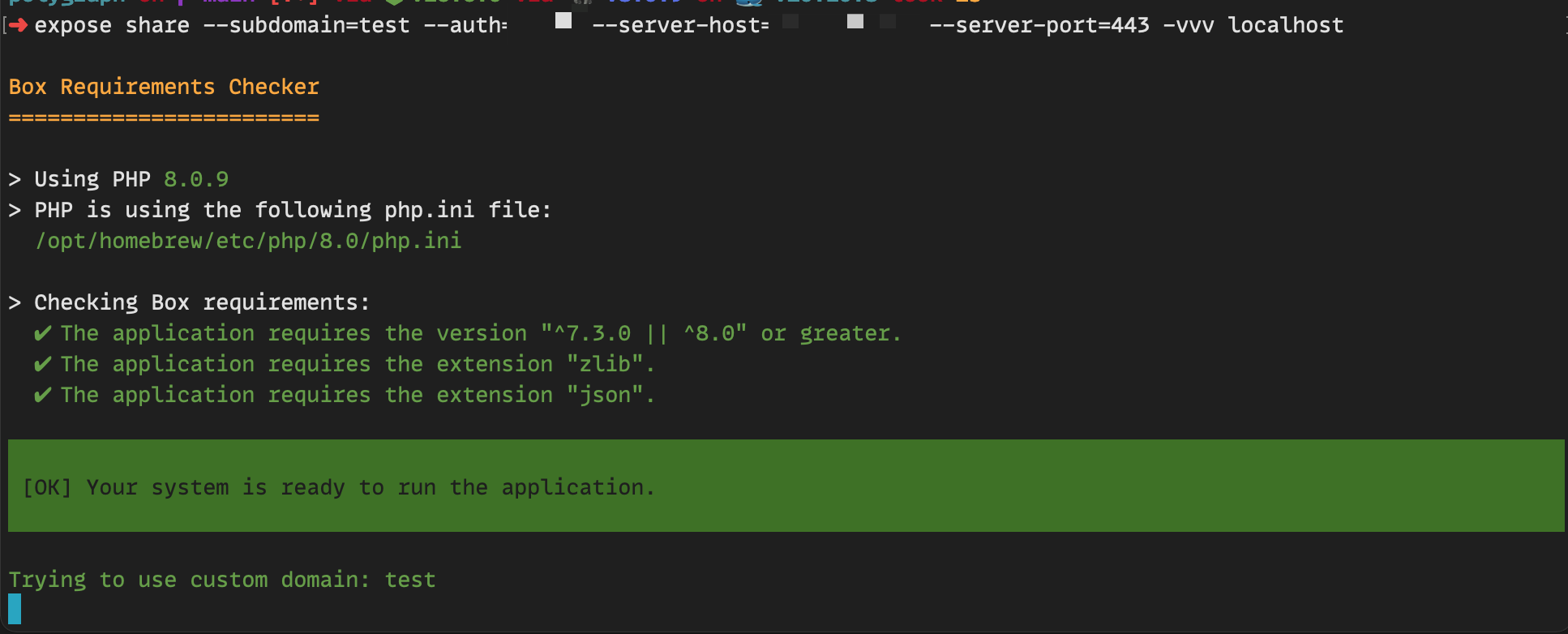

It seems when I let this running like that, my RAM resources are exhausted in less than 5 minutes. So it seems to do SOMETHING...
LOL I figured it out. It had something to do with xdebug. For another project I configured xdebug to show var_dump output with infinite depth:
 xdebug.var_display_max_depth = -1
 xdebug.var_display_max_children = -1
 xdebug.var_display_max_data = -1
For some reason this makes expose to take up ALL THE RAM \o
and results in expose not working as expected.
@mpociot Any idea why this is the case?
Closing this issue because it's old. Please feel free to open a new one if it's still relevant.
