
react-native-image-resizer
 react-native-image-resizer copied to clipboard
 bamlab
ImageResizerAndroid.createResizedImage got 10 arguments, expected 11
After upgrade RN to 0.63.3 app is crushed on Android

On iOS it's working well

@LiubovChuiko can you give us the react-native-image-resizer version you are using as well as the code you are using ?



And my app is crushed on Android here :
resize = () => { const { mode, onlyScaleDown, resizeTargetSize } = this.state;
this.setState({ resizedImage: null });

ImageResizer.createResizedImage(this.state.image, resizeTargetSize, resizeTargetSize, 'JPEG', 100, 0, undefined, false, { mode, onlyScaleDown })
  .then(resizedImage => {
    this.setState({ resizedImage });
  })
  .catch(err => {
    console.log(err);
    return Alert.alert(
      'Unable to resize the photo',
      'Check the console for full the error message',
    );
  });
}
I don't have Alert or error in console, only this message on my Android
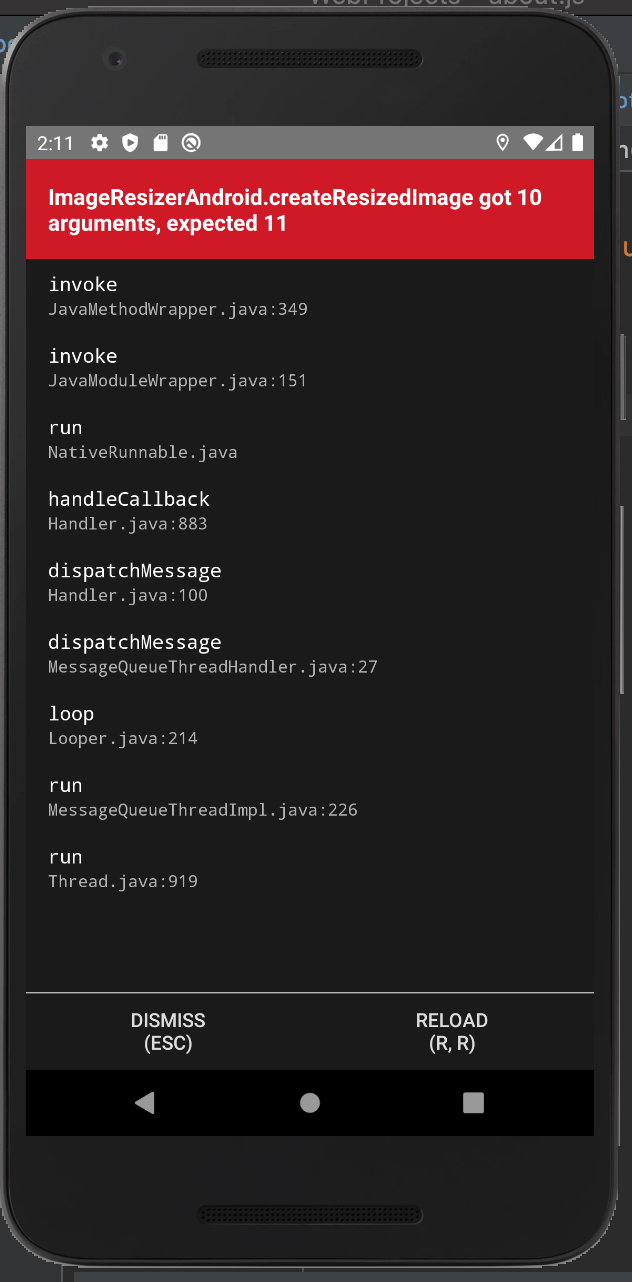
Thanks for the details :) I'll try to see if I can have a look today, I keep you updated.

Same, I am getting it on both iOS and Android but on Android it says was called with 11 arguments, expected 10. Attached is the error on iOS.
I already have react-native 0.63.3 installed. This occurred when updating react-native-image-resizer from 1.3.0 to 1.4.0.


Hello @mariobrubio do you have any repository/code to share about how to reproduce the bug please ?
@PierreCapo This is the portion of code that I use for resizing the image, FYI I have been using this code for a long, suddenly it stopped working
const processData = (data) => {
    ImageResizer.createResizedImage(data.uri, 720, 720, "JPEG", 100, 0, null)
      .then(async (response) => {
        ImageEditor.cropImage(response.uri, {
          offset: { x: moderateScale(20), y: moderateScale(100) },
          size: { width: 500, height: 500 },
        }).then(async (url) => {
            // some logic
          }
        });
      })
      .catch((err) => {
        // inspect err to get more details.
      });
Sadly this code is running fine on the example app, and I'm not reproducing the bug. I think I'll need a complete repository which reproduces the bug :/
Hey so I know it is like 7 months late and you probably already figured it out. But for anyone who landed here by google search, make sure you rebuilt your android app vs just reload after the upgrade 😂 It fixed my issue in the case.

For me, it was a problem with the new version. Someone added in package.json ^ before the number and we had version 1.4.5. I reverted and fixed the version as 1.3.0.

This issue has been automatically marked as stale because it has not had recent activity. It will be closed if no further activity occurs. Thank you for your contributions.
![stale[bot] avatar](https://avatars.githubusercontent.com/in/1724?v=4 "Published by a pub.dev verified publisher")
This issue has been automatically closed. Thank you for your contributions.