
studio-lab-examples
 studio-lab-examples copied to clipboard
 aws
aws
The environment does not boot up for me (it used to)
Describe the bug The environment does not boot up for me (it used to)
To Reproduce Steps to reproduce the behavior:
- Log into my account
- Click on 'Start runtime'
- Wait about ten minutes
- See error: "There was a problem when starting the project runtime. This should be resolved shortly. Please try again later."
Expected behavior A web version of Jupyter notebook
Screenshots
If applicable, add screenshots to help explain your problem.
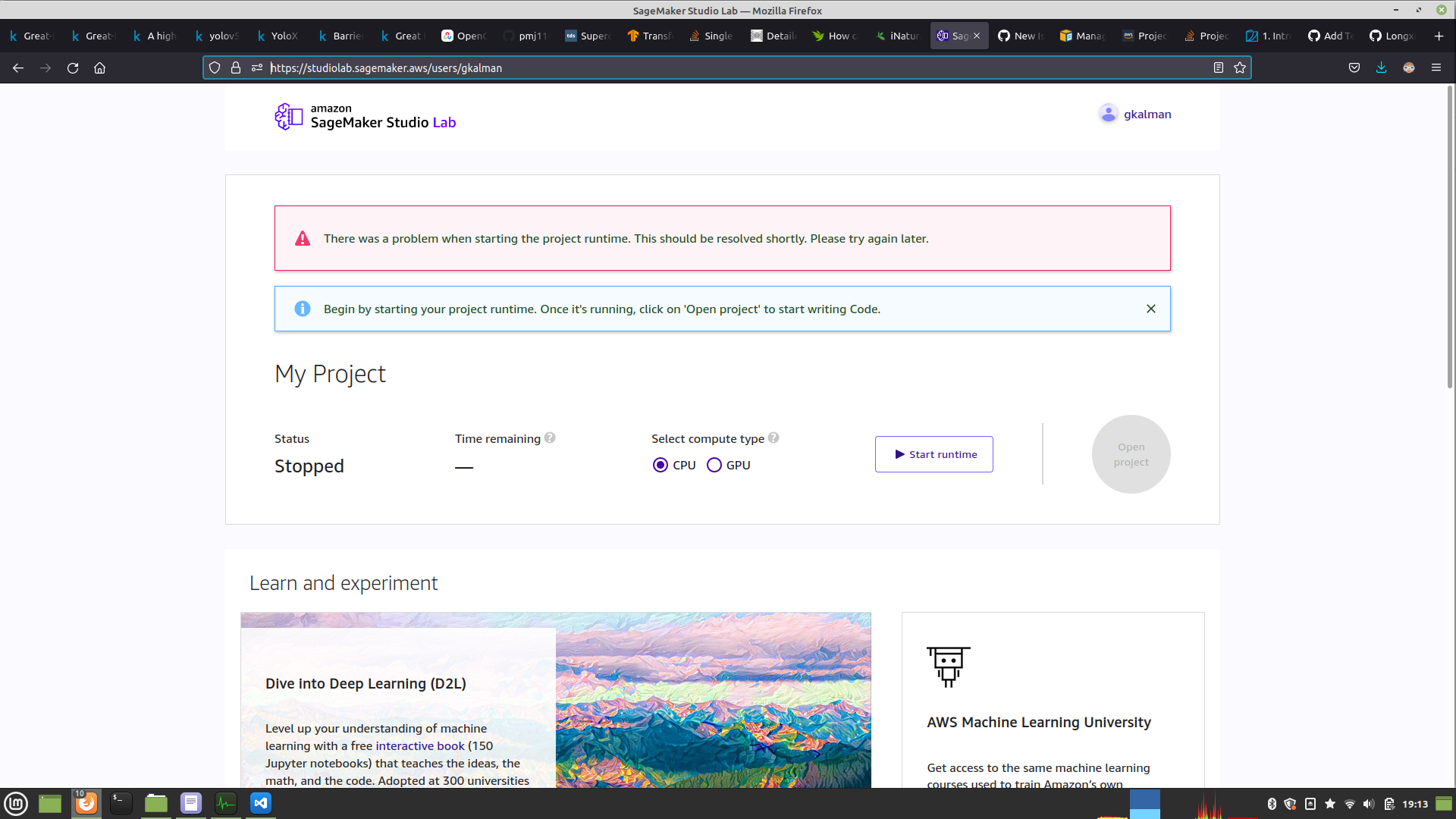
Desktop (please complete the following information):
- OS: Linux (Mint)
- Firefox
- Version mint-001 - 1.0 96.0.3 (64 bit)
Additional context 1 Account exists and I was using it with CPU and GPU previously. It was great (for a few days, but great nonetheless) 2 I was installing/removing many Python packages with both pip and conda commands, with some, but not much disk space left 3 One time I was using the GPU environment, I pressed stop (used to work like a charm before) 4 When I wanted to return to the project, my account page (https://studiolab.sagemaker.aws/users/gkalman) looked fine 5 Now, after pressing the "Start runtime" button, it says "Preparing project runtime..." for about ten minutes and then stops. 6 It shows the following error, "There was a problem when starting the project runtime. This should be resolved shortly. Please try again later." 7 I have now tried (5) about a dozen or more times throughout in the last three days since it happened with CPU and GPU. The result is always the same (6)

By the way, outside of the bug described above, a feature request: Factory reboot of the environment to bring it back to the shiny, brand new state like it was the first time I logged in. And, it should be available from my account page (https://studiolab.sagemaker.aws/users/gkalman)
We've logged this issue in our internal ticket system. This issue is similar to https://github.com/aws/studio-lab-examples/issues/52. Re-creating the account is the best way. You can delete the account and re-create it.

Recreating the account is not really a workable optuion. Further, if one deletes the account and tries to recreate it, one gets put on a waitlist. I don't know how long the waitlist is. However, I do know someone that has been on it for two weeks and still has not had an invitation.
I did delete and request a new one. The round trip was a few minutes. So, the waitlist must be for new accounts? In any case, unless you have a copy of my old account somewhere, there is nothing one can debug now on your end. Sorry.
yes - once you get approved - you do not need to get reapproved. Of course we won't know for sure what issue you ran into, in the future we will provide you easier ways to refresh environment in case it is an issue with that. Thanks for all of your feedback and keep it coming!

Actually, the issue is not "completed". It happened very similarly to my wife a few months ago. This issue should be pretty easy to reproduce. I just have not narrowed it down because the round trip is painful (one loses the account every time and needs to delete the account and ask for another one). Both times the steps were (basically, it was similar both times), install PyTorch with some other packages. Later, to clean space, uninstall PyTorch. Then, to clean the PiP and Conda downloaded cache directories (e.g., for conda it is, conda clean --all). After you log out and log back in, it is no longer possible to launch the environment again. That is it for any ability to access what is in ones account. There is no other access. Whatever is there is now lost. I suspect if you clean the cache directories without installing and uninstalling PyTorch it would be enough to break it also. However, I don't want to break my environment to check.