
amplify-ui
 amplify-ui copied to clipboard
 aws-amplify
Flex props do not work for components
Before creating a new issue, please confirm:
- [X] I have searched for duplicate or closed issues and discussions.
- [X] I have tried disabling all browser extensions or using a different browser
- [X] I have tried deleting the node_modules folder and reinstalling my dependencies
- [X] I have read the guide for submitting bug reports.
On which framework/platform are you having an issue?
React
Which UI component?
Other
How is your app built?
Create React App
What browsers are you seeing the problem on?
Chrome
Please describe your bug.
If I put my TextField inside a Flex component and set the grow to 1, the property does not get set in the CSS. Same goes for other components like SelectField, etc.
What's the expected behaviour?
According to the docs, grow, flex, and other flex properties should work for all UI React components.
Help us reproduce the bug!
- Create jsx like so:
      <Flex direction={'row'} backgroundColor={'pink'}>
        <TextField label={'Label!'} grow={1}/>
      </Flex>
- See that the TextField does not get stretched out.
- See that the CSS is not applied
Code Snippet
No response
Additional information and screenshots
Actual:


Expected:


Thank you for your detailed issue report @hein-j. I was able to reproduce this bug and traced it to the flex-grow style not being properly applied to the <input> container in the <TextField> component. We'll prioritize this and work on getting a fix out as soon as possible!

This fix will be part of the next major release of the @aws-amplify/ui-react package. You can track the progress of that release's work here: #2636
The style props being applied is one thing, which we are changing in the next major version in the above PR. To fix the problem of TextFields not stretching, you don't need grow on the TextField itself. Remove flex={'grow'} and direction={'row'} from the example code.
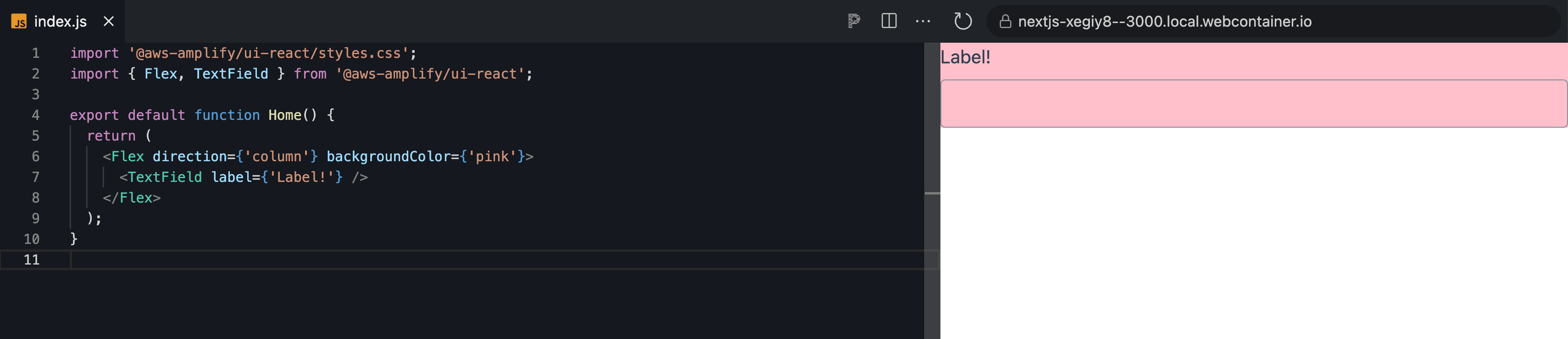
https://stackblitz.com/edit/nextjs-xegiy8?file=pages/index.js

@slaymance, Thank you for working on the fix!
@dbanksdesign,
Thanks for the suggestion. The issue is precisely that it doesn't work when the containing Flex has direction=row. If a customer wants to put 2 TextFields in one row and get them to stretch with the parent Flex, they cannot.
Ah I see the issue now. Yea we are applying the grow property onto the input instead of the wrapper element. A workaround before the next major version would be:
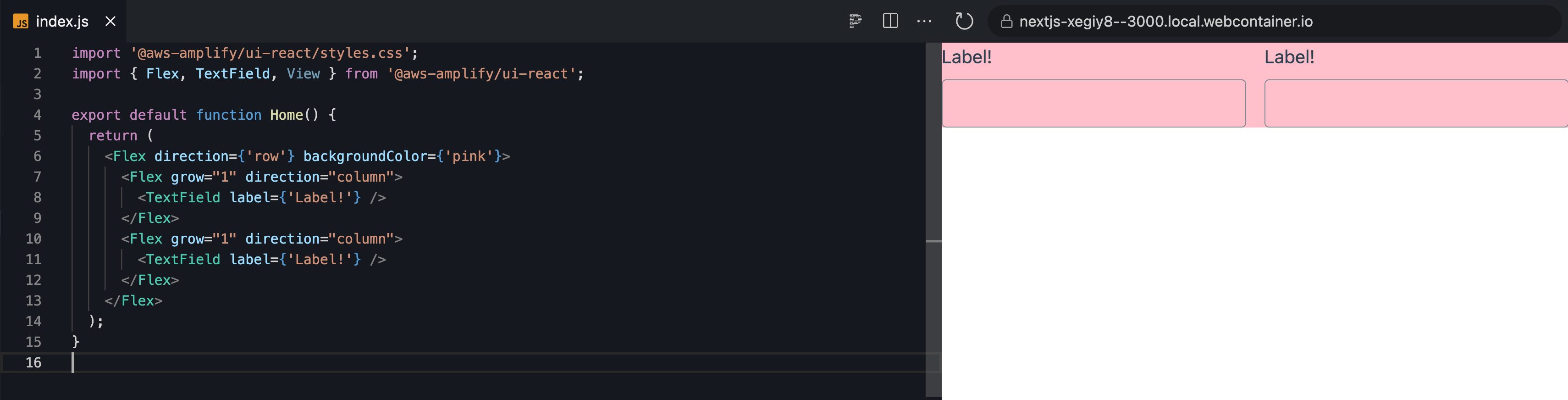
@dbanksdesign @slaymance
We were going to open another issue as a P1 on display=none not completely working on certain components.
I'm guessing it's addressed by this change, but just wanted to confirm. If not, I'll open a separate issue:


