
amplify-hosting
 amplify-hosting copied to clipboard
 aws-amplify
Backend environment not created branches
Before opening, please confirm:
- [X] I have checked to see if my question is addressed in the FAQ.
- [X] I have searched for duplicate or closed issues.
- [X] I have read the guide for submitting bug reports.
- [X] I have done my best to include a minimal, self-contained set of instructions for consistently reproducing the issue.
App Id
dvyjswy80dk06
Region
us-east-1
Amplify Hosting feature
Backend builds, Build settings
Describe the bug
Adding a new branch doesn't create a new backend environment.
(And honestly I have no idea how to create separate environments)
Expected behavior
It should create a new backend environment with all the necessary features (Authentication and Storage)
Reproduction steps
- Push a new branch on GitHub
- Go to Amplify and connect the new branch 2.1. Select the branch created on step 1 2.2. For environment select "Create a new environment"
- Check the build for the new environment
Build Settings
version: 1
frontend:
  phases:
    preBuild:
      commands:
        - npm ci
    build:
      commands:
        - npm run build
  artifacts:
    baseDirectory: .next
    files:
      - '**/*'
  cache:
    paths:
      - node_modules/**/*
      - .next/**/*
Additional information
Backend build output:
                                 ## Checking for associated backend environment...
                                 ## No backend environment association found, continuing...
Frontend build output:
2022-05-07T20:51:57.289Z [INFO]: # Starting phase: preBuild
                                 # Executing command: npm ci
2022-05-07T20:52:13.895Z [INFO]: > [email protected] postinstall /codebuild/output/src247855580/src/app_name/node_modules/core-js-pure
                                 > node -e "try{require('./postinstall')}catch(e){}"
2022-05-07T20:52:13.938Z [INFO]: [96mThank you for using core-js ([94m https://github.com/zloirock/core-js [96m) for polyfilling JavaScript standard library![0m
                                 [96mThe project needs your help! Please consider supporting of core-js:[0m
                                 [96m>[94m https://opencollective.com/core-js [0m
                                 [96m>[94m https://patreon.com/zloirock [0m
                                 [96m>[94m https://paypal.me/zloirock [0m
                                 [96m>[94m bitcoin: bc1qlea7544qtsmj2rayg0lthvza9fau63ux0fstcz [0m
                                 [96mAlso, the author of core-js ([94m https://github.com/zloirock [96m) is looking for a good job -)[0m
2022-05-07T20:52:14.012Z [INFO]: added 852 packages in 16.381s
2022-05-07T20:52:14.023Z [INFO]: # Completed phase: preBuild
2022-05-07T20:52:14.024Z [INFO]: # Starting phase: build
                                 # Executing command: npm run build
2022-05-07T20:52:14.204Z [INFO]: > [email protected] build /codebuild/output/src247855580/src/app_name
                                 > next build
2022-05-07T20:52:14.769Z [INFO]: warn  - No build cache found. Please configure build caching for faster rebuilds. Read more: https://nextjs.org/docs/messages/no-cache
2022-05-07T20:52:14.881Z [INFO]: Attention: Next.js now collects completely anonymous telemetry regarding usage.
2022-05-07T20:52:14.882Z [INFO]: This information is used to shape Next.js' roadmap and prioritize features.
                                 You can learn more, including how to opt-out if you'd not like to participate in this anonymous program, by visiting the following URL:
                                 https://nextjs.org/telemetry
2022-05-07T20:52:14.917Z [INFO]: info  - Checking validity of types...
2022-05-07T20:52:18.405Z [WARNING]: Failed to compile.
2022-05-07T20:52:18.407Z [WARNING]: ./src/pages/_app.tsx:4:24
                                    Type error: Cannot find module '../aws-exports' or its corresponding type declarations.
                                    [0m [90m 2 | [39m[36mimport[39m type { [33mAppProps[39m } from [32m'next/app'[39m[33m;[39m[0m
                                    [0m [90m 3 | [39m[36mimport[39m { [33mAmplify[39m } from [32m'aws-amplify'[39m[33m;[39m[0m
                                    [0m[31m[1m>[22m[39m[90m 4 | [39m[36mimport[39m awsExports from [32m'../aws-exports'[39m[33m;[39m[0m
                                    [0m [90m   | [39m                       [31m[1m^[22m[39m[0m
                                    [0m [90m 5 | [39m[36mimport[39m { [33mUserContextProvider[39m } from [32m'context/user.context'[39m[33m;[39m[0m
                                    [0m [90m 6 | [39m[0m
                                    [0m [90m 7 | [39m[33mAmplify[39m[33m.[39mconfigure(awsExports)[33m;[39m[0m
2022-05-07T20:52:18.426Z [WARNING]: npm
2022-05-07T20:52:18.427Z [WARNING]: ERR! code ELIFECYCLE
                                    npm ERR! errno 1
2022-05-07T20:52:18.429Z [WARNING]: npm
2022-05-07T20:52:18.429Z [WARNING]: ERR! [email protected] build: `next build`
                                    npm ERR! Exit status 1
                                    npm ERR!
                                    npm ERR! Failed at the [email protected] build script.
                                    npm ERR! This is probably not a problem with npm. There is likely additional logging output above.
2022-05-07T20:52:18.478Z [WARNING]:
2022-05-07T20:52:18.478Z [WARNING]: npm ERR! A complete log of this run can be found in:
                                    npm ERR!     /root/.npm/_logs/2022-05-07T20_52_18_430Z-debug.log
2022-05-07T20:52:18.478Z [HELP]: Outputting the npm debug log
                                 0 info it worked if it ends with ok
                                 1 verbose cli [
                                 1 verbose cli   '/root/.nvm/versions/node/v14.19.0/bin/node',
                                 1 verbose cli   '/root/.nvm/versions/node/v14.19.0/bin/npm',
                                 1 verbose cli   'run',
                                 1 verbose cli   'build'
                                 1 verbose cli ]
                                 2 info using [email protected]
                                 3 info using [email protected]
                                 4 verbose run-script [ 'prebuild', 'build', 'postbuild' ]
                                 5 info lifecycle [email protected]~prebuild: [email protected]
                                 6 info lifecycle [email protected]~build: [email protected]
                                 7 verbose lifecycle [email protected]~build: unsafe-perm in lifecycle true
                                 8 verbose lifecycle [email protected]~build: PATH: /root/.nvm/versions/node/v14.19.0/lib/node_modules/npm/node_modules/npm-lifecycle/node-gyp-bin:/codebuild/output/src247855580/src/app_name/node_modules/.bin:/usr/local/rvm/gems/ruby-2.4.6/bin:/usr/local/rvm/gems/ruby-2.4.6@global/bin:/usr/local/rvm/rubies/ruby-2.4.6/bin:/usr/local/rvm/bin:/root/.nvm/versions/node/v14.19.0/bin:/root/.local/bin:/root/.local/bin:/root/.local/bin:/usr/local/rvm/bin:/usr/local/sbin:/usr/local/bin:/usr/sbin:/usr/bin:/sbin:/bin:/root/.dotnet/tools
                                 9 verbose lifecycle [email protected]~build: CWD: /codebuild/output/src247855580/src/app_name
                                 10 silly lifecycle [email protected]~build: Args: [ '-c', 'next build' ]
                                 11 silly lifecycle [email protected]~build: Returned: code: 1  signal: null
                                 12 info lifecycle [email protected]~build: Failed to exec build script
                                 13 verbose stack Error: [email protected] build: `next build`
                                 13 verbose stack Exit status 1
                                 13 verbose stack     at EventEmitter.<anonymous> (/root/.nvm/versions/node/v14.19.0/lib/node_modules/npm/node_modules/npm-lifecycle/index.js:332:16)
                                 13 verbose stack     at EventEmitter.emit (events.js:400:28)
                                 13 verbose stack     at ChildProcess.<anonymous> (/root/.nvm/versions/node/v14.19.0/lib/node_modules/npm/node_modules/npm-lifecycle/lib/spawn.js:55:14)
                                 13 verbose stack     at ChildProcess.emit (events.js:400:28)
                                 13 verbose stack     at maybeClose (internal/child_process.js:1058:16)
                                 13 verbose stack     at Process.ChildProcess._handle.onexit (internal/child_process.js:293:5)
                                 14 verbose pkgid [email protected]
                                 15 verbose cwd /codebuild/output/src247855580/src/app_name
                                 16 verbose Linux 4.14.246-187.474.amzn2.x86_64
                                 17 verbose argv "/root/.nvm/versions/node/v14.19.0/bin/node" "/root/.nvm/versions/node/v14.19.0/bin/npm" "run" "build"
                                 18 verbose node v14.19.0
                                 19 verbose npm  v6.14.16
                                 20 error code ELIFECYCLE
                                 21 error errno 1
                                 22 error [email protected] build: `next build`
                                 22 error Exit status 1
                                 23 error Failed at the [email protected] build script.
                                 23 error This is probably not a problem with npm. There is likely additional logging output above.
                                 24 verbose exit [ 1, true ]
2022-05-07T20:52:18.481Z [ERROR]: !!! Build failed
2022-05-07T20:52:18.482Z [ERROR]: !!! Non-Zero Exit Code detected
2022-05-07T20:52:18.482Z [INFO]: # Starting environment caching...
2022-05-07T20:52:18.482Z [INFO]: # Environment caching complete


Nope, I just opened a question on SO https://stackoverflow.com/questions/72280575/how-can-i-configure-amplify-to-create-a-new-backend-environment-for-each-branch
Em ter., 17 de mai. de 2022 18:02, Carlos Rueda @.***> escreveu:
Same error here. Did you get any answer?
— Reply to this email directly, view it on GitHub https://github.com/aws-amplify/amplify-hosting/issues/2741#issuecomment-1129314365, or unsubscribe https://github.com/notifications/unsubscribe-auth/ABPRUYOHCXENTVJ2DYTWYFTVKQCOZANCNFSM5VK5CLNA . You are receiving this because you authored the thread.Message ID: @.***>

I have an identical issue.
Given that the 'autodetect and connect branches' is enabled. Given that the 'Create new backend environment for every connected branch' is enabled.
New branches that are 'auto-connected' fail builds because the backend environment is never spun up.
During the build process for the 'auto-connected' branch, the backend phase always says:
## Checking for associated backend environment...
## No backend environment association found, continuing...
Then the frontend builds fail because:
Module not found: Error: Can't resolve './aws-exports'
I would have expected this to pass as there should be a backend environment and subsequent aws-exports created.
My assumption was that these settings would have generated a backend environment for this newly connected branch.
I found this snippet here: https://docs.aws.amazon.com/amplify/latest/userguide/build-settings.html#frontend-with-backend
backend:
  phases:
    build:
      commands:
        - amplifyPush --simple
^ When I add this code, it spins up a new randomly named backend every time I push a change to a branch. Builds pass and I get a corresponding backend... but they are nearly useless as they are not meaningfully attached to the branch. I end up with 10+ backend environments all with random names that definitely look like values from Faker.js Additionally, when I merge or delete that branch. The hosting will go away, but the group of random backend environments remain and are not cleaned up.
Any help from the Amplify team is appreciated. 🙏

Hi @Duder-onomy 👋🏽 When you enable Create new backend environment for every connected branch Amplify will try to use the name of your git branch to name the backend environment. If your git branch has special characters (ex. feature/cart) or has more than 10 characters (ex. cartfeature) Amplify will create a random name for the backend that fits the naming criteria instead.
To workaround this behavior, it's best to keep the names of your branches between 2 and 10 characters without any special characters.
We have added this to our product backlog for prioritization.
@hloriana Great! Thanks for the quick reply.
I can verify that a branch name less than 10 chars and without special chars works as I expected (the new branch gets a new backend environment with the same name, and subsequent commits to the branch will update that same backend )
Our team uses GitFlow, so I have added a pre-commit hook that will validate our branch names for now.
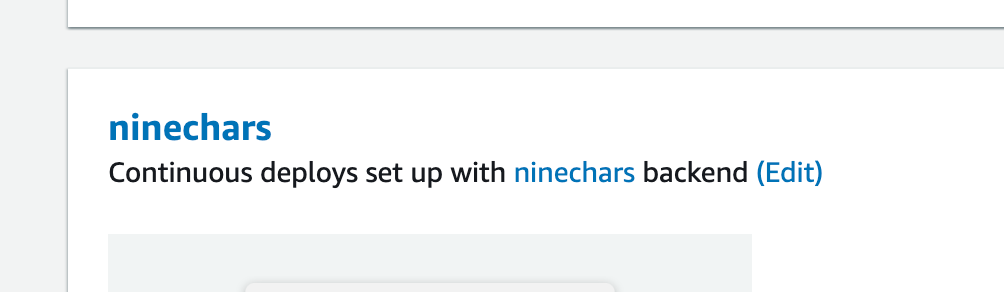
Thanks for your help. I will watch this issue and periodically check to see if that issue gets fixed. Appreciate it!.
It seems like the original issue is that there isn't a backend phase in the build script. For anyone running into the issue with PR Previews feature not creating a new backend environment, please ensure that the build script has a backend build phase like such:
backend:
  phases:
    build:
      commands:
        - '# Execute Amplify CLI with the helper script'
        - amplifyPush --simple
Like @Duder-onomy commented using the script above will create a new env every time a new commit is pushed to the branch (And that env will not be deleted automatically when the branch is deleted.)
If you add a backend environment to a deployed frontend application and wish to create a new backend environment for web previews, you will have to do the following:
- Add a service role to your application. You will need this role to give permissions to Amplify to create the backend resources. Please see: https://docs.aws.amazon.com/amplify/latest/userguide/how-to-service-role-amplify-console.html
- Modify your build settings to include a backend phase as suggested here https://github.com/aws-amplify/amplify-hosting/issues/2741#issuecomment-1218516649
- Ensure that the previews setting for the desired branch has one of the backend environment options enabled
I tested this feature out and it works as intended. If anyone else runs into this issue with web previews, please open a new issue. Thank you!
⚠️COMMENT VISIBILITY WARNING⚠️
Comments on closed issues are hard for our team to see. If you need more assistance, please either tag a team member or open a new issue that references this one. If you wish to keep having a conversation with other community members under this issue feel free to do so.
![github-actions[bot] avatar](https://avatars.githubusercontent.com/in/15368?v=4 "Published by a pub.dev verified publisher")
This issue has been automatically locked since there has not been any recent activity after it was closed. Please open a new issue for related bugs.