
amplify-hosting
 amplify-hosting copied to clipboard
 aws-amplify
Convert manually deployed app to CI/CD
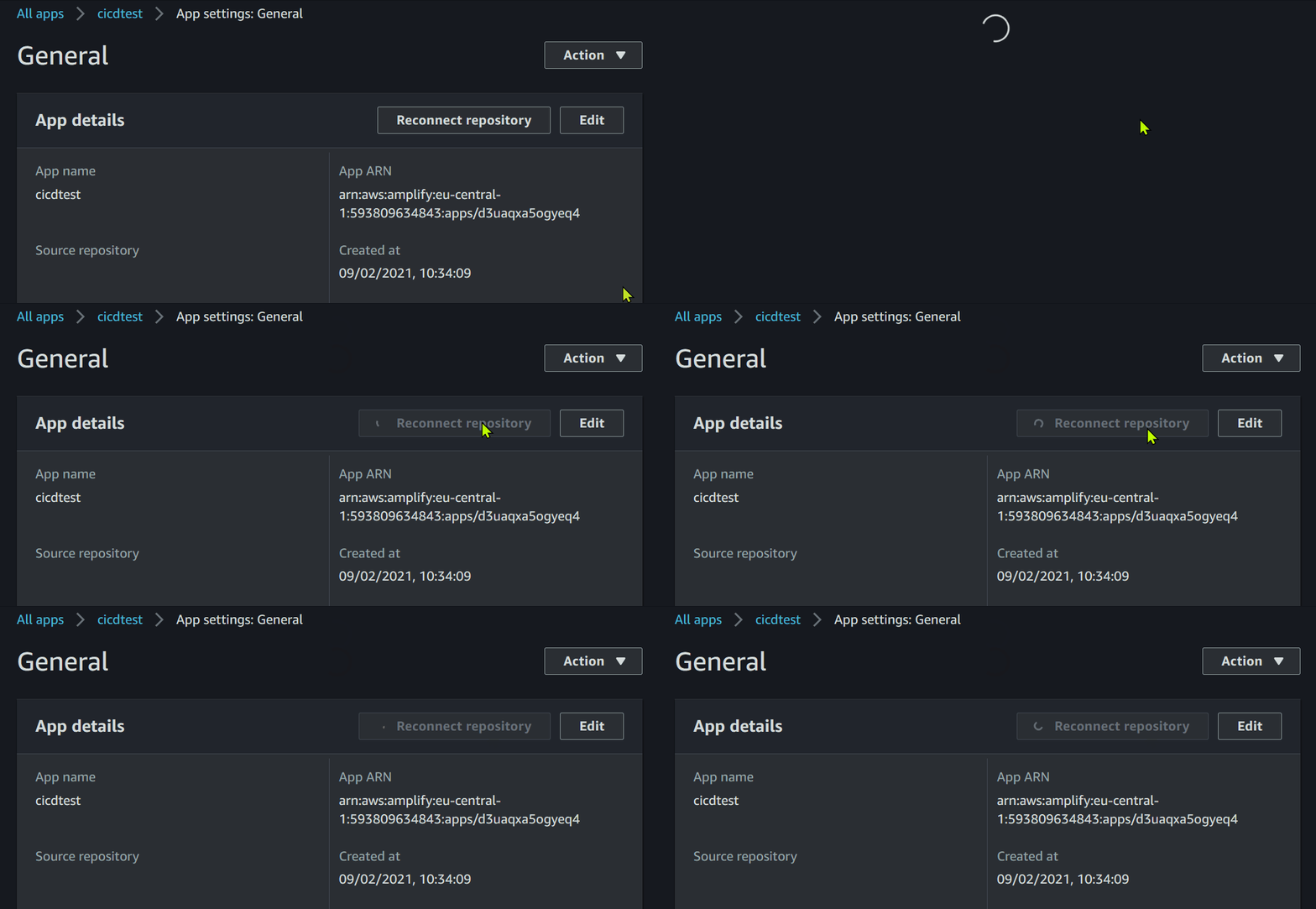
Description If I try to add the corresponding code repository to an existing Amplify App via the connect button within the AWS Amplify Console, the Button changes to a loading circle and nothing ever happens after that.
Amplify CLI Version 4.41.2
Reproduction Steps To be sure this does not have anything to do with our own project, I've recreated an amplify project and repository from scratch.
In Visual Studio:
- Create a new GitHub Repository
- Clone it via GitHub Explorer
- Start Visual Studio Code and open newly cloned Folder
- Install Amplify CLI globally, if not done already
- run amplify configure
- run amplify init (without --app)
- run amplify add storage (nosql, with one column)
- commit all changes to main branch
- run amplify push
In AWS Amplify Console: 10. Go to aws amplify console and open the newly pushed app 11. View App Settings 12. Click "Connect Repository" 13. Login to GitHub 14. Authorize AWS CLI App 15. Wait forever
Expected behavior After Step 14. the Source repository should be listed in the App Details of the Amplify App.
Screenshots
Desktop
- OS: Microsoft Windows 10 Pro Version 20H2 / 10.0.19042.746
- Node Version: v15.3.0
What we tried already to fix it
- Used different Browsers: latest Firefox, latest Edge, even Internet Explorer which does not allow to confirm the Github OAuth Authorization.
- Revoke and reinitiate OAuth Authorization. Result: By trying to connect the repository the Authorization Grant dialog will be opened, but after granting the asked rights the behavior is the same as described.
- Tried to re-run amplify init with --app to add the repository afterward. Result: "Amplify does not have knowledge of the url provided" and "Please ensure you run this command in an empty directory".

This looks like a potential issue with Amplify Console. Moving other to their repo for more visibility to see if that is the case.

Looks like I'm having a similar issue today rather suddenly. It was working, going along fine, then just stopped. Now I'm getting:
2021-02-12T21:13:24.143Z [INFO]: Permission denied (publickey). 2021-02-12T21:13:24.144Z [INFO]: fatal: Could not read from remote repository. Please make sure you have the correct access rights and the repository exists. 2021-02-12T21:13:24.145Z [ERROR]: !!! Unable to clone repository.
I've tried revoking the OAuth Authentication on Github and reconnecting multiple times to no avail. This is happening to a known-good build as well as a fresh git push (which triggers the Provision, but does not succeed on the Build).

Can confirm seeing the same as @theholyone, although I was already logged into GitHub in my browser session so it simply redirected back to the Amplify console and left me hanging with the spinner.
The outcome of this is that we are now blocked when trying to move from manual deployments to CI/CD.

I can also confirm the exactly same behavior as occurs with @nefarioustim

I'm seeing the same infinite spinner as in the initial report. I initially just uploaded static files, and am now trying to attach a repository.

I am seeing the same issue. The first time it prompted me to auth with GitHub, but at no point could I select a specific repository, and now it just stays loading and eventually times out, with no repository connected.
I've been able to fix this using
aws amplify update-app --app-id AMPLIFY_APP_ID --repository REPOSITORY_URL --access-token ACCESS_TOKEN
where access token is a personal access token in GitHub with repo & hook permissions.


Same issue. Surprised this is still an issue over 1 year later. On an existing amplify app that never had the repository configured, it would be nice if you could click "Reconnect Repository" and be able to choose Github or Gitlab. Right now that button kicks you over to GitHub only.

This bug has been added to our backlog for prioritization. We will update this issue once a fix has been pushed. Thank you!

This bug has been added to our backlog for prioritization. We will update this issue once a fix has been pushed. Thank you!
Thanks, also as a side note, when I tried to run the aws amplify update-app command using the aws cli, i received this error:
An error occurred (BadRequestException) when calling the UpdateApp operation: Cannot connect your app to repository while manually deployed branch still exists. Please delete all branches and try again.
So does that mean because I initially deployed my app manually, I have to delete my amplify branch basically? That is kind of a deal breaker, for someone that has a production app running but now you want to connect your repository later on.
Thanks!
@121940kz what were you trying to update? I just updated the app name of a manually deployed app via the cli and it ran successfully.
@121940kz what were you trying to update? I just updated the app name of a manually deployed app via the cli and it ran successfully.
I know it's specifically when trying to update the repository.
aws amplify update-app --app-id AMPLIFY_APP_ID --repository REPOSITORY_URL --access-token ACCESS_TOKEN
So i'm trying to add my repository connection to an amplify app which i created, and initially I specified that I would manually publish the app. Now i'm trying to circle around and add the repository connection for CI/CD but I face that error. And that is also when I realized connecting the repository through the Amplify Console only tries to load GitHub.
Does that make sense?
@121940kz Apologies for the delayed response. It's currently not possible to convert a manually deployed app to CI/CD without deleting the manually deployed branches first. You have to either delete the branches and then add the repository or you can create a new Amplify App instead.
We have the same problem, and I suspect the "start with manual" then "upgrade to automated" to be a very common path. In fact what I would recommend for most software engineering tasks. Is there a walkthrough of what needs to happen to go from manual to CI/CD? When you say delete the branches, does it mean in github or the front end environments or the back end environments too? There are walkthroughs for adopting existing projects. Perhaps that is a better way to go if you need to migrate from manual to CI/CD, add the existing repo as a brand new app?

This has been identified as a feature request. If this feature is important to you, we strongly encourage you to give a 👍 reaction on the request. This helps us prioritize new features most important to you. Thank you!
![github-actions[bot] avatar](https://avatars.githubusercontent.com/in/15368?v=4 "Published by a pub.dev verified publisher")
This issues is being marked as a feature request since we currently do not support converting a manually deployed app to CI/CD.


