
FontAwesome.Sharp
 FontAwesome.Sharp copied to clipboard
 awesome-inc
Generate FontAwesome.Sharp.dll for FA Pro?
Hello,
I've tried following the instructions from: https://github.com/awesome-inc/FontAwesome.Sharp/issues/15
It seems to be a tad outdated perhaps? Are there any updated instructions for this by chance? I'm trying to replace a previous FontAwesome.Sharp.dll file (v.5.9) with a new one (v.6.2.1), but when I do, all the fonts are invisible, despite following the instructions in that issue linked above.
Note: I'm trying to use Font Awesome Pro v.6.2.1.
Thanks in advance.

Hi @AlexCDionne ,
I am not a licensee of the pro-fonts myself. The prebuilt package tries to extrapolate some things from the free ones.
Every once in a while someone comes along using the pro-fonts and then we integrate eventual changes and bring it back in sync.
This is usually done by following the remarks in the FAQ
- https://github.com/awesome-inc/FontAwesome.Sharp#using-fontawesome-pro
Would you mind trying out those steps? I would love to accept a PR with changes related to the pro-fonts.

Hey @mkoertgen,
Thanks for the reply.
I've been looking at all the documentation listed so far in this repository, but not having any luck. There's a few things I'll be doing/testing however, and hopefully I can get it to work.
If there's anything specific you find out about the pro version though, please feel free to add a comment on here regarding it and I'll take a look.
I have a pro license too, and am trying to use FontAwesome.Sharp.Pro without success (although I can use FontAwesome.Sharp just fine). I've spent a lot of time reading on here and trying to figure out if I'm doing something wrong, and the only thing I'm left wondering about is that I do not have pro TTFs, I have pro .OTF's, and cannot find pro-version TTFs. Could that be why we cannot get things working?

Hi @toristorii ,
Yes, the library is built on using the truetype-fonts. They should be available with your pro-license.
Hi @AlexCDionne ,
I am happy to help and can take a look on the pro-TTFs, in case you need a leg up for getting things to work. Feel free to reach out by email.
@toristorii just submitted a PR updating on this. Will check for a release to be published in the next few days.
I managed to get a successful compile regarding the FontAwesome.Sharp.dll file I needed for my project (FA Pro 6.2.1) and will be able to elaborate a bit more soon. Perhaps tomorrow if I have the time. (I'm making documentation for my team as well, so I'll be able to provide some details on this for generating the .dll with a Pro license)
Long story short: Used fontawesome.css instead of all.css, and edited Program.cs which had "FontAwesome Free Solid" to "FontAwesome Pro Solid" or something along those lines (IconHelper file?), with some other adjustments.
I also got the TestWPF to work, which required some of the icons that were being used to be removed as they didn't work, with other minor adjustments that I think were a part of a recent commit I saw on here already.
Apologies for not following up with a whole set of documentation for this scenario, I've been having trouble finding the time in general, and haven't done the documentation at work.
Small things I can note for now however (in-case someone is still trying and needs help), are some things I also recall doing:
- uint -> int @ Program.cs (Since IconChar.cs is int)
- FontAwesome.Sharp/IconHelper.cs (ex. "Font Awesome 6 Free Regular" to be "Font Awesome 6 Pro Regular") (All 3 font types)
Hi, I'm still having an issue working out exactly how to incorporate my PRO FontAwesome fonts. Could someone please provide some simple step-by-step guide. Much appreciated

Hi @Paul1980123 ,
Sorry for the late response.
The documentation should get you going, cf.
- https://awesome-inc.github.io/FontAwesome.Sharp/#using-fontawesome-pro
Basically it's
- Using the pro-package: https://www.nuget.org/packages/FontAwesome.Sharp.Pro
- adding the ttf-files of the pro-font to your project as resources. Theck the sample-project on the pro-branch here: https://github.com/awesome-inc/FontAwesome.Sharp/blob/8f0f3d1c345a5356e93beb94272ff3119816a2d2/TestWpf/TestWpf.csproj#L20)
Hi mkoertgen,
I'm still having no luck with this. I'm trying to embed the Pro icons into the DLL which i can then use in a vb.net WinForms application.
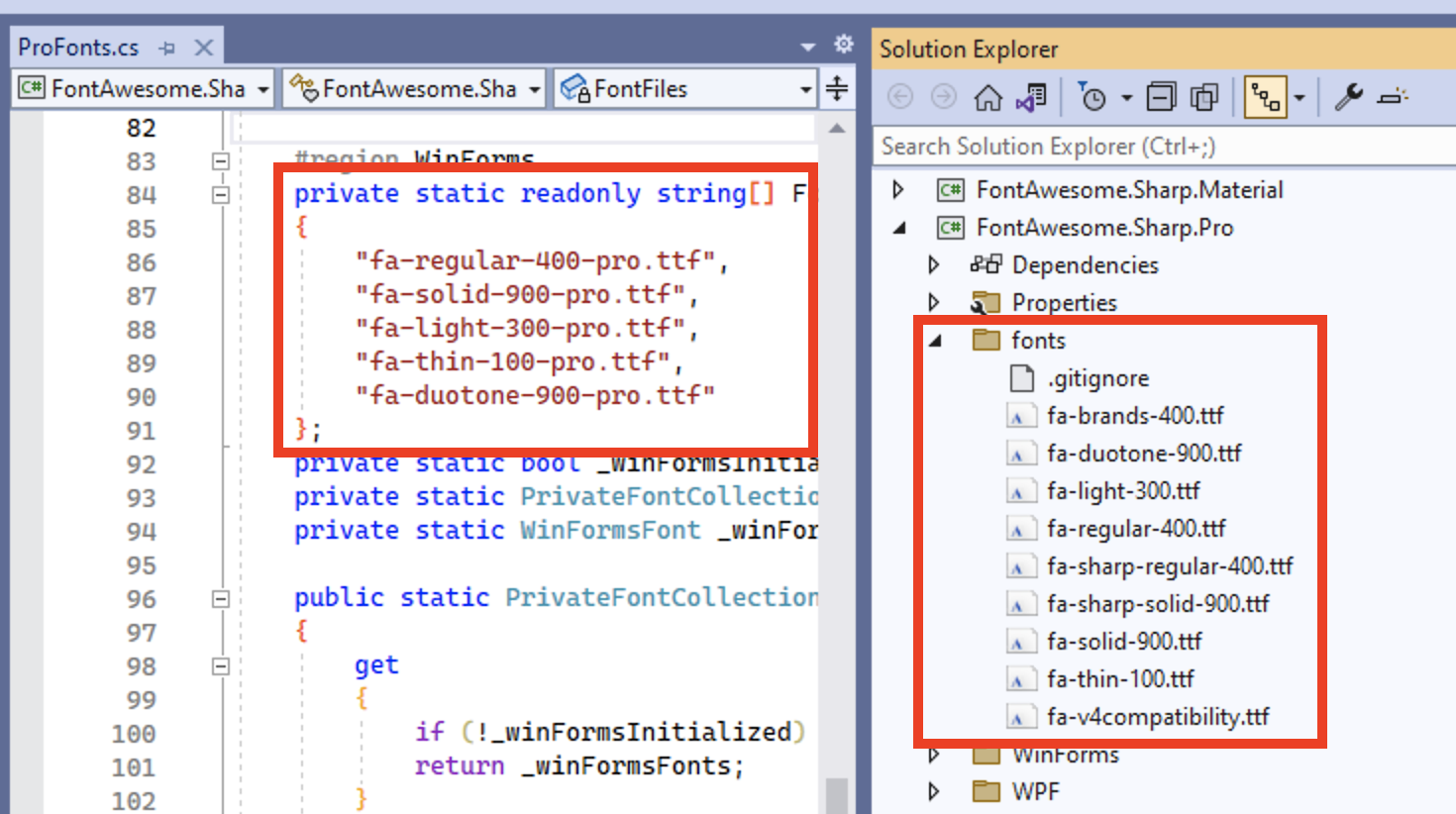
I've added the Fonts the Pro project, but note that the filename differ from the ProFonts.cs, not sure if this is the issue?

fa-regular-400-pro.ttf vs the actual Webfont downloaded from FA, fa-regular-400.ttf
When i run the FontEnumGenerator, it still only recognises 2452 icons, i was expecting more to be detected.
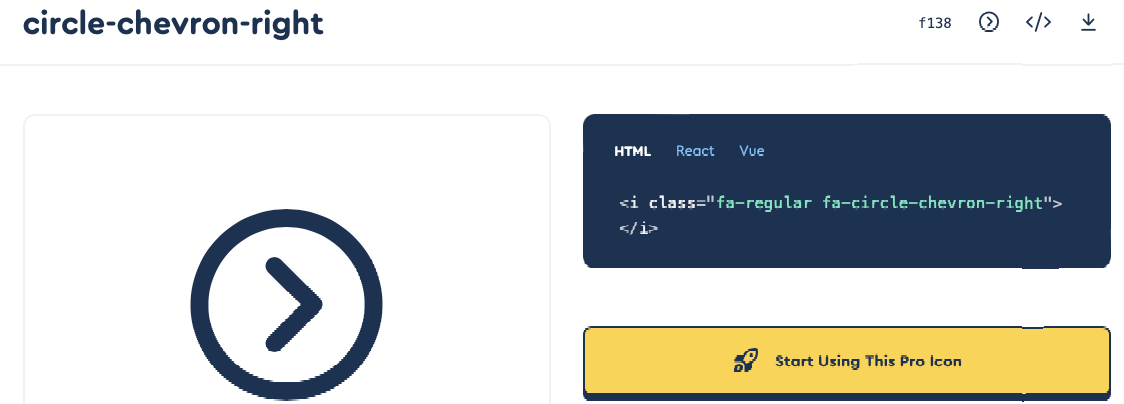
It's ultimately this icon i am trying to use
circle-chevron-right regular
Using the following code: Me.PictureBox2.Image = IconChar.CircleChevronRight.ToBitmap(iconFont:=IconFont.Regular, 28)
Other icons work, but it seems it's all the Pro icons i am still missing.
Hi @Paul1980123 ,
That's right, the mismatching filenames are sure an issue. Try adjusting the array.
Probably this should be made configurable. We do not own a pro license so we generally do have a hard time figuring out and getting the pro-support right.