
lowcode-engine

lowcode-engine copied to clipboard
 alibaba
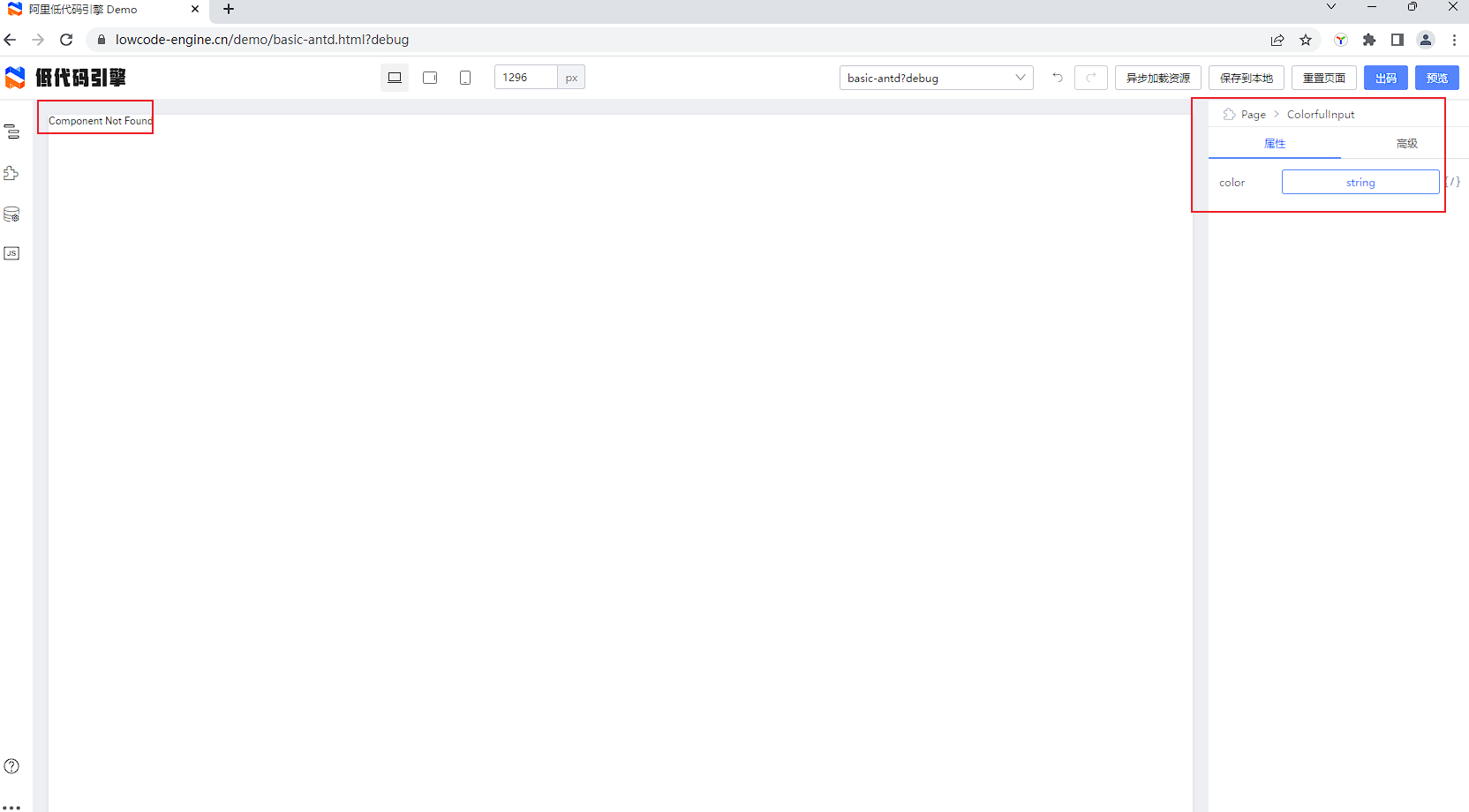
调试物料 提示注入成功,画布上不能展示该组件,显示Component Not Found。
详细描述 bug
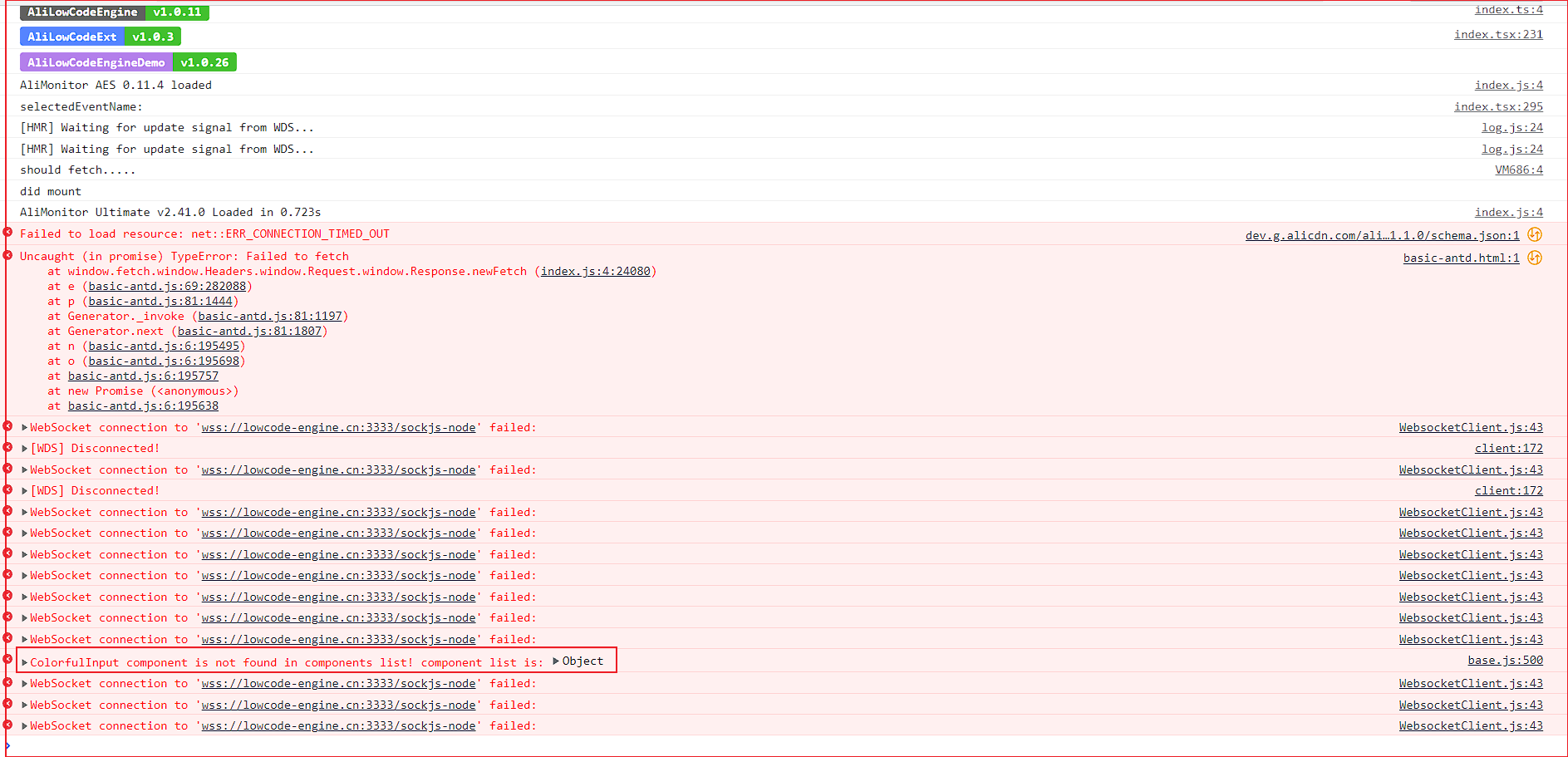
调试物料 提示注入成功,画布上不能展示该组件,显示Component Not Found。控制台提示 base.js:500 ColorfulInput component is not found in components list。
如何复现 bug?
Steps to reproduce the behavior: / 详细复现步骤:
- 初始化物料仓库,选择react-组件库 npm init @alilc/element your-material-name
- 根据文档修改build.lowcode.js
const { library } = require('./build.json');

module.exports = {
 alias: {
   '@': './src',
 },
 plugins: [
   '@alifd/build-plugin-lowcode',
   [
     '@alilc/build-plugin-alt',
     {
       type: 'component',
       inject: true,
       library,
       // 配置要打开的页面,在注入调试模式下,不配置此项的话不会打开浏览器
       // 支持直接使用官方 demo 项目:https://lowcode-engine.cn/demo/index.html
       openUrl: 'https://lowcode-engine.cn/demo/basic-antd.html?debug',
     },
   ],
 ],
};
- 启动调试 npm run lowcode:dev
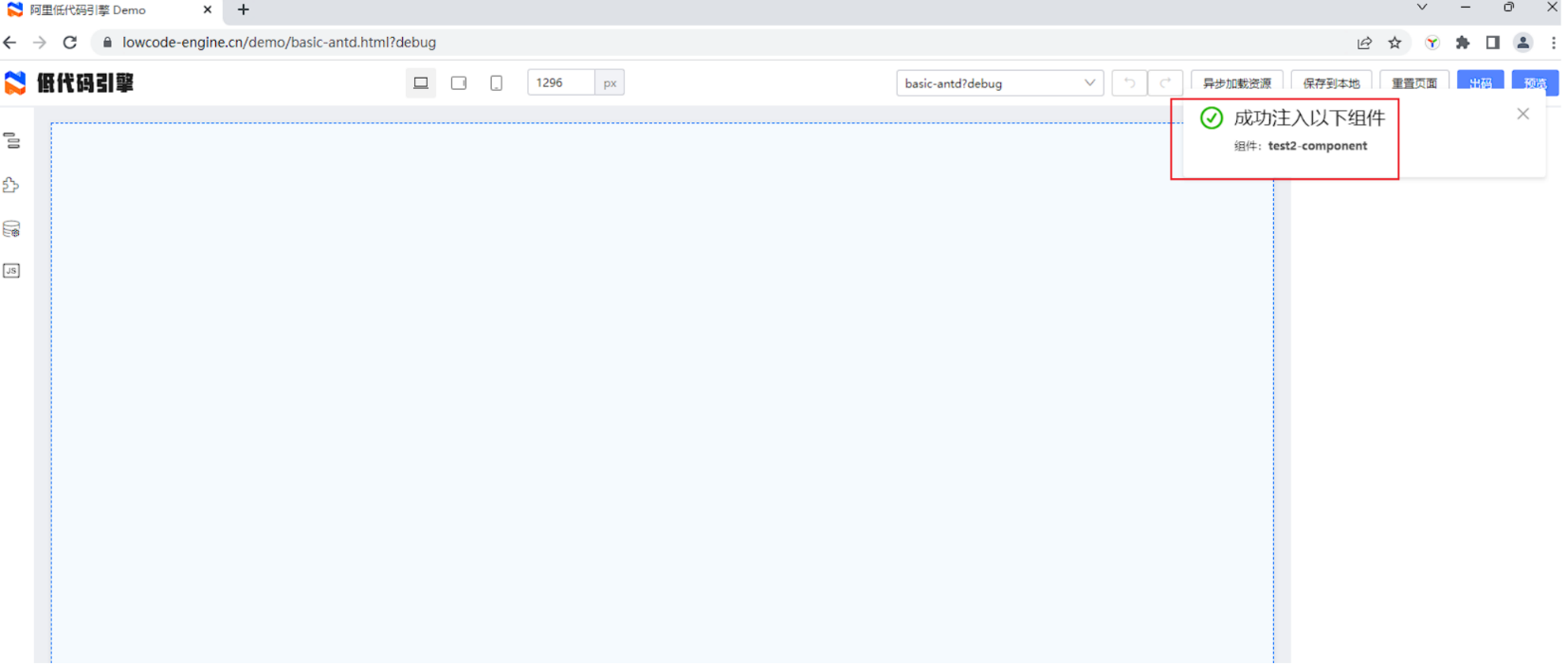
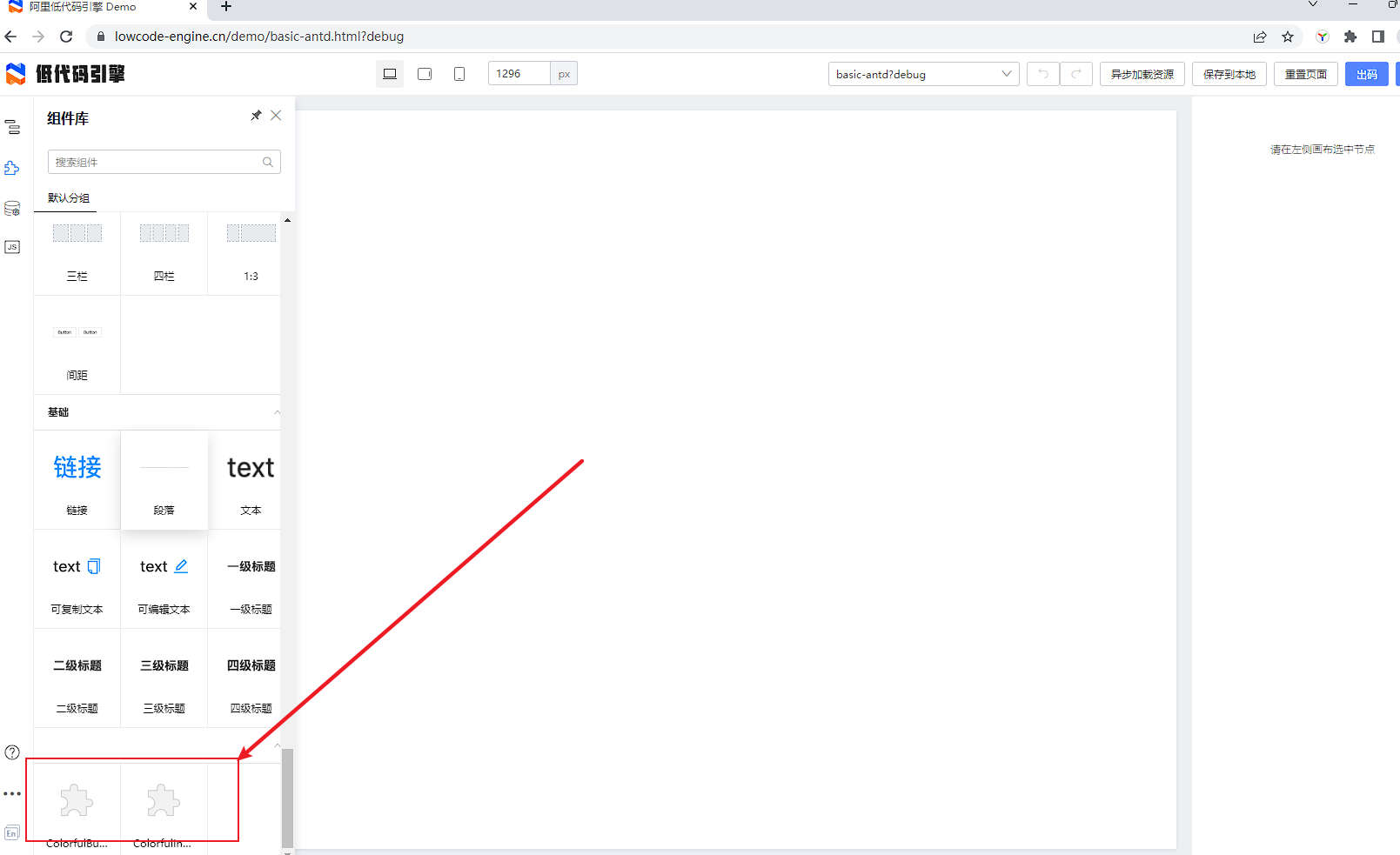
- 官方demo的画布中显示组件注册成功。但是把colorful-button组件或者colorful-input组件拖到画布上不能渲染。显示Component Not Found。控制台提示 base.js:500 ColorfulInput component is not found in components list。
预期行为(必填,非常重要)
本地物料注册成功后就应该能正常使用。
bug 截图(可选)
截图:
Environments (please complete the following information) (required): / 请提供如下信息(必填)
使用的官方demo。 物料库在lowcode:dev时 报了一个 Error: Cannot find module 'moment'。 安装了一个"moment": "2.24.0"。 其余没有任何修改
(this information can be collected via the manual plugin / 版本信息可通过低代码用户手册插件收集)


const { library } = require('./build.json');  // 如果 library 没有再 build.json 里自定义这里可以忽略。
[
      '@alifd/build-plugin-lowcode',
      {
        library,
        engineScope: "@alilc"
      },
    ]
build-plugin-lowcode 需要这样配置

