
NodeGraphProcessor
 NodeGraphProcessor copied to clipboard
 alelievr
Edge drag and drop behaviour
Just jotting down some thoughts as I see you're working on the relay node and this might have some relationship with that task.
Currently playing with Mixture and I find myself frequently creating relay nodes by accident:
- When I miss dropping an edge on an input node by a few pixels (the target is very small
- When I don't notice the input type doesn't match and the input is disabled (I've got better at not doing this but newbies will do it all the time)
In general - the small target size of input nodes makes it much slower to create graphs quickly (Fitt's Law)
It's not uncommon for there to be a on obvious "main" input for a node. I wonder if it might improve UX for the entire node should be a valid drop target and for the node to make a sensible guess as to what the correct input to connect is.
It could be as simple as "pick the first unconnected valid input" and then the source code order can be used to determine which nodes are good defaults (I think you'd naturally do this in any case - you tend to put the most important nodes first)
In any case - dropping an edge on a node shouldn't create a relay. Only dropping on empty space should do that.
I've got some other thoughts around drag+drop - dropping nodes on edges should insert etc but they probably should be separate issues.

Hello,
While I completely agree with you, it's really something that should be changed in GraphView so all the projects that use it can benefit from this improvement.
I asked the GraphView team if they were working on improving this issue but unfortunately, it's not planned in the near future (I can say that it won't be here until at least one year and this estimation is very optimistic).
In the meantime, I'll see what I can do for the relay nodes. I'll probably end up preventing the creation of these nodes when your mouse is over another node or something like that. Note that the situation might also improve if we add the node creation menu when we drop an edge.

Yes. It's slightly frustrating to see Unity build two different tools on top of the GraphView without attempting to produce a usable API out of the common functionality. You can see both teams are duplicating work unnecessarily to the detriment of both VFX Graph and Shader Graph - and without producing an API for other people to use.
I can see why it might have slowed them down initially to collaborate but we're past that stage and it's now surely a case of pure wasted effort.
I'll stop complaining as it's not helping this ticket. :)
So I took a quick look around to see if I can do something about it in my package but the only API that could make the edge snapping really efficient is private: https://github.com/Unity-Technologies/UnityCsReference/blob/master/Modules/GraphViewEditor/Manipulators/EdgeDragHelper.cs#L349
I also tested the interceptWidth of the edges but it didn't changed anything :(
Anyway, I think the issue improved a bit because I added the create node menu when dropping an edge so you can actually hit esc to discard the edge when you miss the port. I think that's the most I can do right now with the current API 😞
Ah. This makes me sad - and a little worried for the long-term suitability of this as a base for the things I want to do (and it reminds me why I prefer genuine open source projects)
Any idea if the Unity team accepts pull requests for minor changes that potentially block applications of their underlying UI code?
Even if this issue has a workaround there are bound to be other roadblocks to the kind of UI I want to make.
I guess another option is to fork the GraphView editor or use various CLR hacks to get round access control. Neither is very appealing.
Wait, I probably overlooked something here, I just saw that the EdgeDragHelper is public which means there is an entry point somewhere to use it, i'm going to look at it.
Regarding pull request, unfortunately the graphview code is in the private repository of unity and as the readme says in the public mirror, pull requests are not yet accepted. You can still fill a bug about this issue but it's very unlikely that it will get fixed because of two things:
- The graphview project is abandoned, there is no team behind it (they all moved to GTF) so nobody maintains it or fixes the issues it have.
- The API is still experimental, it's been like that for years now and it will stay like this until we remove it (if it ever happens).
For your information, GTF (Graph Tool fundation) is currently being developed for visual scripting but they are still missing a lot of stuff and I'm really not sure when it will be available. And when you report an issue about graphview it will basically be added to the GFT roadmap and not graphview one, wich is why we don't have any fixes for graphview.
Okay so I managed to completely override the behavior of the edges to have something a bit more pleasant to work with, you can test it as https://github.com/alelievr/NodeGraphProcessor/commit/faaff4f0f68729ed6159f8bc06e21601a8cf6ea7 (latest master)
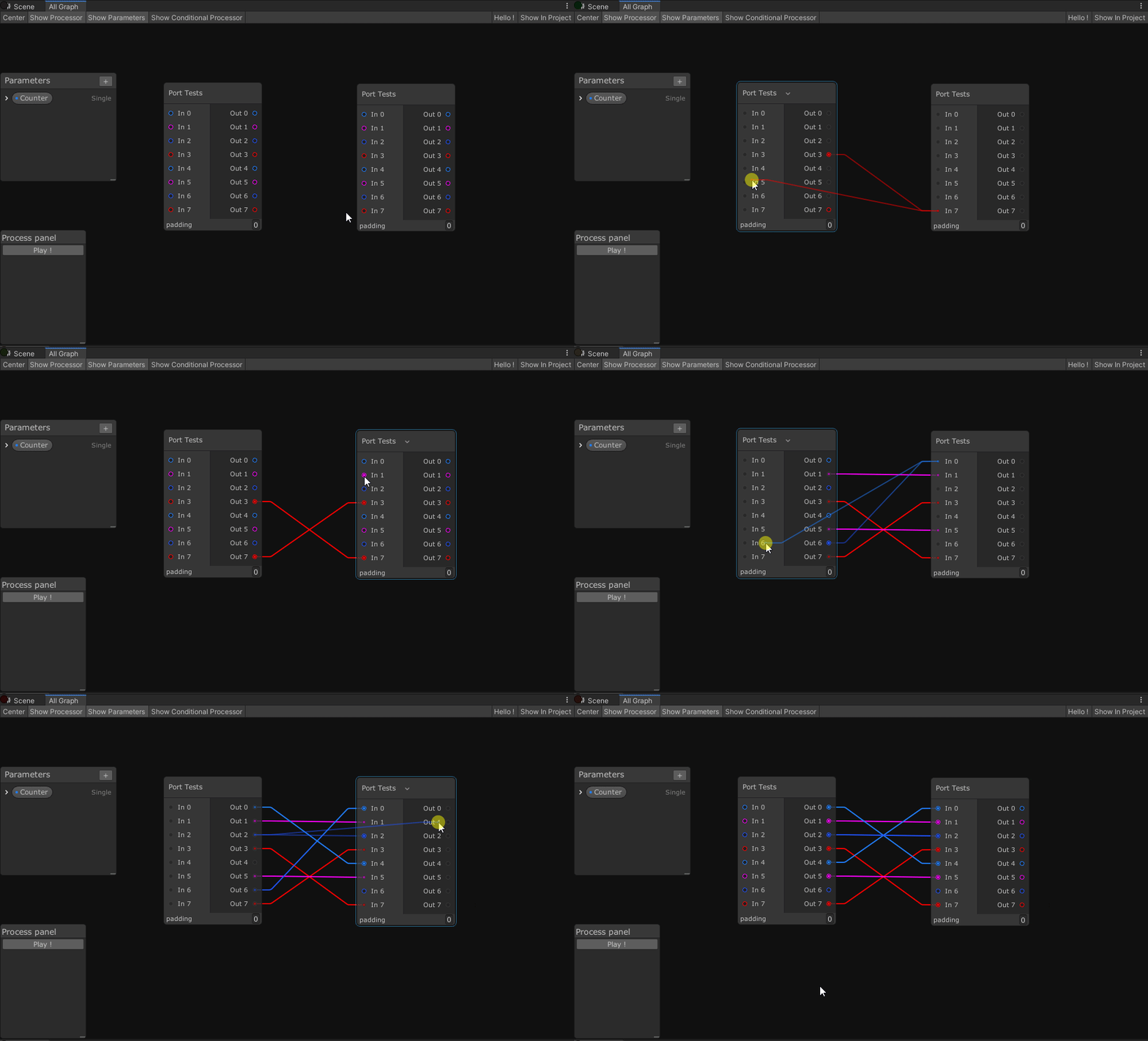
I also modified the speed and the zone for graph panning when dragging an edge, it's smaller and can go faster now:
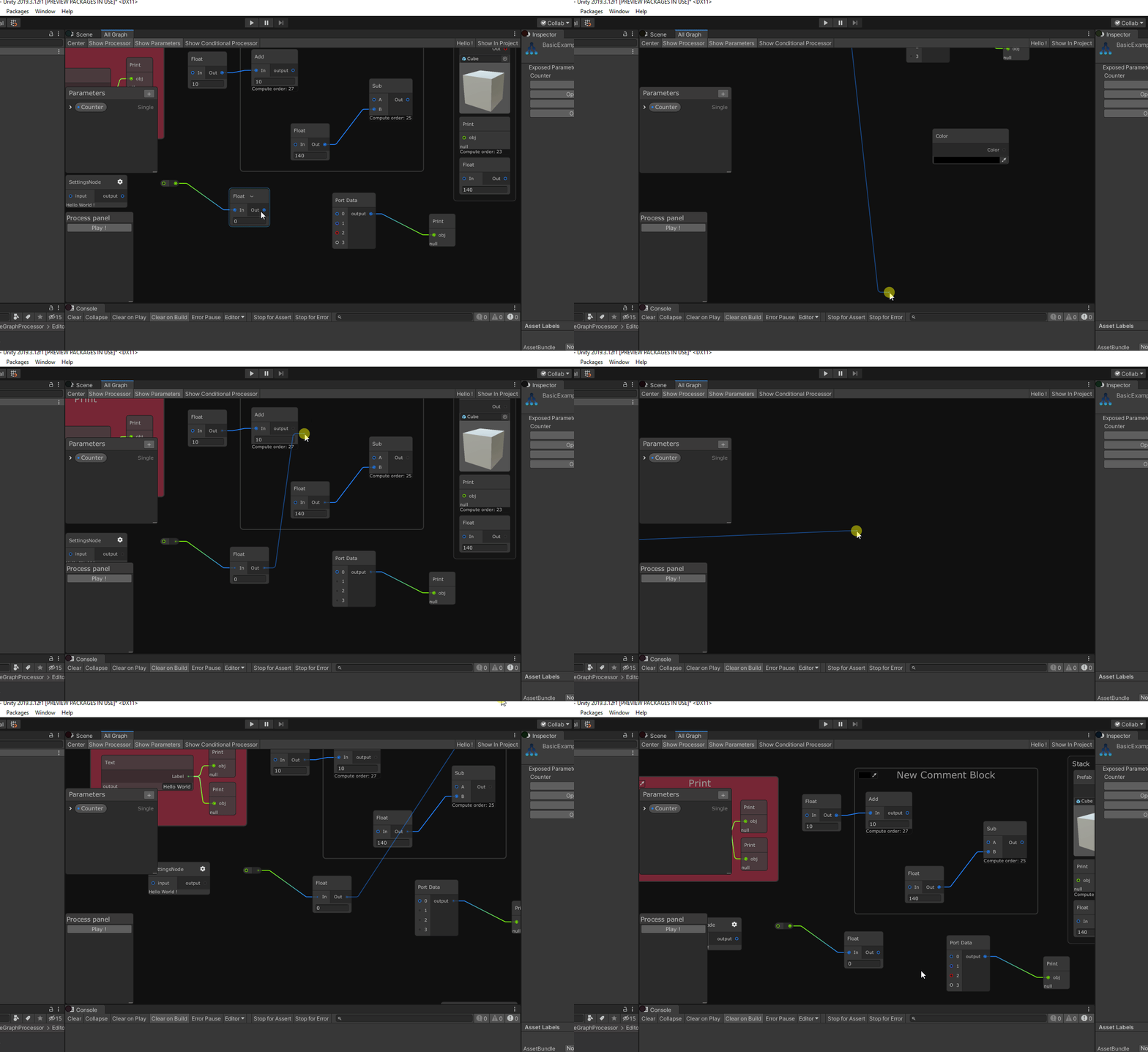
This is great and makes a big difference to usability..
I have a bunch of other wishlist items related to UX. Do you realise you're just encouraging me? ;-)
Being serious for a sec - I think most graph editing UIs I've tried have some glaring deficiencies that make them fairly unpleasant to use in a creative context. I built a keyboard driven stack-based UI for my procgen tool: https://www.youtube.com/watch?v=gqdhLuLZ9oA and it's incredibly fluent and lends itself to exploratory play.
However - it's limited in the way that anything without branching naturally is and so I'm exploring node-based UIs. But it's at least 5x slower or more to make changes and I'm interested to see how much of this is fixable while remaining in the node-based paradigm.
/ramble
That's interesting indeed, I wonder if it's possible to achieve that level of effectiveness as you usually trade editing speed for flexibility in a graph editor.
I think there's a lot of low hanging fruit. Common operations that usually are poorly catered for:
- Inserting a node without having to reconnect edges
- Swapping one node for another without reconnecting edges.
- Pain points around multiple inputs and outputs (again - mainly to do with reconnecting edges)
It's mainly the friction around edges that turns things into a chore. That plus more keyboard shortcuts would make a huge difference to the kind of workflows I envisage.
Node editing should be fluent in the way live coding environments are fluent. We should be watching YouTube clips of artists and musicians jamming live with nodes...
Yeah, I'm aware that there is still plenty of improvement that can be done on the workflow but for now I'll move to another important task: polymorphic serialization support. So I think i'll add some of these ideas to the project backlog to keep track of them but you shouldn't expect them to be done soon.
Btw I gladly accept any pull requests about features or improvements :) Draft pull requests are nice too as we can discuss the design before locking the feature
Wait, I probably overlooked something here, I just saw that the EdgeDragHelper is public which means there is an entry point somewhere to use it, i'm going to look at it.
Regarding pull request, unfortunately the graphview code is in the private repository of unity and as the readme says in the public mirror, pull requests are not yet accepted. You can still fill a bug about this issue but it's very unlikely that it will get fixed because of two things:
- The graphview project is abandoned, there is no team behind it (they all moved to GTF) so nobody maintains it or fixes the issues it have.
- The API is still experimental, it's been like that for years now and it will stay like this until we remove it (if it ever happens).
For your information, GTF (Graph Tool fundation) is currently being developed for visual scripting but they are still missing a lot of stuff and I'm really not sure when it will be available. And when you report an issue about graphview it will basically be added to the GFT roadmap and not graphview one, wich is why we don't have any fixes for graphview.
@alelievr maybe a silly question, but since the docs for GTF are so empty, how do you even go about figuring out how to use it? Do you just look through the APIs, or is there some document somewhere for reference?

Do you just look through the APIs, or is there some document somewhere for reference?
I don't use GTF right now because it haven't been officially released (still a preview package) which explain why there is no documentation alt all. The best you can do is to look at the code itself and how it's used in the visual scripting package
@alelievr mind explaining where you got the info from that the GraphView project is abandoned? I mean, totally believe you, feels very Unity-y if they did the same thing again (work on something for a few years, build 90% of internal tools on top of it, then hop onto something else and stop even fixing bugs)...

@hybridherbst well, I work at Unity so it's a bit easier to ask things like this for me ^^