
react-native-md-dialog
 react-native-md-dialog copied to clipboard
 ahmedlhanafy
Make beautiful material design dialogs for both Android and IOS

This library is deprecated, you can use the dialog component in https://github.com/callstack/react-native-paper instead.
React Native Material Design Dialog
Description
Make beautiful material design dialogs for both Android and IOS with lots of configurations to suit your need
Installation
$ npm install react-native-md-dialog --save
Try with Exponent
[![Exponent Button][2]][1] [1]: https://getexponent.com/@ahmedlhanafy/MaterialDesignDialogExample [2]: https://raw.githubusercontent.com/ahmedlhanafy/react-native-md-dialog/master/imgs/run_with_exp.png
Screenshots
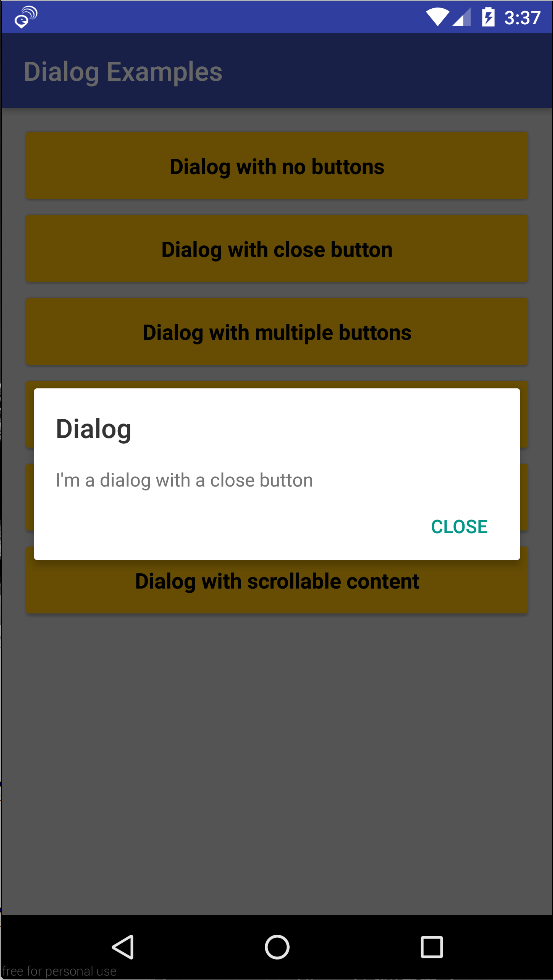
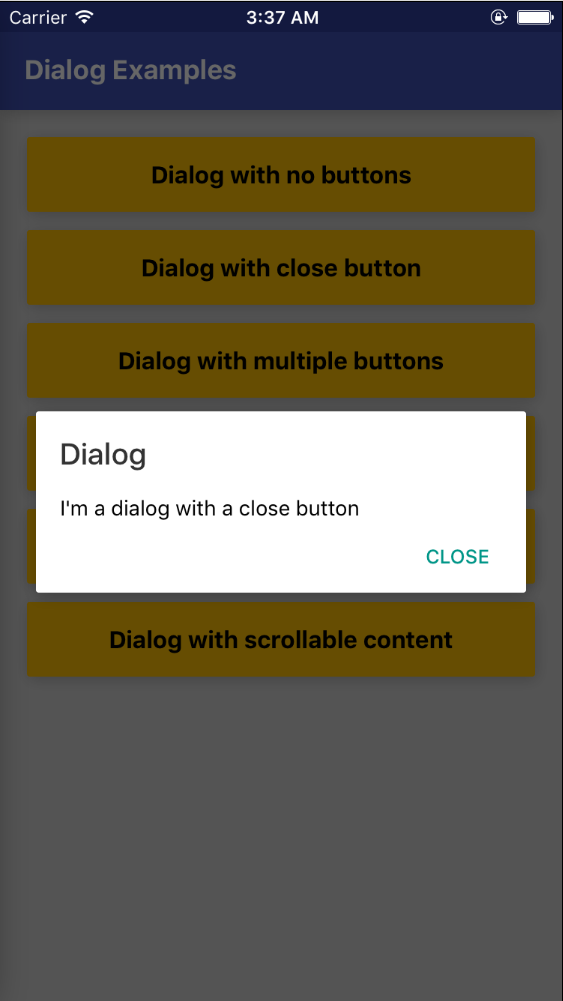
One Button Dialog
| Android | IOS |
|---|---|
 |
 |
Code
import Dialog, {
    DialogButton
} from 'react-native-md-dialog';

...

<Dialog actions={[<DialogButton text='CLOSE' onPress={() => this.refs.dialog.close()} position='right'/>]} ref='dialog'>
    <View style={styles.dialogConatiner}>
        <Text >
            I'm a dialog with a close button
        </Text>
    </View>
</Dialog>
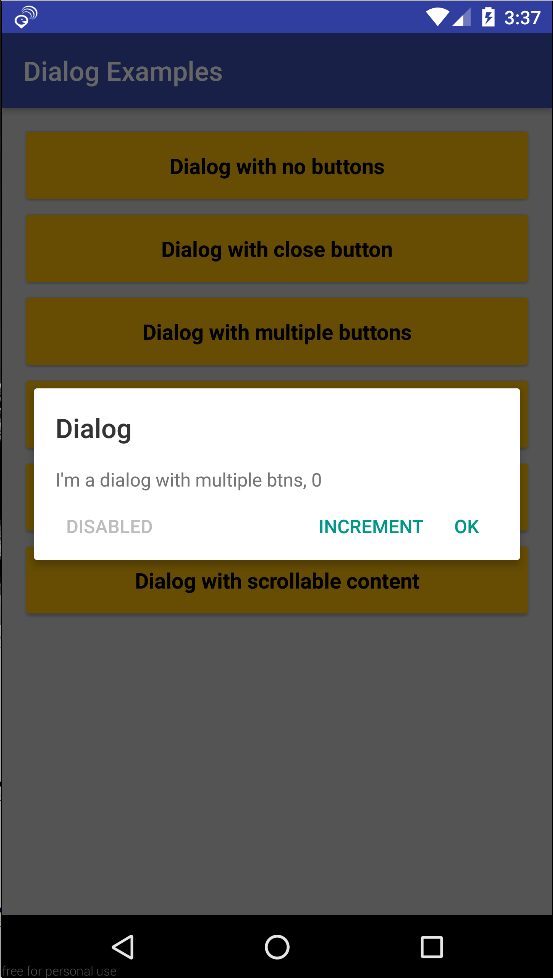
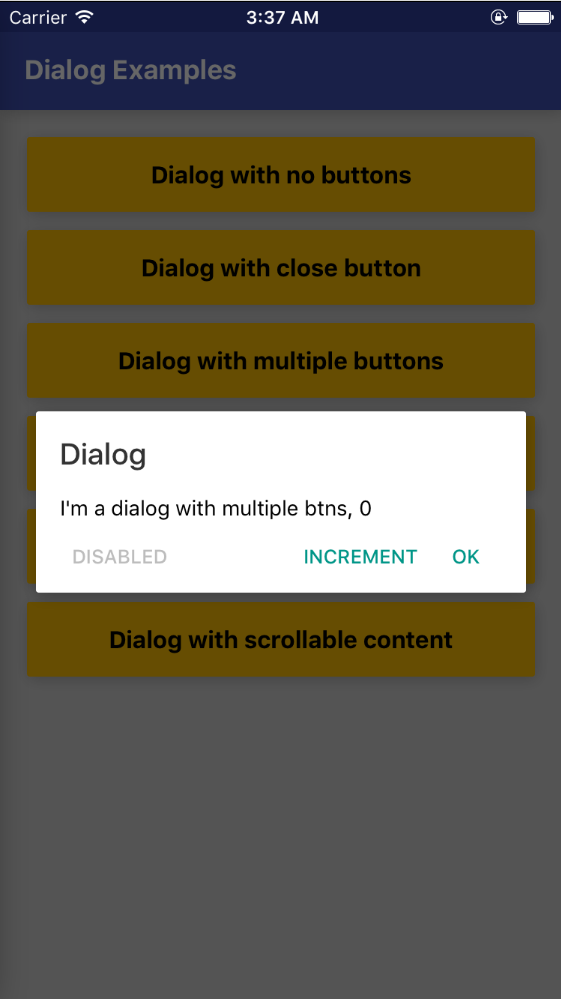
Multiple Buttons Dialog
| Android | IOS |
|---|---|
 |
 |
Code
import Dialog, {
    DialogButton
} from 'react-native-md-dialog';

...

<Dialog
    actions={[
        <DialogButton text='INCREMENT' onPress={() => this.setState({ numberOfClicks: this.state.numberOfClicks + 1})}/>,
        <DialogButton text='OK' onPress={() => this.refs.dialog.close()}/>,
        <DialogButton text='DISABLED' disabled={true} position='left' />
    ]}
    ref='dialog'>
    <View style={styles.dialogConatiner}>
        <Text >
            I'm a dialog with multiple btns, {this.state.numberOfClicks}
        </Text>
        </View>
</Dialog>
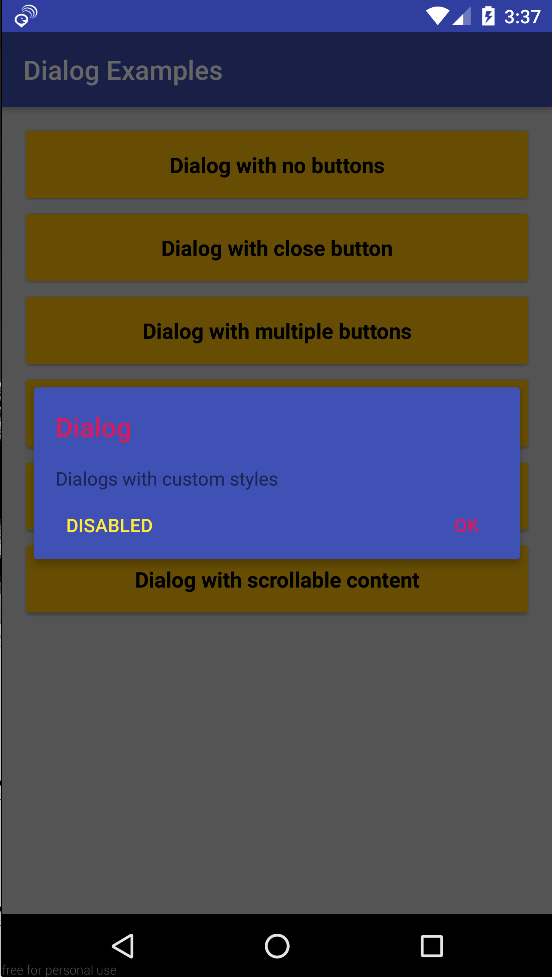
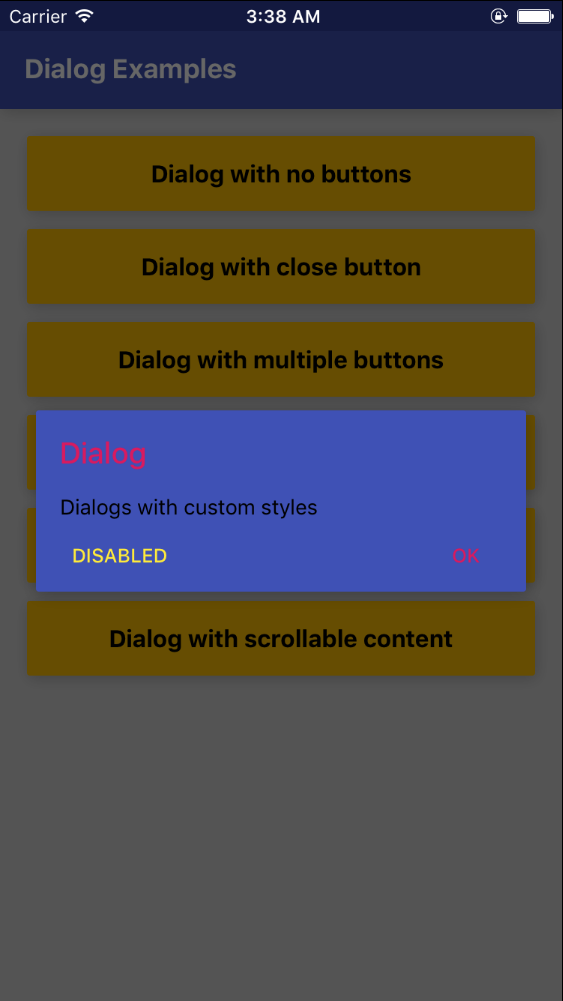
Styles Dialog
| Android | IOS |
|---|---|
 |
 |
Code
import Dialog, {
    DialogButton
} from 'react-native-md-dialog';

...

<Dialog
    backgroundColor='#3f51b5'
    titleColor='#d81b60'
    actions={[
        <DialogButton text='DISABLED' disabled={true} position='left' color='#ffeb3b' />,
        <DialogButton text='OK' onPress={() => this.refs.dialog.close()} color='#d81b60'/>
    ]}
    ref='dialog'>
    <View style={styles.dialogConatiner}>
        <Text>Dialogs with custom styles</Text>
    </View>
</Dialog>
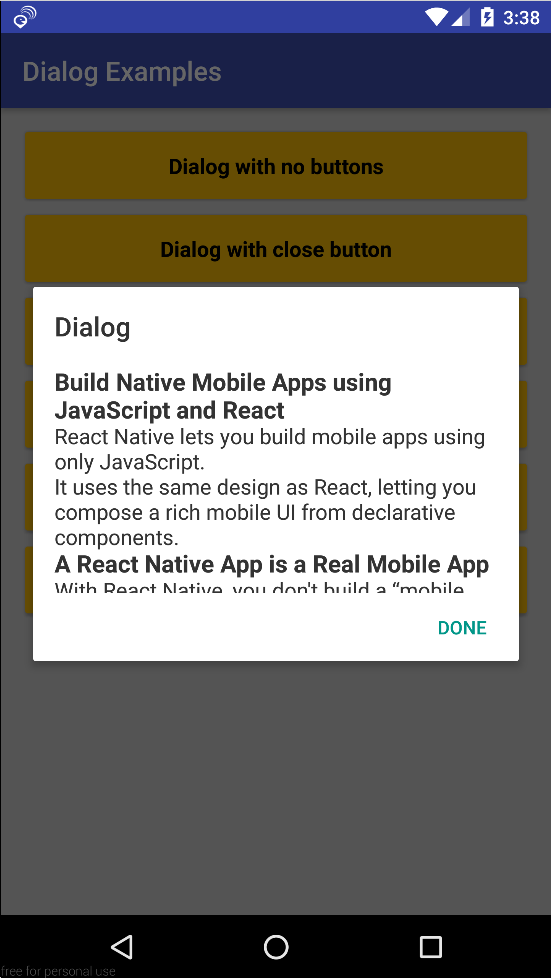
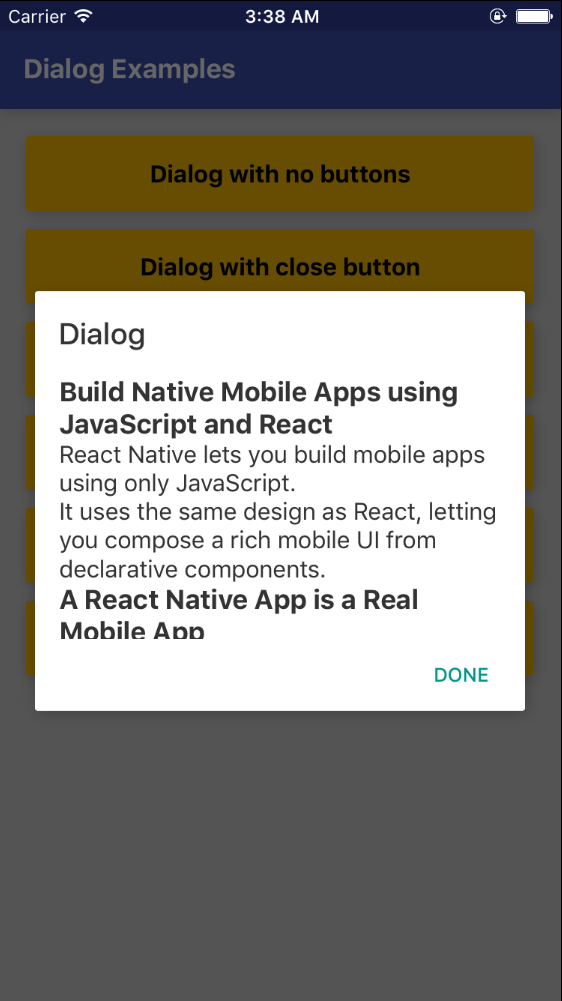
Scrollable Content Dialog
| Android | IOS |
|---|---|
 |
 |
Code
import Dialog, {
    DialogButton
} from 'react-native-md-dialog';

...

<Dialog
    actions={[
        <DialogButton text='DONE' onPress={() => this.refs.dialog.close()} />
    ]}
    ref='dialog'
    maxHeight={280}>
    <ScrollView>
        <View style={styles.dialogConatiner}>
            <Text style={{ color: 'rgba(0,0,0,0.8)', fontSize: 16 }}>
                ...
            </Text>
        </View>
    </ScrollView>
</Dialog>
<Dialog/> props
| Prop | Description | Type | Default |
|---|---|---|---|
| actions | Array of <DialogButton/> components |
PropTypes.array |
None |
| style | React Native style object | `PropTypes.object | |
| title | Dialog's tilte. | PropTypes.string |
Dialog |
| titleColor | Color of dialog's tilte. | PropTypes.string |
rgba(0,0,0,0.8) |
| backgroundColor | Dialog's background color. | PropTypes.string |
white |
| dismissable | Determines if clicking outside the dialog closes the dialog or not. | PropTypes.bool |
false |
| animationDuration | Duration of closing and opening the dialog. | PropTypes.number |
200 |
| width | Dialog's width. | PropTypes.number |
deviceWidth - 48 |
| maxHeight | Dialog's max height. | PropTypes.number |
420 |
<DialogButton/> props
| Prop | Description | Type | Default |
|---|---|---|---|
| text | Button's text | PropTypes.string |
None |
| disabled | Determines whether the button is enabled or not | PropTypes.bool |
false |
| onPress | Determines the action when button is pressed | PropTypes.func |
None |
| color | Text color of the button | PropTypes.string |
#009688 |
| position | Determines where to put the button | PropTypes.string |
right |
Dialog's methods
| Name | Description |
|---|---|
open() |
Opens the dialog |
close() |
Closes the dialog |
Metadata
29
Stars
6
Forks
Watchers
Owner
 ahmedlhanafy
Metadata
Make beautiful material design dialogs for both Android and IOS