
plasma_tweaks
 plasma_tweaks copied to clipboard
 adhec
adhec
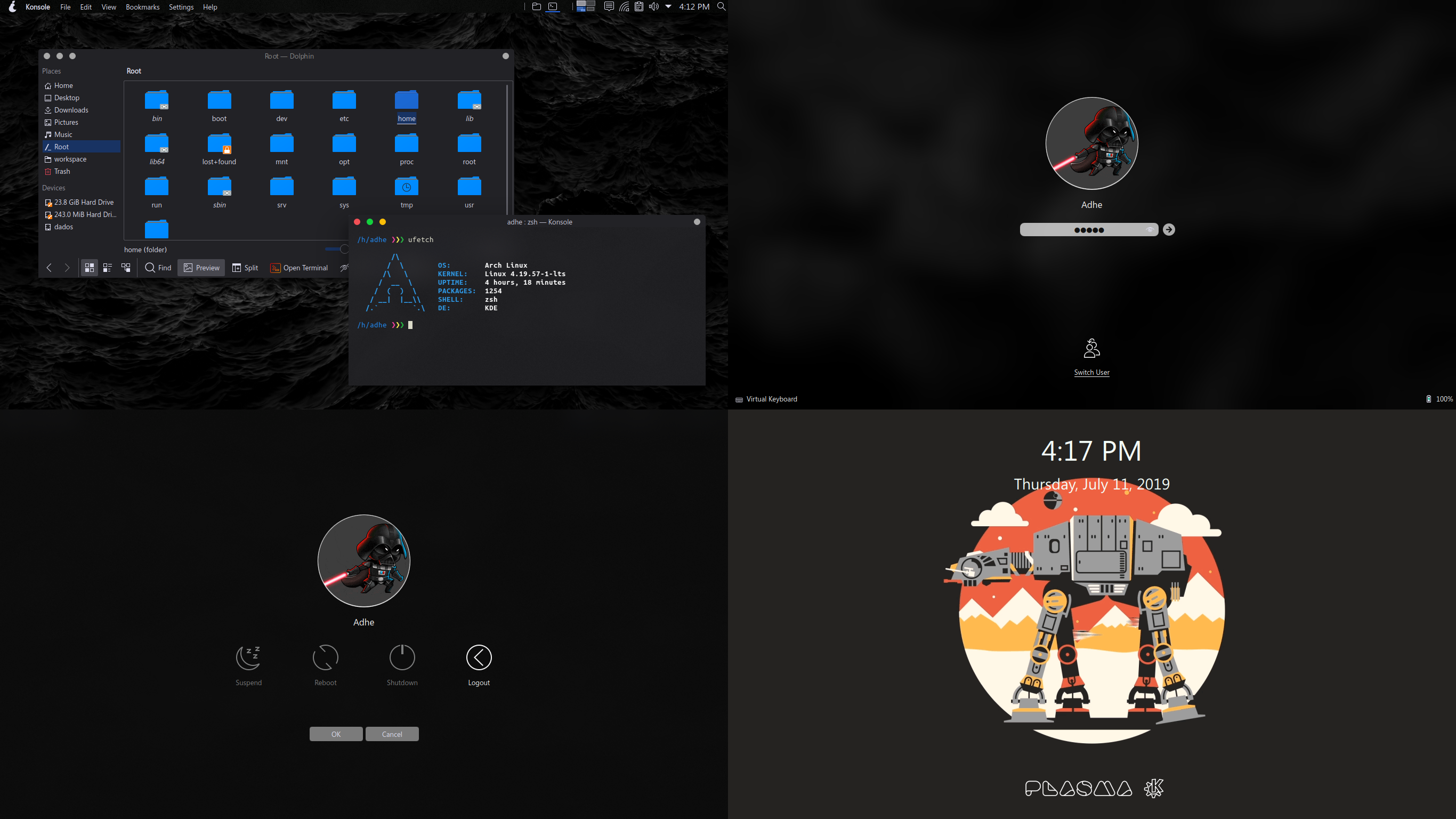
Welcome to my look and feel themes for Plasma
Light and dark themes

1 Installation
Install from Plasma SystemSettings:
[ SystemSettings > Look and Feel > Get New Look and Feel > Search "Pear" > Click in install button ]
2 Usage
Select the theme from the SystemSettings > Look and Feel
3 Services menu for change animations
Dependencies
Most cases are already installed by default, but to confirm install:
Arch
- sudo pacman -S imagemagick
- sudo pacman -S kdialog
Ubuntu
- sudo apt install imagemagick
- sudo apt install kdialog
3.1 Change animation of the session
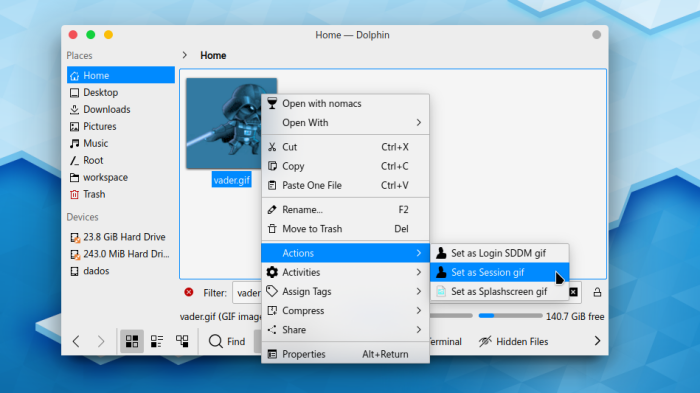
1. Right click on your preferred animation to open the menu
2. Select "Actions"
3. Choose "Set as Session GIF"
The chosen animation is independent of the animation used by the SDDM login manager.
3.2 Change animation of the splashscreen
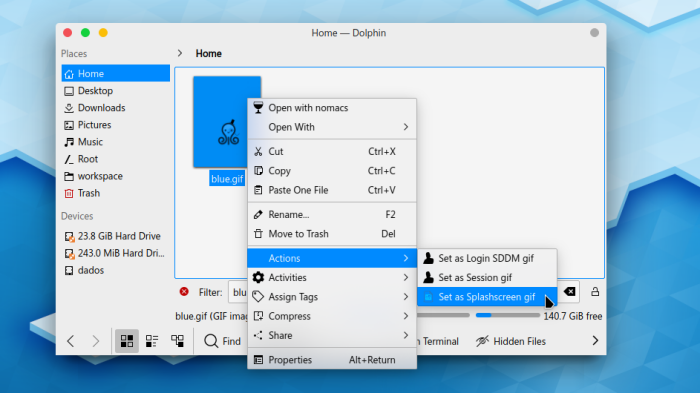
1. Right click on your preferred animation to open the menu
2. Select "Actions"
3. Choose "Set as Splashscreen GIF"
For test the splash screen, from terminal write:
# replace "PearLight" with your current theme
ksplashqml --test --window ~/.local/share/plasma/look-and-feel/PearLight
For animations in Login manager Plasma (SDDM)
Visit Ittu themes for SDDM
Coffee
Coffee
Thanks for all the support. If you like what I do, Share your ❤️ Buy me a ☕
 or
or 
Have fun ;)
 adhec
adhec