
react-data-grid
 react-data-grid copied to clipboard
 adazzle
How to group rows without it being based on a column key?
I want to group rows based on certain fields in rows without those fields being used as columns in the grid.
For e.g in this I want to group by row field country & year but I don't want the country & year to be a part of the columns and take up space.
This was possible in earlier data-grid versions that you can check here.
What I need it to look like is shown below, here the multilevel grouping is taking place in 1 column but if we want to do that in react-data-grid currently it will occupy multiple columns to achieve the same result.

Workarounds that I can think of for this might be if we can reduce the column width to be small and then for the rows where grouping happens we use column-span to take the rest of the space in the row for the group label? Not sure how to implement this though.

Super old issue, but you can probably solve your issue by looking at the tree example. This is basically where you need to implement your own grouping logic.
Here is an example of what I came up with for my needs where grouping didn't work well - I wanted to allow three levels but all in one column instead of in 3 separate columns, since only some rows had the 3rd level.
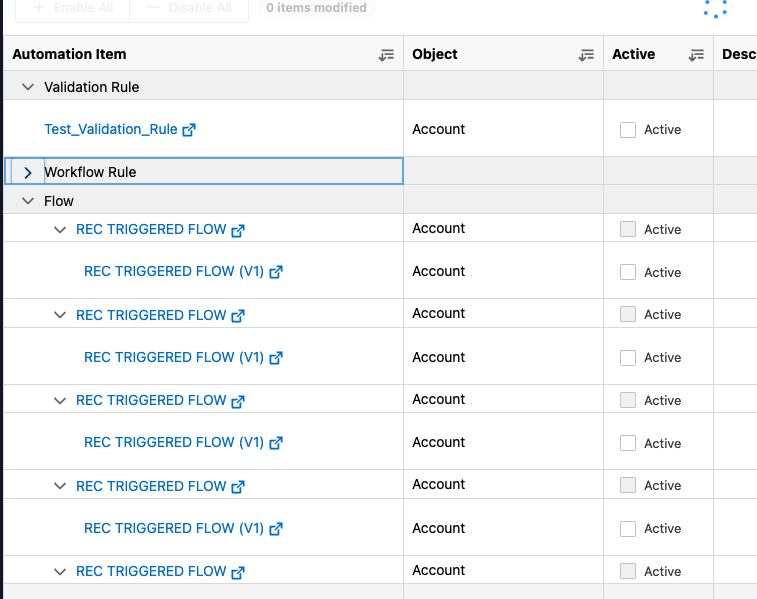
I basically just used a custom formatter and added the icon to expand/collapse determine based on the contents of each row and added a marking as needed to indent.
You can possibly combine with a custom colSpan function for the rows that are expandable.
I also had to store some extra data on each row (isExpanded) to filter out the rows that are hidden since they are collapsed.
