
hackingtool
 hackingtool copied to clipboard
 Z4nzu
Z4nzu
Tried to install it on macOS and changed the install.sh to fit macOS commands but it didn't work
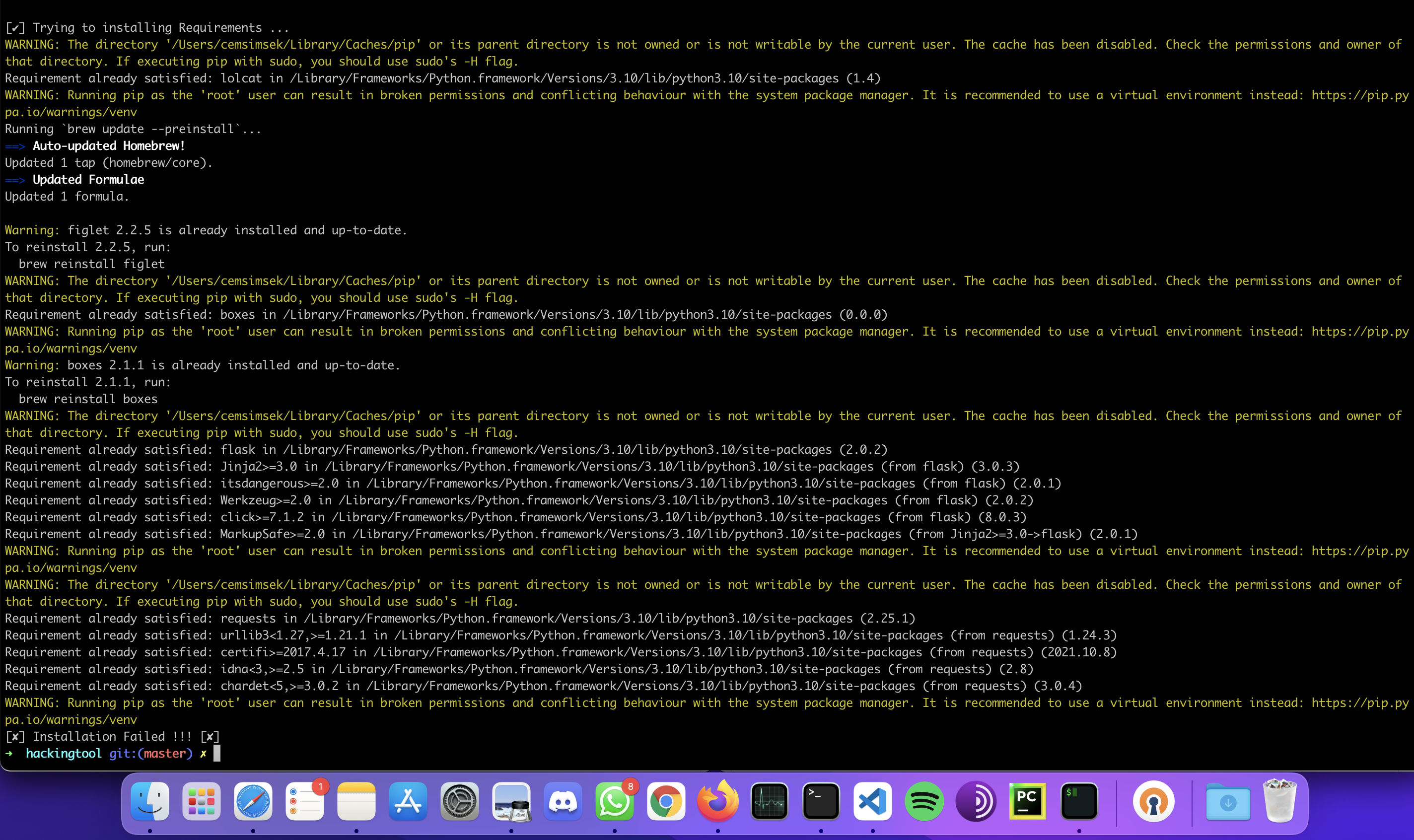
Describe the bug I tried to install it on macOS even though it supposed to work on Kali Linux / Parrot OS. I changed commands like "sudo apt-get install -y figlet" to "brew install figlet" or "sudo apt-get install boxes" to "brew install boxes", but the installation fails.
To Reproduce Steps to reproduce the behavior:
- I cloned the repo
- used ”chmod -R 755 hackintool"
- changed to the directory hackingtool with "cd hackingtool"
- installed the requirements with "sudo pip3 install -r requirements.txt"
- changed the install.sh to fit macOS command, due to not existing apt-get command on macOS. I changed them to "brew install ...." and commented them out
- it can't create the hackingtool directory in "/usr/share/doc/" => operation not permitted
- it can't copy to the hackingtool directory => => operation not permitted
- the installation of the requirements works fine, even though I get warnings, that running pip as root is not recommended
- it tries to install some requirements and sees that the requirement is already satisfied and then I get the "installation failed" message and it stops the process
Expected behavior I hoped that if I change the commands in the "install.sh" to commands that work in bash/zsh on macOS like brew, that it should work, but it didn't.
Screenshots look at attached screenshot
Desktop (please complete the following information):
- Device: [MacBook Pro 13" 2020]
- OS: [macOS 12.1]

Use chmod 777. Or give all permissions . According to 6,7 errors you haven't given enough permissions for it to create directory and the code checks for the directory to confirm installation.

- Replaced
apt-getwithsudo:
            sudo apt-get update -y && apt-get upgrade -y
            sudo apt-get install python3-pip -y
to
            yes | brew update && yes | brew upgrade
            yes | brew install python3-pip
&
sudo apt-get install -y figlet
to
yes | brew install figlet
- And for the brew permission error:
sudo chown -R $(whoami) $(brew --prefix)/*.
And stuck on this step:
[✔] Installing ...\n
fatal: could not create work tree dir '/usr/share/doc/hackingtool': Operation not permitted
