
ZenScript
 ZenScript copied to clipboard
 Yesterday17
cross-script reference causing fake error (works perfect in-game)
I was having a strange error when using a function across a script, where, i did everything properly, script works ingame, yet i still get a error that keeps changing everywhere depending on what i delete, nothing made sense, so i decided to make a script with just import scripts.Util;, and i got this weird error.
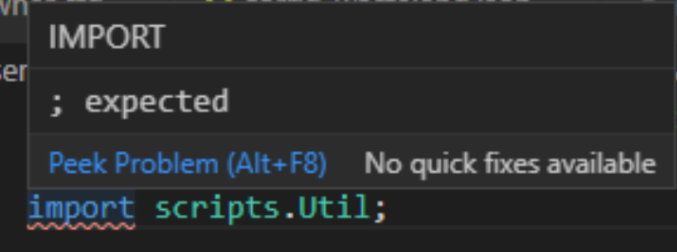
if i just do import scripts; it doesnt show an error but that theoretically would never work in-game
update: i just now fiddled with it, undo'ing and redo'ing and it dissapeared, however, the same result happens in other scripts, its a very inconsistent error to get rid of

any ideas?

Are there any other statements before the import statement in this file?
Landie [email protected] 于2020年11月11日周三 下午7:49写道:
I was having a strange error when using a function across a script, where, i did everything properly, script works ingame, yet i still get a error that keeps changing everywhere depending on what i delete, nothing made sense, so i decided to make a script with just import scripts.Utils;, and i got this weird error.
if i just do import scripts; it doesnt show an error but that theoretically would never work in-game
update: i just now fiddled with it, undo'ing and redo'ing and it dissapeared, however, the same result happens in other scripts, its a very inconsistent error to get rid of
any ideas?
— You are receiving this because you are subscribed to this thread. Reply to this email directly, view it on GitHub https://github.com/Yesterday17/ZenScript/issues/39, or unsubscribe https://github.com/notifications/unsubscribe-auth/ACCEFLUWJJZ7LFTU57WJA7LSPJ25TANCNFSM4TR4THKA .

In the first picture there was two, just two crafttweaker imports iitemstack and ingredient, but removing those import statements still yielded the same error. as mentioned I even did a blank script just having the import statement scripts.Util and it still gave me an error :(
 hmmm
hmmm
i have on many different occasions, i just restarted right now and i got this. here is a gif to better show how its produced 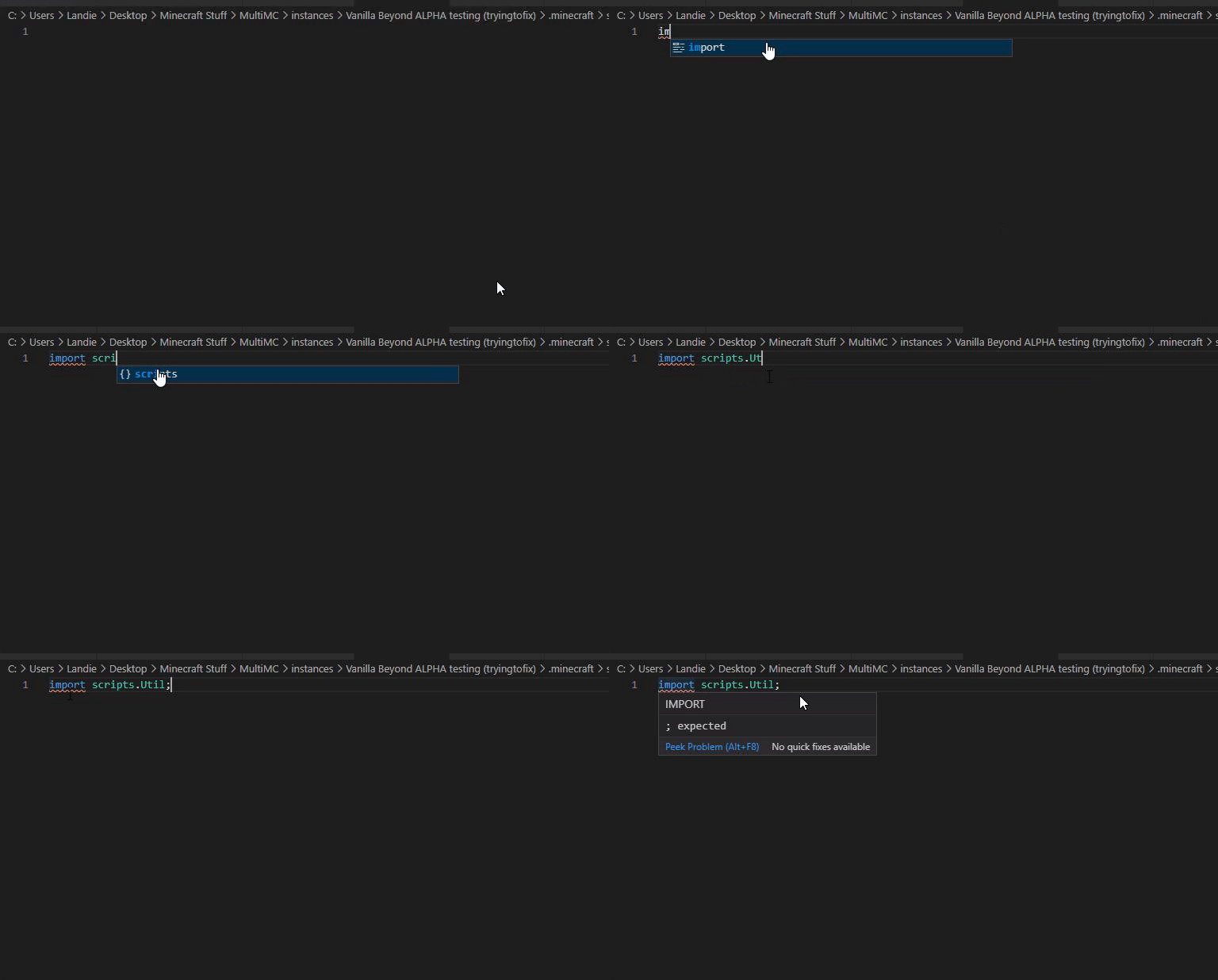
edit: tried on various different scripts, its really inconsistent, if it doest give errors on some scripts, those scripts will never have the error, if it doesnt, it never works for those scripts
I had this once but it's gone meanwhile. I don't know how to reproduce this either. But I know this bug exists.
Try making a crafttweaker import first like IIngredient and then import your script.

That’s what I did in my first script when I discovered the issue @DAmNRelentless, I honestly just feel like reinstalling vsc lol
I didn't reinstall it. It just fixed itself after some time. It's really a weird bug.