

 WWBN
WWBN
username and password cannot be blank
I installed the encoder and when I tried to sign in. I get a Sorry your username and password cannot be blank. I check the encoder DB and the username and password is listed in it. The password is not even encrypted.
What would cause this message and not let me sign in?
Thank you

Sorry, I really never seen this. please check your log file to try to find a clue

Should it work if encoder was installed as sub-folder? like domain.com/encoder ?
I created a sub-domain encoder.domain.com then tried to install it but it get stuck at "Processing" on sub-domain installation - the DB never get created
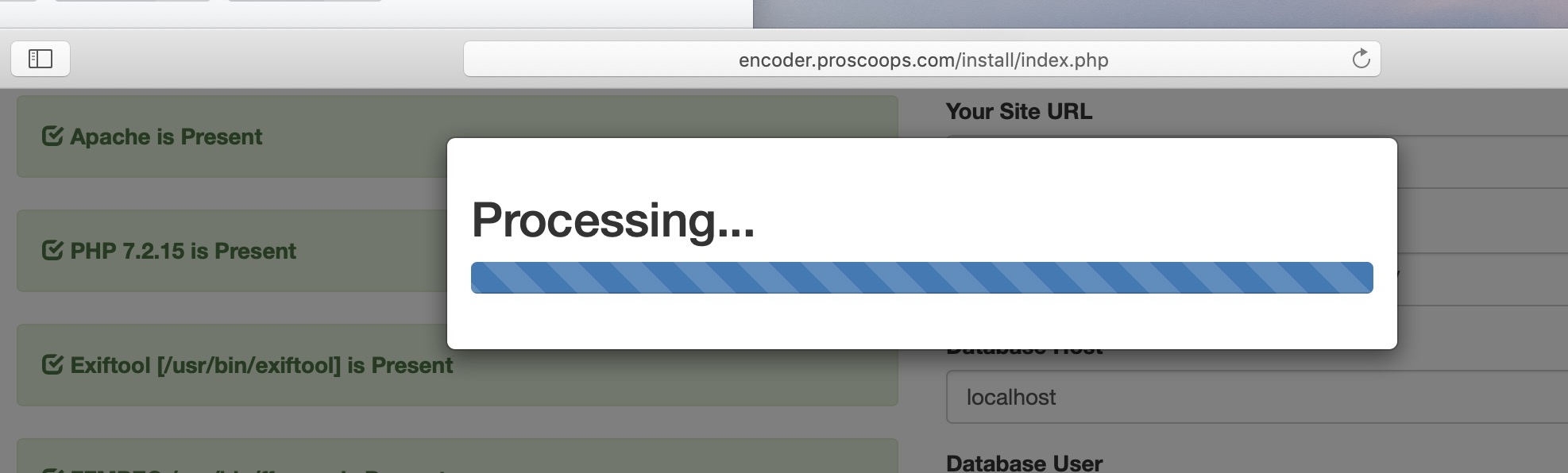

Found this error in log for sub-domain installation
[07-Mar-2019 15:06:17 America/Chicago] PHP Warning: require_once(/home/proscoops/encoder.proscoops.com/view/../videos/configuration.php): failed to open stream: No such file or directory in /home/proscoops/encoder.proscoops.com/view/index.php on line 18
yes, this may be the problem
how is your encoder configuration.php file?
Sorry I have been busy with other projects.
Where should the configuration file be located in? I do see one in /objects/ folder however it look like the error log expect it in a different folder?
/home/proscoops/encoder.proscoops.com/view/../videos/configuration.php
What folder is /../?
How do I change the php it using? I noticed that it detect php 5.6 when the server have php 7.2 installed. I wonder that is the problem? Cpanel allows several version of php to be install but look like your script is pointed to /usr/bin/php? Is there a way to change and point to a different php bin?

I can not reproduce this error, you may have something redirecting or blocking your request.
@TechBill Yes, I use PHP 7.2 on any Ubuntu 18 installation with no problem
i have installed both in godaddy vps...and encoder is not login in and also live rtmp is not connected and stream key is hidden
Do we use same database and mysql user for streamer and encoder site?
same question..... i have created two different database
I was able to sign in today. I have to use and set up ssl cerf to make it work
I faced all of the problems listed above. I was finally able to connect and login when I rolled back php to version 7.2
