
WSAGAScript
 WSAGAScript copied to clipboard
 WSA-Community
Deployment failed with HRESULT: 0x80073CFD
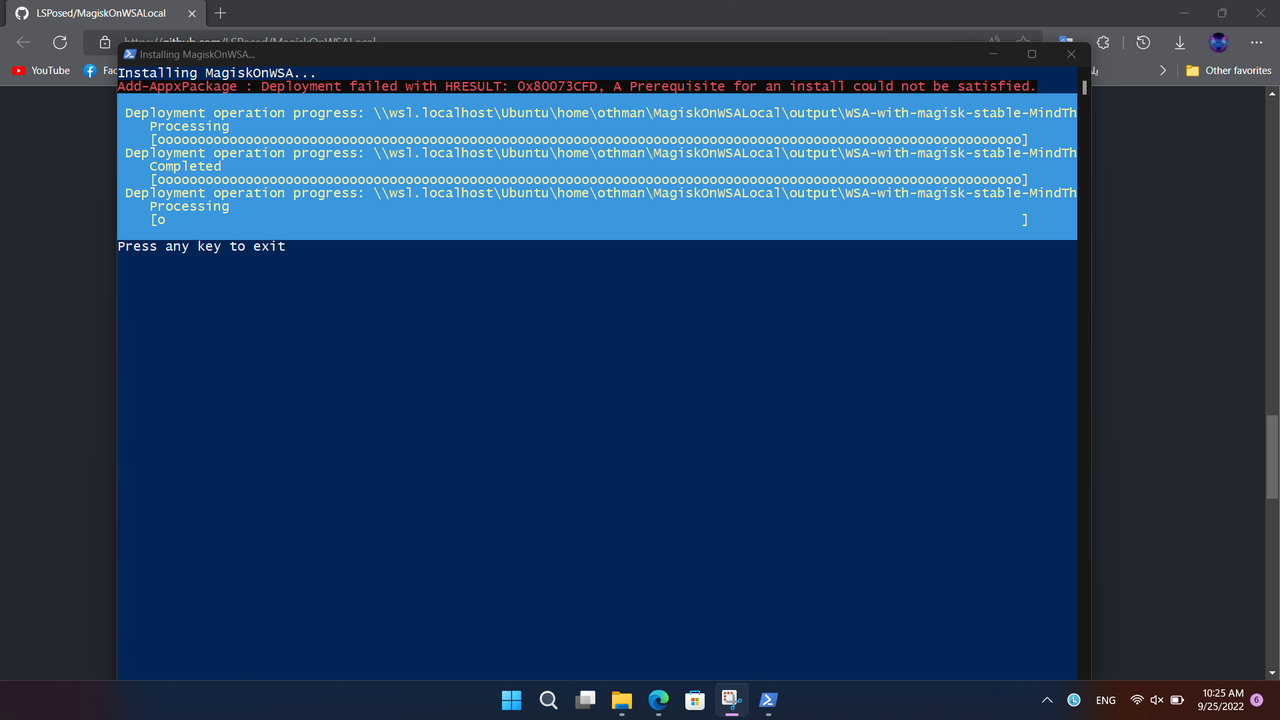

What version of Windows are you running, WSLg and by extension WSA will only work on Windows 11

What version of Windows are you running, WSLg and by extension WSA will only work on Windows 11


I found this in an earlier closed post, might be helpful "Follow these steps to fix the issue.
Install Microsoft.UI.Xaml.2.6
Go to store.rg-adguard.net Change to ProductID and paste '9P3395VX91NR' Change to Slow and click the check mark Look for install Microsoft.UI.Xaml.2.6 Install the correct .Appx file for your architecture. (x86, x64, ARM or ARM64) Run the command as administrator
Right-click Windows Button (Windows 11) or your taskbar (Windows 10) Choose Windows Powershell (Admin). If it shows Terminal (Admin), open that and then open Powershell as a new tab. It will open as admin. Now run the same code and it should work perfectly."
Originally posted by @blueveryday in https://github.com/WSA-Community/WSAGAScript/issues/191#issuecomment-1052117950
