
WSAGAScript
 WSAGAScript copied to clipboard
 WSA-Community
Any idea on using a proxy?
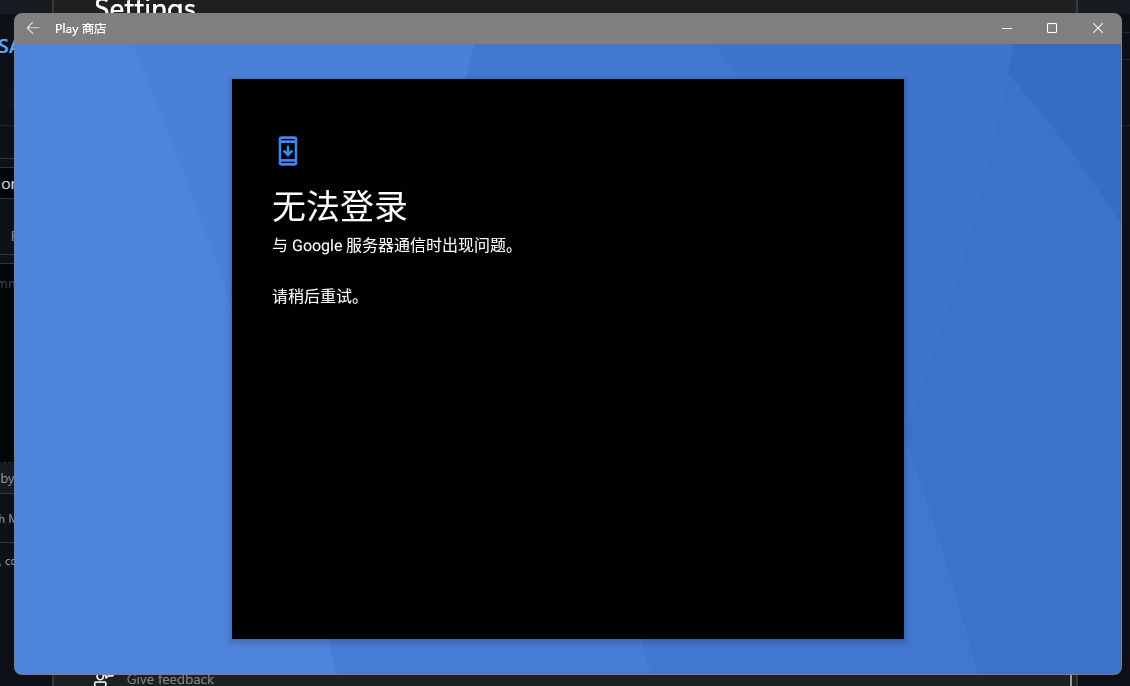
Since I can't connect to Google Play using my local network, I decided to use a proxy to bypass the firewall.
First I launched V2Ray in windows, but it did not work because the proxy doesn't handle virtual network devices traffic.
Then I used Clash for android on WSA but there's no vpn component in the stock system so I downloaded one and moved it to /system/app, but unfortunately because of some really annoying android permission problem the vpn service cannot start.
Lastly I used my android phone, which is connected to a proxy and the Play store works fine on that phone, tethered network using a USB cable. Google's website is ping-able in adb shell, but still, the play store couldn't connect.
I really have no idea about using a proxy. Any idea on that?

okay turns out you can just use the http proxy in the wifi settings just manually set up a HTTP port in clash and connect it using 127.0.0.1:ur port
~~You should be able to use the uwp loopback function of Clash for Windows.~~ ~~But I did not test it, in theory this should work~~ this is false

You should be able to use the uwp loopback function of Clash for Windows. But I did not test it, in theory this should work
From what I see, WSA is probably using a virtual network card rather than uwp's own network service, so the network traffic shouldn't go through uwp.
okay turns out you can just use the http proxy in the wifi settings just manually set up a HTTP port in clash and connect it using 127.0.0.1:ur port
设置后子系统虚拟wifi直接就显示无网络连接了。

我用tun也不行,YouTube都能用,就是谷歌不能登录。
使用powershell这样设置下试试,我这设置后正常
adb connect 127.0.0.1:58526 ; adb shell "settings put global http_proxy ``ip route list match 0 table all scope global | cut -F3``:1080"

