
2d-extras
 2d-extras copied to clipboard
 Unity-Technologies
How does one use the "Custom Rule Tile Script"
I am trying to figure out how to use that script (some of the samples provided for example) to extend some of the rules, but cant figure out how to apply it to rule tiles?
What i've figured out so far is that i can change the RuleTile script from the debug mode in the editor and drag&drop my replacements, but im pretty sure that is not the intended way.

Well... Asset Window, right click -> Create -> Tiles -> Rule Tile And you can configure it there...

I could be missing it, but i really dont see a way to change the script for the rule tile (to a custom rule tile script) from the inspector unless im in debug mode. Screenshot: https://imgur.com/a/bLfSBYM
I am not sure if I understand your question correctly. Do you ask how to use Custom Rule Tile right? If it's the case... When you get the window like one on the left of your image, you can click plus to add the rules... You setup the rules in that window, you don't even need to modify the script itself. If you see the example, you will understand how they use it.
But maybe I misunderstood your question ._.
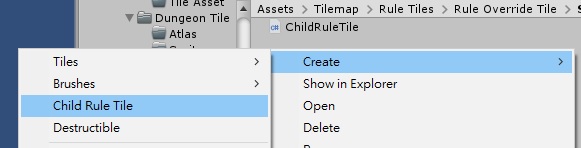
When you create a custom script, you should be able to create it in the Create Assets menu.

@alijaya thats the rules in the normal rule tile :)
@johnsoncodehk i thought so, but for some reason when i "create a custom rule tile" from the assets menu a new asset appears and then you have to input the name, which i do, the moment i press "enter" to save the asset (like you do in every other asset you add) it just dissapears (it may be something wrong with my Unity install?)
@duronrulez I just had the same issue. if you just go to the asset menu and try to create a New Custom Rule Tile it seemingly does nothing with no output or error message (Unity v2020.1.0f1 - current master version of the 2d extras package)
After some trial and error I got it working with these steps:
- Create a new Custom Rule Tile Script from the asset menu. Right Click > Create > Custom Rule Tile Script This lets you modify the script to add the rules as necessary.
- Right Click the Custom Rule Tile Script and follow the same steps to create the Custom Rule Tile Right Click > Create > Custom Rule Tile
This should create a new tile asset using your Custom Rule Tile Script behind the scenes instead of the default Rule Tile. You should see any additional properties available in the inspector to know its working
