
react-native-highcharts
 react-native-highcharts copied to clipboard
 TradingPal
Two or more Charts not intelligible
Hello All,
First of all, kudos to you all, great job on this module, it really makes life easy for the react-native community. Thanks a lot.
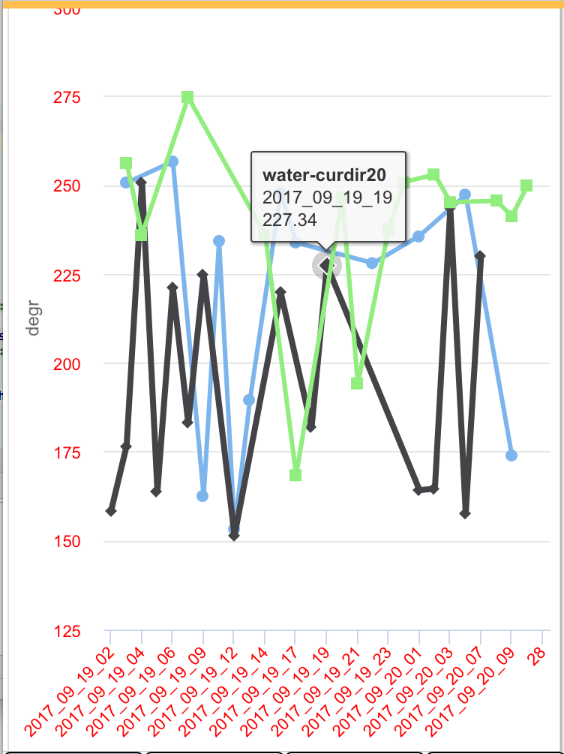
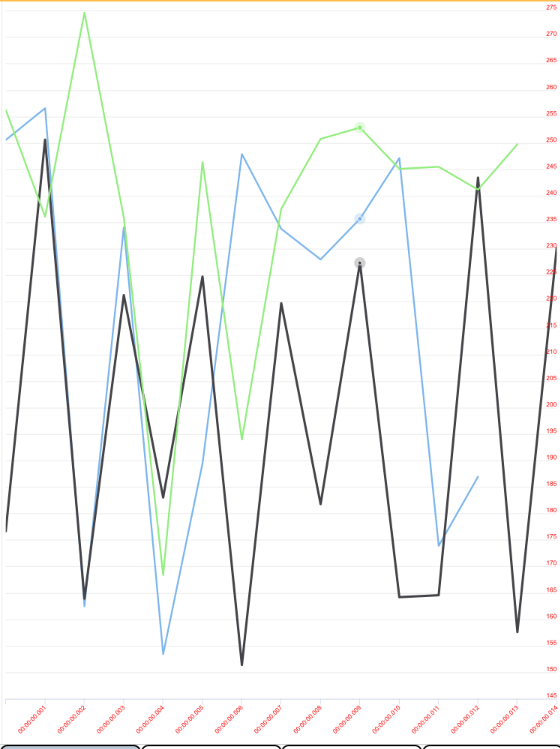
I was using the very old version of your code (0.1.1) but then I learned that a newer version supports the highchart-more and I switched to version 1.0.1. The issue I am facing is that when I have more than one series the charts and labels become so thin that they are not intelligible. I have attached two pictures one shows the charts with older version and one with the newer version. Is there a setting that I need to use ? Please see the pictures. Thanks. Farshid


it has to do with the pull request #25, you can remove that line and you should see the graph like before. thanks for using the module

I looked at the pull request #25 and still not clear. What line and where do I need to remove it? Thanks.
Thanks, let me try it and let you know. The line 19 is line
I need to remove the whole
this line should be above style and that is the one mentioned in #25 so you can remove it and it should disappear the light of the line, but i believe that this line was for responsiveness in ios so take that into account
<meta name="viewport" content="width=device-width, initial-scale=1" />
sorry line was not inserted in the previos comment
Thanks for your quick response, and sorry for taking your time. I searched the react-native-highcharts.js file of version 1.0.1 and could not find any line like that. I also searched for the word "meta" in the same file and there was none there. Thanks.
Other issues I noticed. If I pass in the stock={true} for the ChartView tag. Neither the XAxis labels nor the Tooltips work. My Charts are the category type which means I pass in the XAxis labels. Please see the two charts below. As you see the newer version (1.0.1) decided to display some time/linear text for the XAxis labels. My apology if these issues are reported already. Sorry for the duplicates.
It looks like you might have a scale issue, try setting scalesPageToFit={true} to scalesPageToFit={false} . that helps us, it should be a prop thats pushed down from the user configs, but isnt (yet). Perhaps someone has since updated the library for that?
