

 Textualize
Code Viewer example does not support scrolling on macOS
When playing with the examples, at first the Code Viewer seems to work! However, attempting to scroll the code shown causes control characters to be printed to the screen. Lots of bells are printed.
This happens with macOS terminal (default configuration) and in iTerm2 (lots of custom configuration). Both fail in the same way.
Screenshot and video attached.
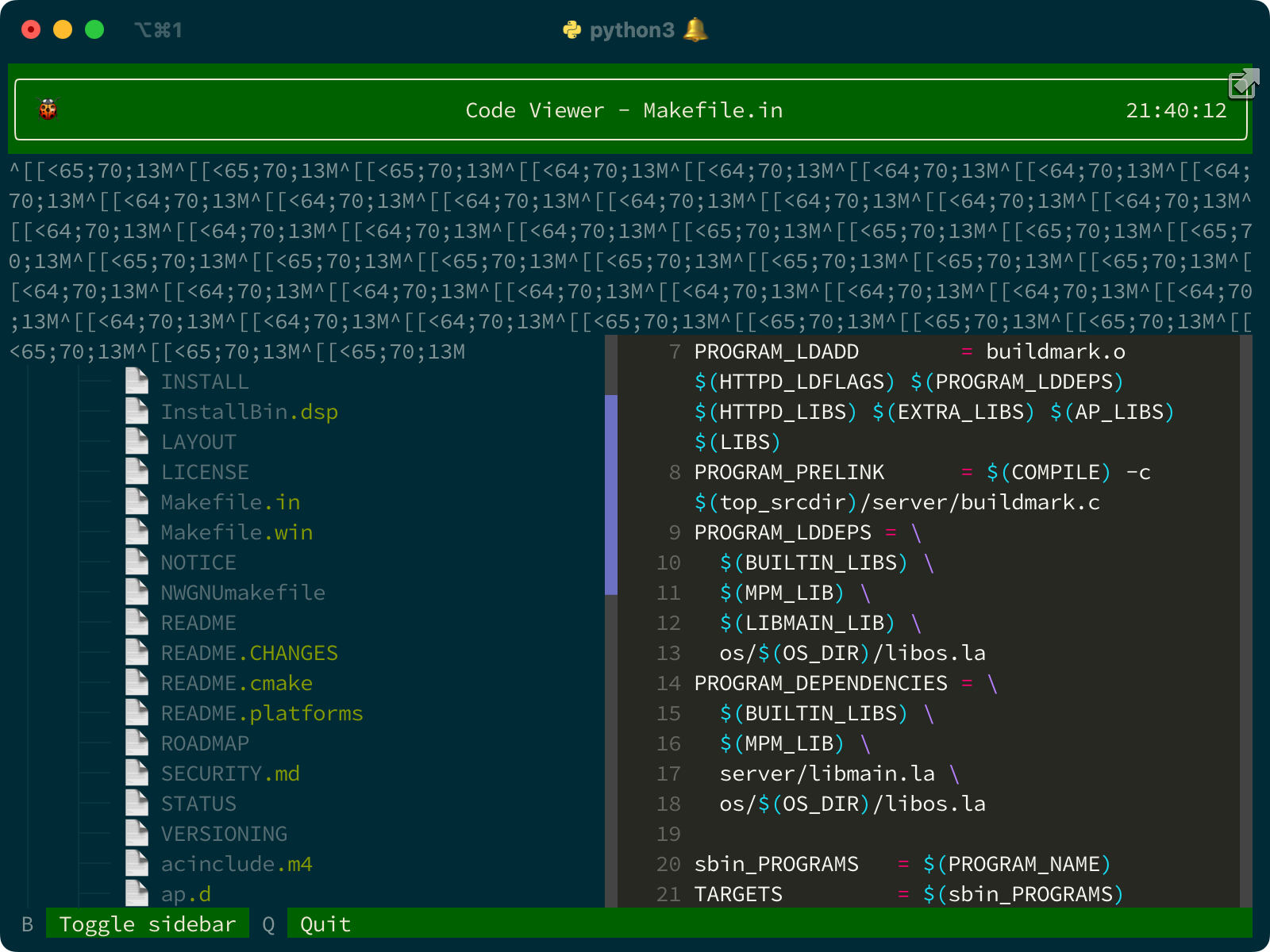
https://user-images.githubusercontent.com/111640/163658400-8df11f33-c70b-4e05-9123-3bead4f6ca44.mov

I can't reproduce that here, on MacOS. Do you have any kind of shell integration or extension active?
Is it only the code viewer where this happens, or other examples? How are you scrolling? Touch pad or mouse?
Is it only that one particular file where you see this issue? If so, can you send me a copy.
Can you use the mouse with other TUI apps, such has htop ?

Got same issue with ScrollView on linux. If run app with stdin input (from pipe) arrors keys and mouse moves cause same effect. Regular run -> OK. Same effect with rich-cli. Tested on ubuntu, different terminals, same with remote ssh access. check with python 3.9 and 3.10
In my case -> app read data from pipe and not from tty. But it looks like example above.

![github-actions[bot] avatar](https://avatars.githubusercontent.com/in/15368?v=4 "Published by a pub.dev verified publisher")