

 TeamCodeStream
GitLab MR review doesn't always show new comment button in gutter
Frequently when I'm reviewing a file in a GitLab MR, I mouse over the gutter next to the line numbers and am only shown the new comment button for the line I have my cursor in. I would expect to be able to see the button in the gutter for any line I mouse over.
I haven't been able to nail down a pattern on this.

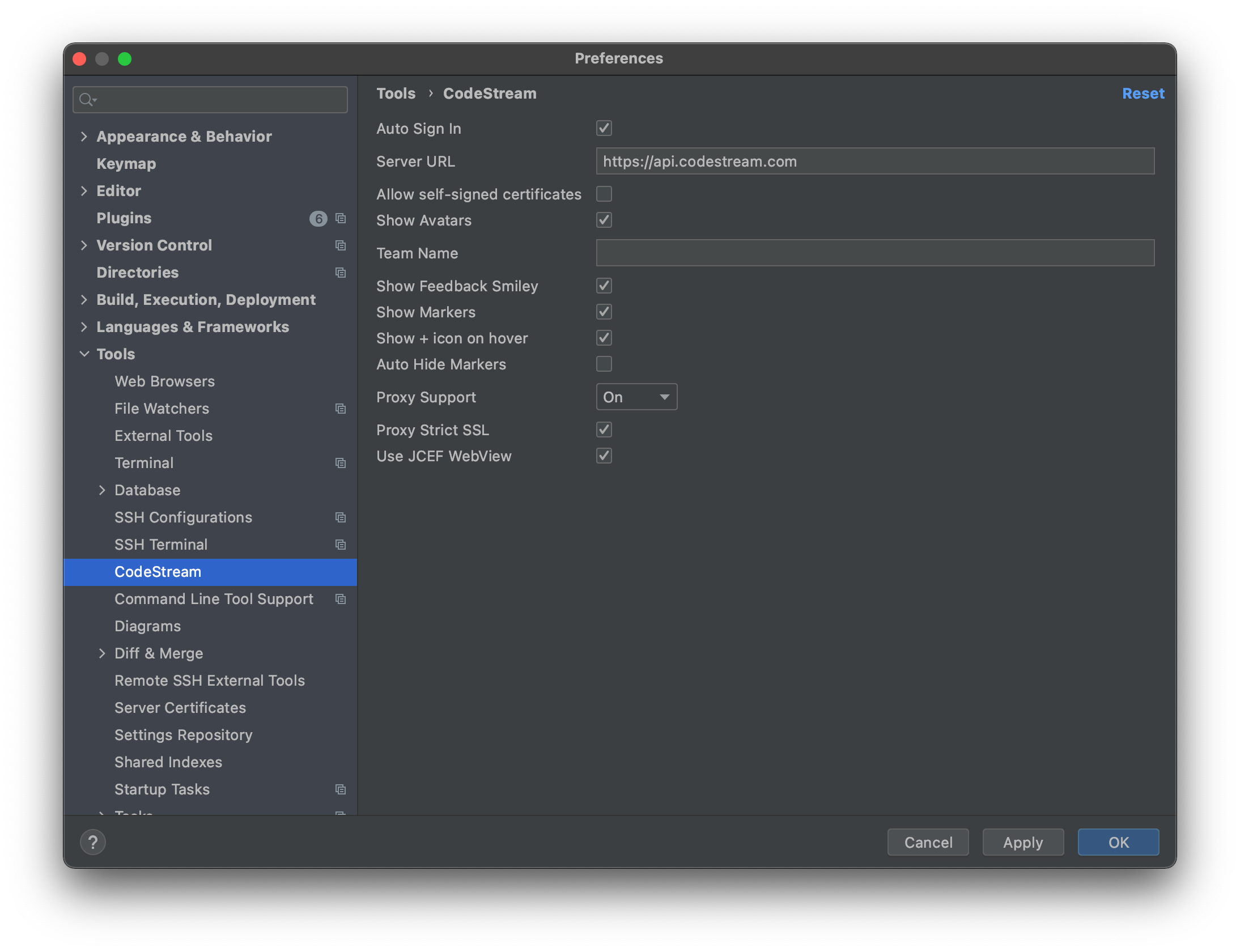
@emmeram - One thing to check, just to be sure... In your IDE go to Preferences > Tools > CodeStream and make sure the "Show + icon on hover" box is checked.

I've determined repeatable steps that cause the icon to not appear:
- Load a GitLab MR using a URL
- Open a file in the change list
- Mouse over the gutter
- Click the + button to add a comment to a line
- Enter a value for the comment
- Click 'Start Review'
When I next mouse over the gutter, the + button does not appear. I can click in the gutter and get no response. I can get the + button to come back by clicking on a random line in the file and mousing over the gutter again.
Thanks @emmeram! It looks like the issue is that submitting a comment takes the focus away from the diff. We'll look into a solution for this, but in the interim you can restore the proper behavior by clicking somewhere in the diff.