
TablePlus-Windows
 TablePlus-Windows copied to clipboard
 TablePlus
Display Cassandra partition key and clustering key in correct order
-
Which driver are you using and version of it (Ex: PostgreSQL 10.0): Cassandra 3.11.4
-
Which TablePlus build number are you using (the number on the welcome screen, Ex: build 81): 58
-
The steps to reproduce this issue: View the structure for a table with a partition key and clustering key
If I view the Primary key for a table in the structure view I see the keys ordered alphabetically, i.e.
orderid,orderstatus,segregator,tag,timestamp,utcdate
However in Cassandra the order of the keys, especially the partition key, is critical and the key for this table should be displayed as
(tag, segregator), utcdate, orderstatus, orderid, timestamp
because the table was created as follows:
CREATE TABLE orders (
   ...
    PRIMARY KEY ((tag, segregator), utcdate, orderstatus, orderid, timestamp)
) WITH
  CLUSTERING ORDER BY (utcdate DESC,orderstatus ASC,orderid ASC,timestamp DESC)

Hi @TimAtAdaptive could you please check the build 60 and let me know the result?

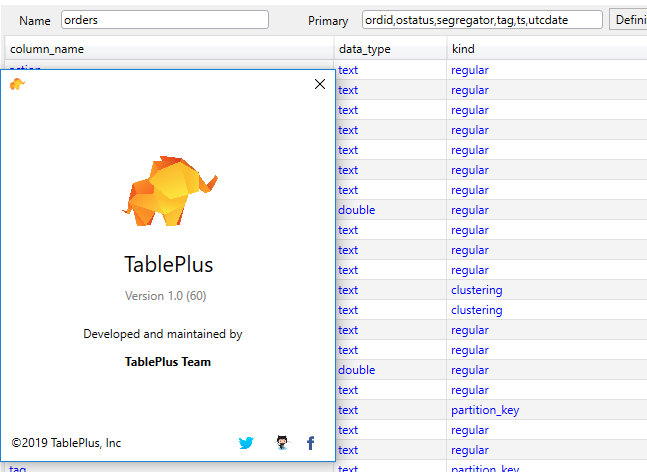
This issue is quite important as the order of the the partition key and and clustering is very important in Cassandra (still does not work in 4.2.1
