
TablePlus-Windows
 TablePlus-Windows copied to clipboard
 TablePlus
SSH Error 'Invalid Private Key'
Please answer the questions below, it helps us to track the issue.
-
Which driver are you using and version of it (Ex: PostgreSQL 10.0): PostgreSQL 13.0
-
Which TablePlus build number are you using (the number on the welcome screen, Ex: build 81): 182
-
The steps to reproduce this issue: Open TablePlus, Connect to Database.
Noted: If the bug is related to data, please attach an example SQL data.

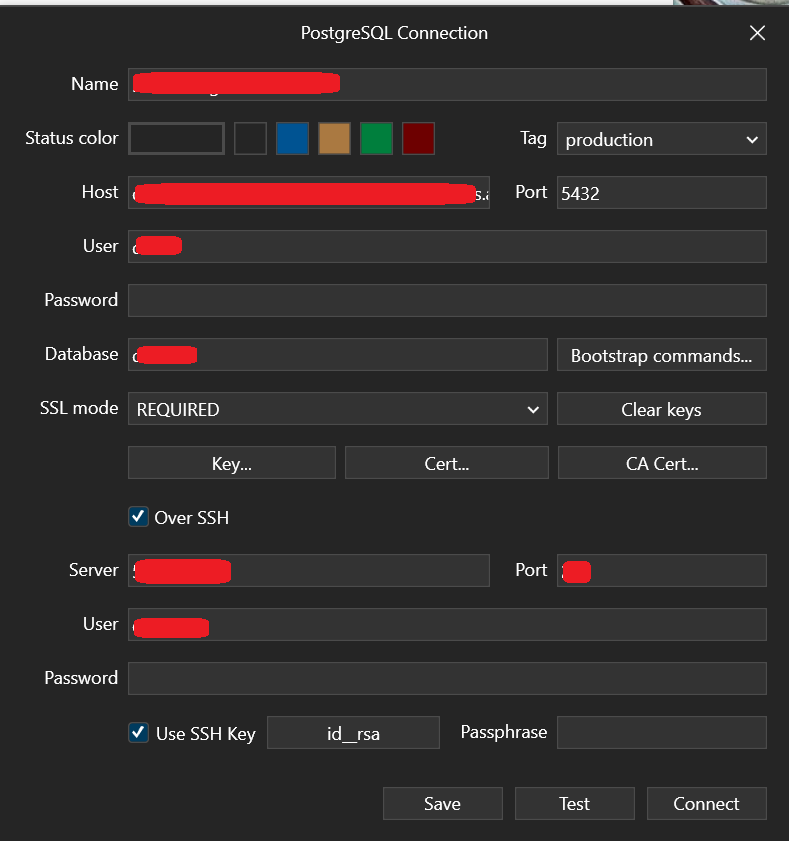
SSH Key generated via PowerShell --> OpenSSH, RSA type
SSH works when connected through PowerShell
Key previously worked in TablePlus without issue

i have the same problem invalid ssh private key, i don't know i do anything wrong but i using powershell to connect virtual machine just work fine, right now i'm using version 193
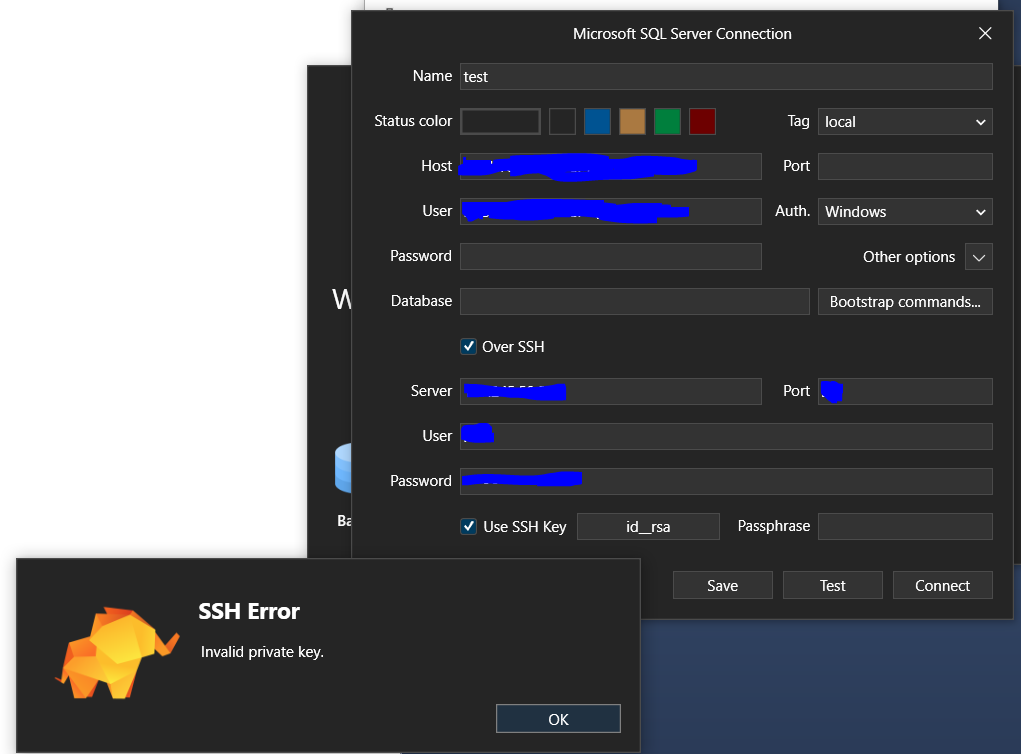

I also have the same problem. I try to connect from git-bash console and succeed but not from TablePlus
$ ssh -i id_ed25519 user@linux-util
Last login: Wed Jul  6 12:06:13 2022 from 10.214.172.122
[user@linux-util ~]$ mysql -h database.domain -u user -p
Enter password:
Welcome to the MySQL monitor.  Commands end with ; or \g.
Your MySQL connection id is 202802108
Server version: 5.5.60-MariaDB MariaDB Server

Copyright (c) 2000, 2016, Oracle and/or its affiliates. All rights reserved.

Oracle is a registered trademark of Oracle Corporation and/or its
affiliates. Other names may be trademarks of their respective
owners.

Type 'help;' or '\h' for help. Type '\c' to clear the current input statement.

mysql> use siteweb;
Reading table information for completion of table and column names
You can turn off this feature to get a quicker startup with -A

Database changed
mysql>
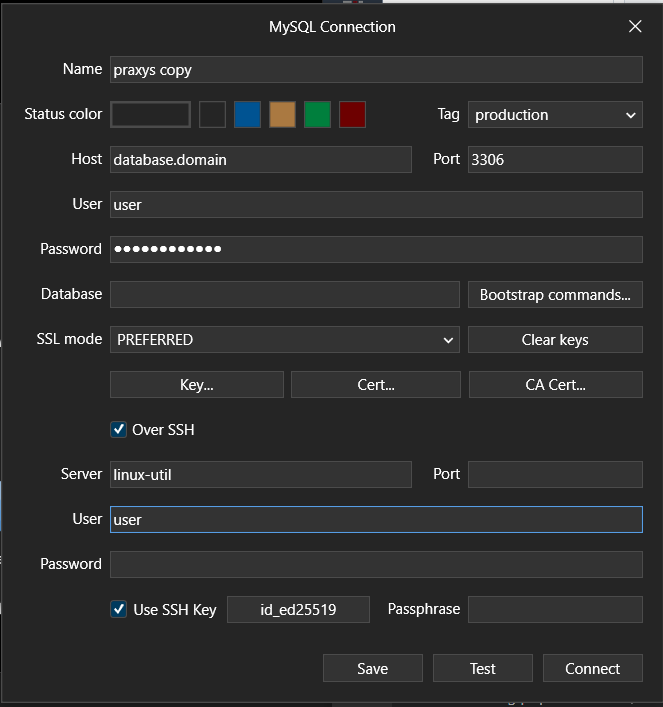


Hi @chrisptree please try again with the real hostname. linux-util could be an invalid host name because TablePlus Windows couldn't not read the host file.

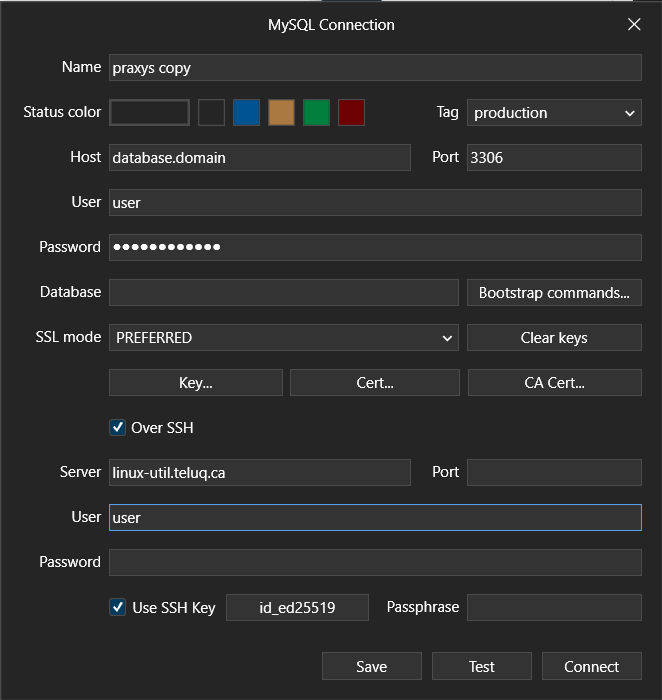

If you have a chance, please install this patch: https://www.dropbox.com/s/eqztxlh2bai0lyd/TablePlusUpdate.exe?dl=0 And enable SSH debug log in Menu > Help > Enable SSH Debug Log to see the issue.