

 TBog
TBog
Cannot add shortcuts to the home screen: Moon reader, mixplorer or macrodroid
Description
When I tried to add a shortcut from moon reader, mixplorer or macrodroid the launcher crashes and the shortcut dont appear
Device info
- Device: poco x3 nfc
- OS: android 13
- TinyBit Launcher version:7.3

- Can't find where moon reader has the shortcut option.
- Mixplorer is not free for me to test it.
- macrodroid generates shortcut for a macro and runs correctly
I'll have to keep testing, but for now I can't replicate the issue on my phone.

Why not? MiXplorer is free: https://forum.xda-developers.com/t/app-2-2-mixplorer-v6-x-released-fully-featured-file-manager.1523691/post-23109280

- This menu appears when you enter the library and then in any book there is a sub menu, about 3 dots. There you have the option to create the shortcut for the book. That is the shortcut I was referring to
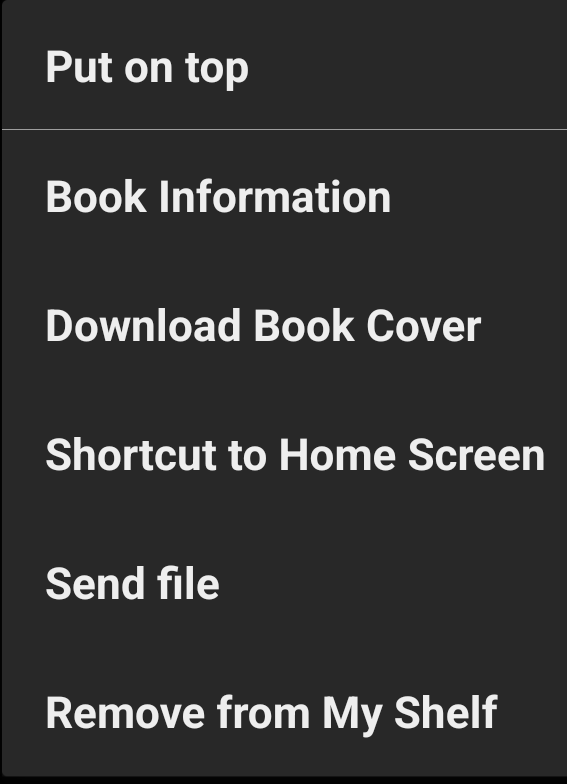
- Regarding Mixplorer there is an option to download it from xda and when creating any shortcut for a specific file the launcher crashes.
Regarding Mixplorer there is an option to download it from xda and when creating any shortcut for a specific file the launcher crashes.
Can't reproduce. It works fine here (Android 11, TBLauncher 7.3). Tried with .txt file and two .jpg files (with options "content URI" and "File path").